Installing The SureAlarm Back-up
Battery (Not Included)
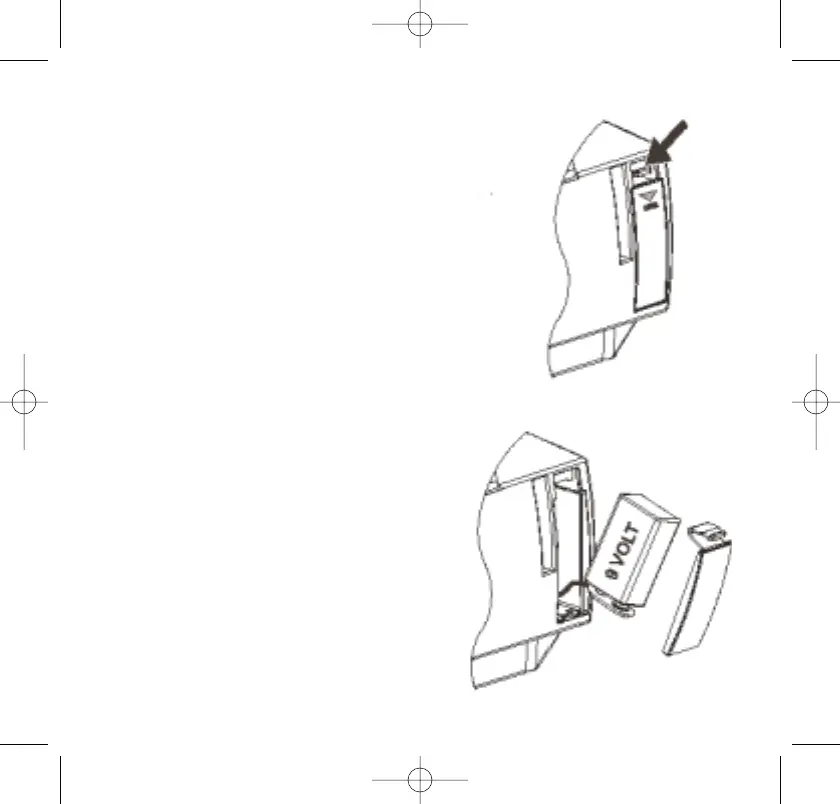
The SureAlarm battery compartment
is located on the back panel.
1. Press down on the battery door
locking tab as shown and remove
the battery door.
2. Gently pull the battery terminal
outside of the compartment just
far enough so you can connect
the battery.
3. Connect a fresh, 9-volt alkaline
battery to the battery terminal. It
can only be connected one way.
4. Push the battery back into the
battery compartment and replace
the battery door.
12



 To Next Page