1. Press the POWER ON/OFF button to switch the unit ‘On.’ If you
were previously listening to the radio, the unit will return to the
last station that was tuned before the power was switched off.
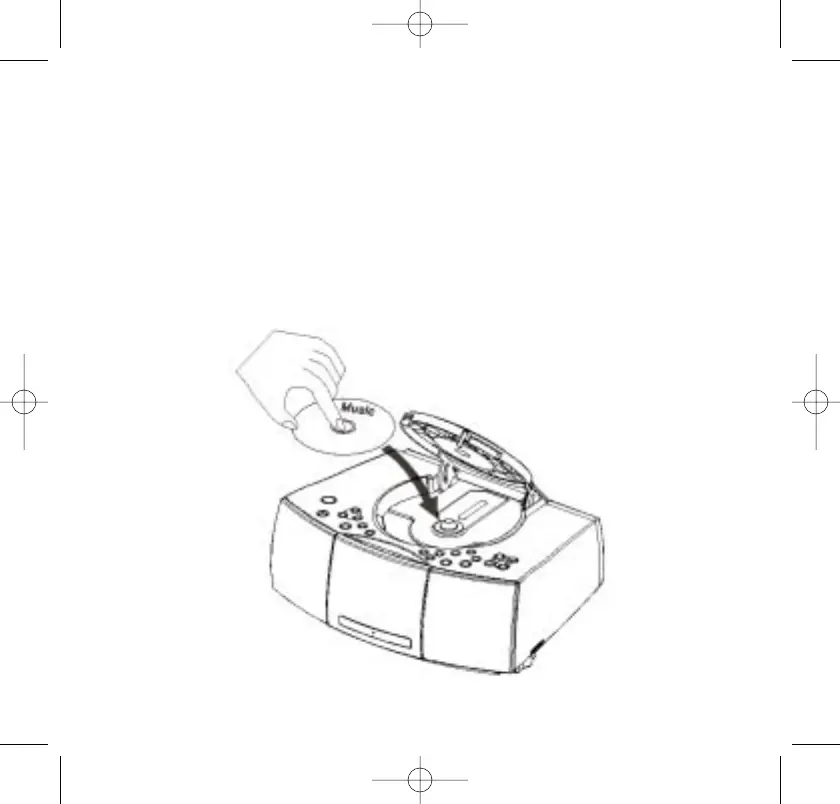
2. Press on the CD door in the area marked OPEN/CLOSE to open
the CD door. When the door opens, if you have not already done
so, remove the white “dummy CD” transit protection card and
discard it.
3. Place your CD on the center spindle with the printed label side
facing up and close the CD door.
467522_INS_SmartSet CD Alarm Clock
5"W x 4.75"H
Output at 100% Prints 1/0 Black
33



 To Next Page