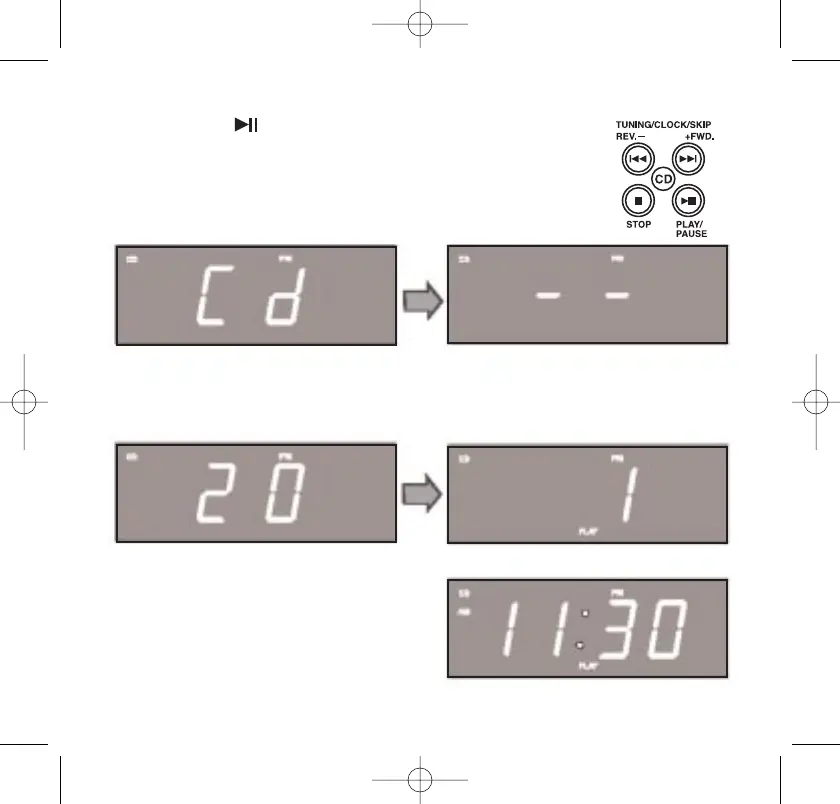
4. Press the PLAY/PAUSE button on the top panel.
5. The display briefly shows “Cd” and then two dashes
“– –” will appear as the player reads the disc.
34
After a few seconds the display will show the total number of
tracks on the disc, then playback begins on Track 1.
After five seconds of playback the
display will return to the correct
time but the small “CD” and “PLAY”
indicators remain in the display to
indicate that a CD is playing.
467522_INS_SmartSet CD Alarm 3/22/07 9:25 AM Page 35



 To Next Page