To cancel Repeat Playback press the REPEAT button until the Repeat
“REP” indicator disappears.
Normal playback will resume. Repeat Playback is also canceled by
pressing the STOP button.
Programmed Playback
Programmed playback allows you to program the player to play up to
20 tracks on a disc in any desired order. You may also program the
same track to play multiple times within the same program if desired.
Note: You cannot program the player
while the disc is playing. If the disc is
playing press the STOP button first
and then perform the following steps.
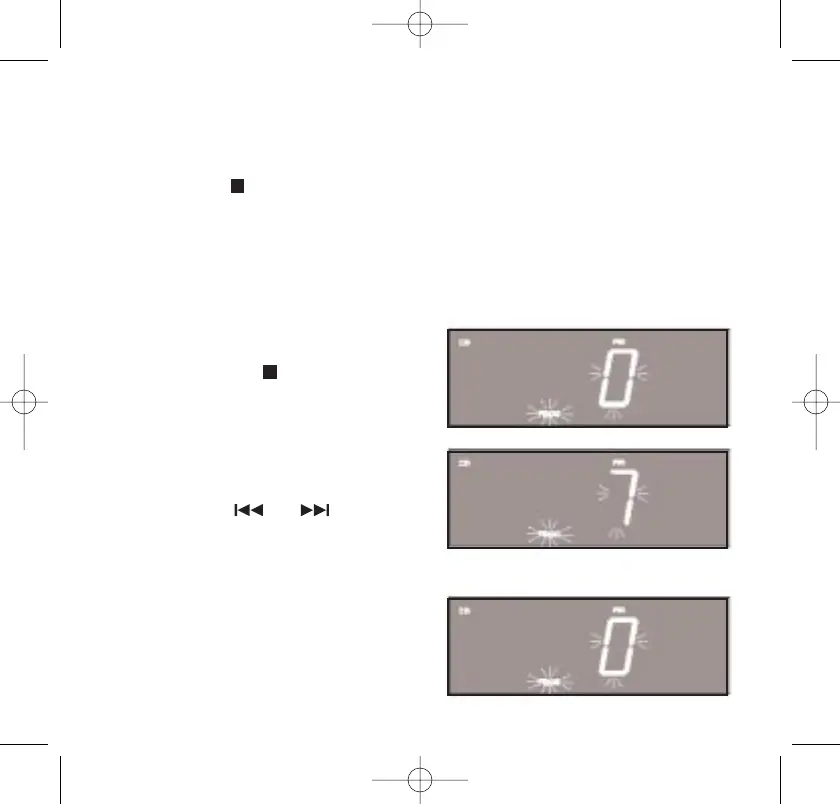
1. Press the PROGRAM button. The
Program “PROG” indicator and
Track number “0” begin flashing
in the display.
2. Press the or buttons to
select the first track to be
programmed. Example: Track 7
3. When track number 7 is flashing
in the display press the
PROGRAM button again to enter
track number 7 in program
memory number 1. The track
number display returns to “0.”
38
467522_INS_SmartSet CD Alarm 3/22/07 9:25 AM Page 39



 To Next Page