6
insTallinG The baTTeRies
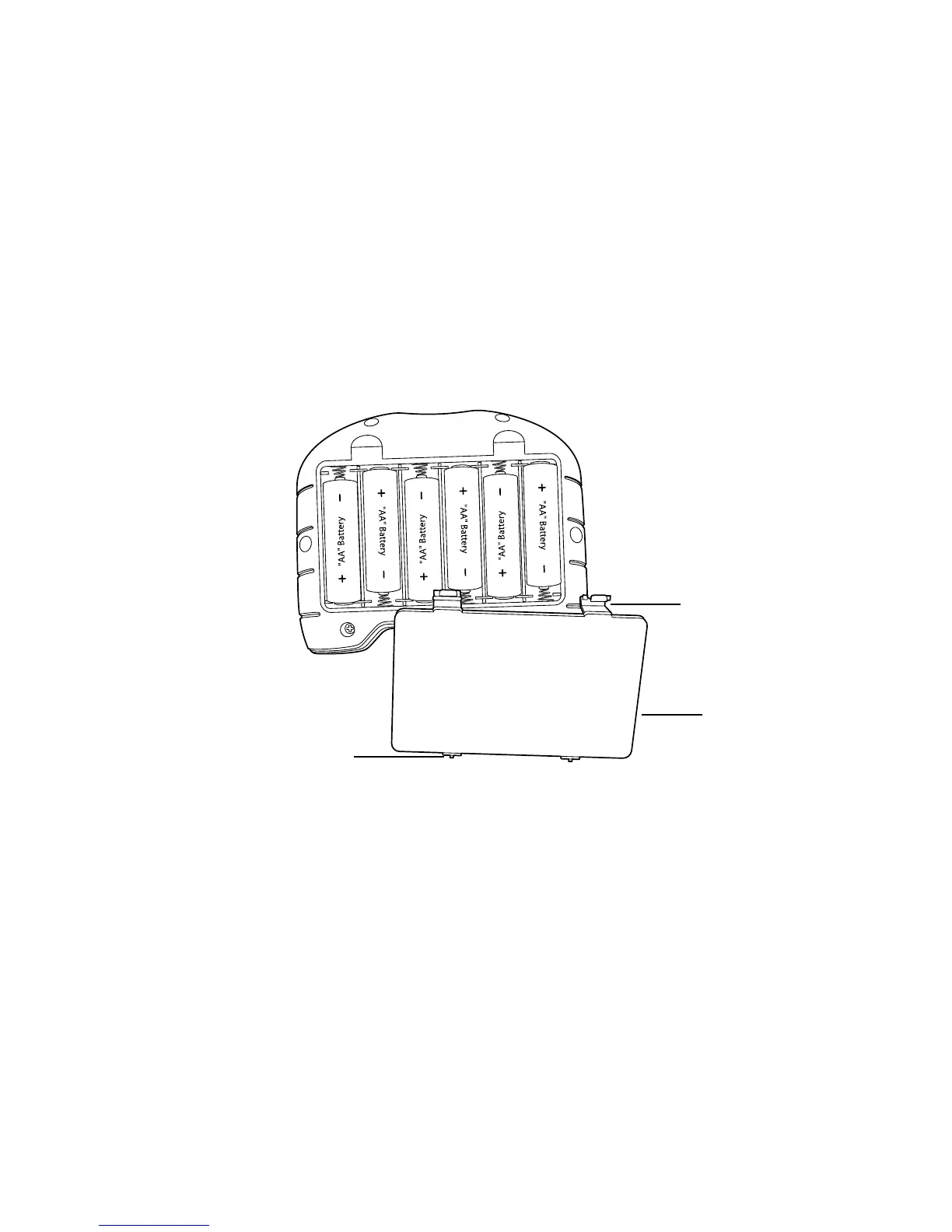
1. Turn the remote control over to access the BATTERY COMPARTMENT
on the back.
2. Push both LATCH LOCKS in towards the BATTERY COMPARTMENT COVER
and remove (see below).
3. Insert 6 AA batteries according to the polarity indicators inside the compartment.
4. Replace the BATTERY COMPARTMENT COVER by sliding the two TABS
on the cover into the slots in the housing and snapping the LATCH LOCKS
securely into place.
Latch Lock (2)
Tab (2)
Battery
Compartment
Cover
651307_INS090810_Cloud Force Helicopter
5”W x 4.75”H_Output: 100%_Prints 1/0 Blk


 To Next Page