BrosTrend™ www.trendtechcn.com
9 / 22
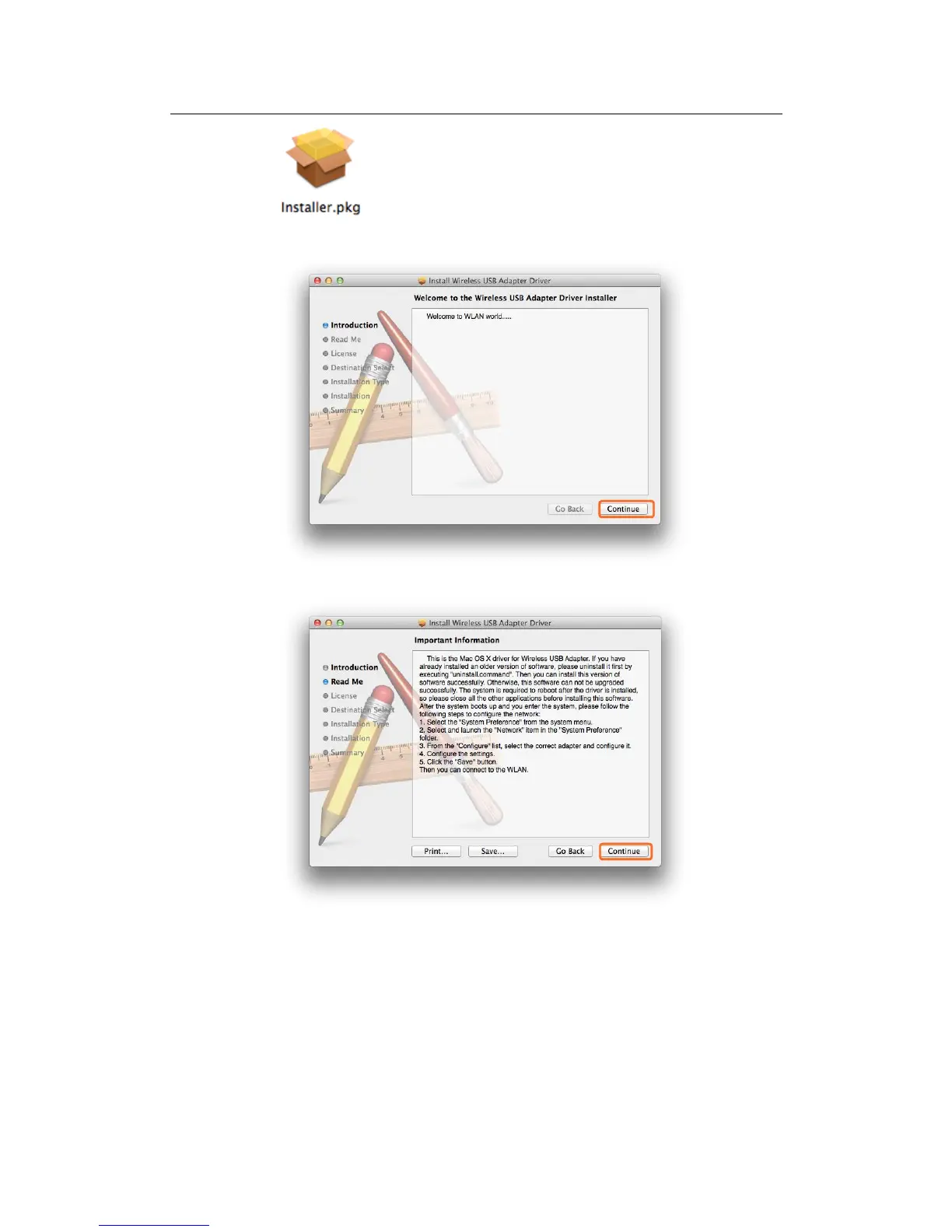
2.2.3 In the screen below, please click “Continue”
2.2.4 In the screen below, please also click “Continue”:
2.2.5 In the screen below, please select your language, we here take English as
example and then click the “Continue” button:



 To Next Page