BrosTrend™ www.trendtechcn.com
4 / 22
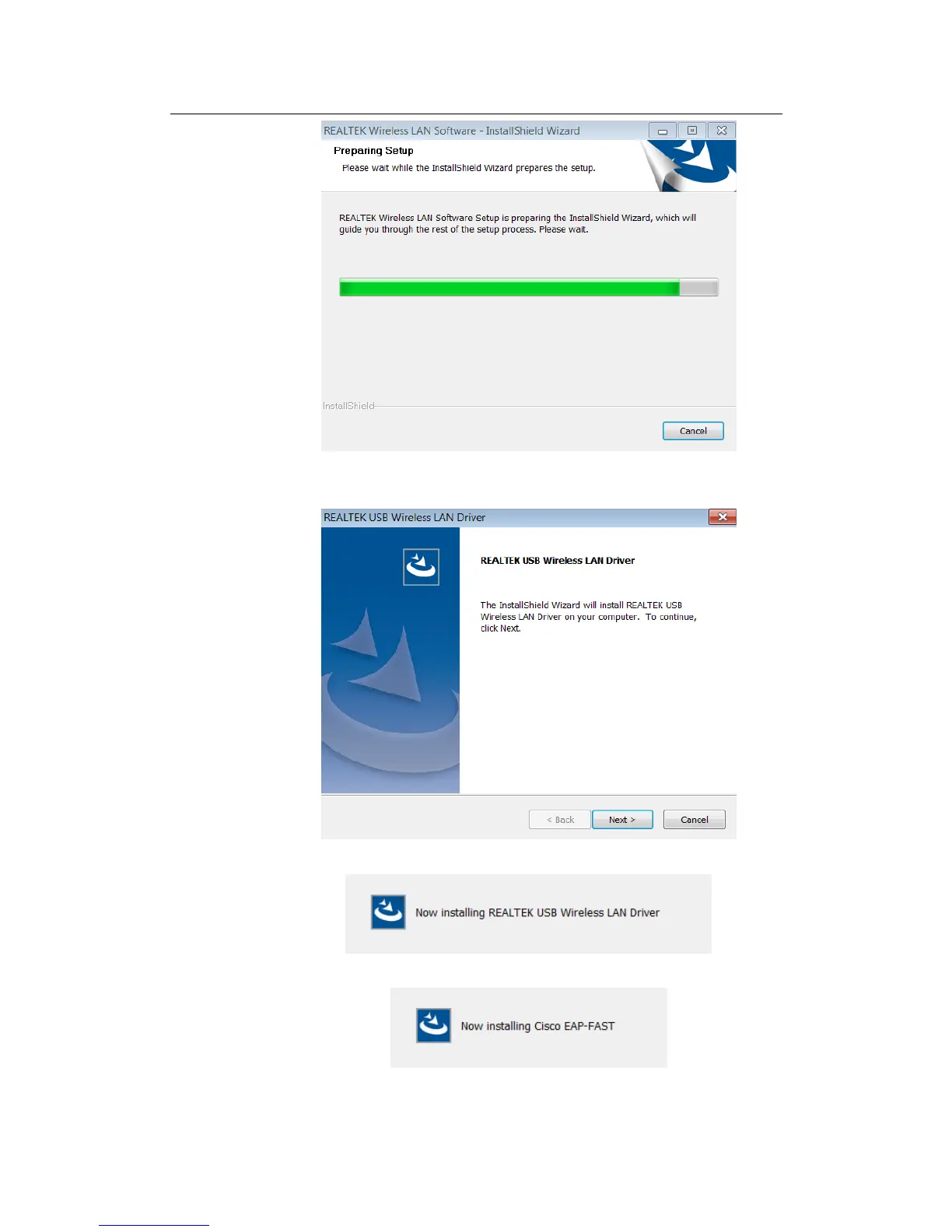
2.3.2 In the below interface, please click "Next" button to continue with the
installation;
2.3.3 In the below interface, please wait
2.3.4 In the below interface, please wait;
2.3.5 In the below interface, please select "Yes, I want to restart my computer
now." and then click the "Finish" button to restart your computer. When



 To Next Page