3
■ Selecting a Pattern
a
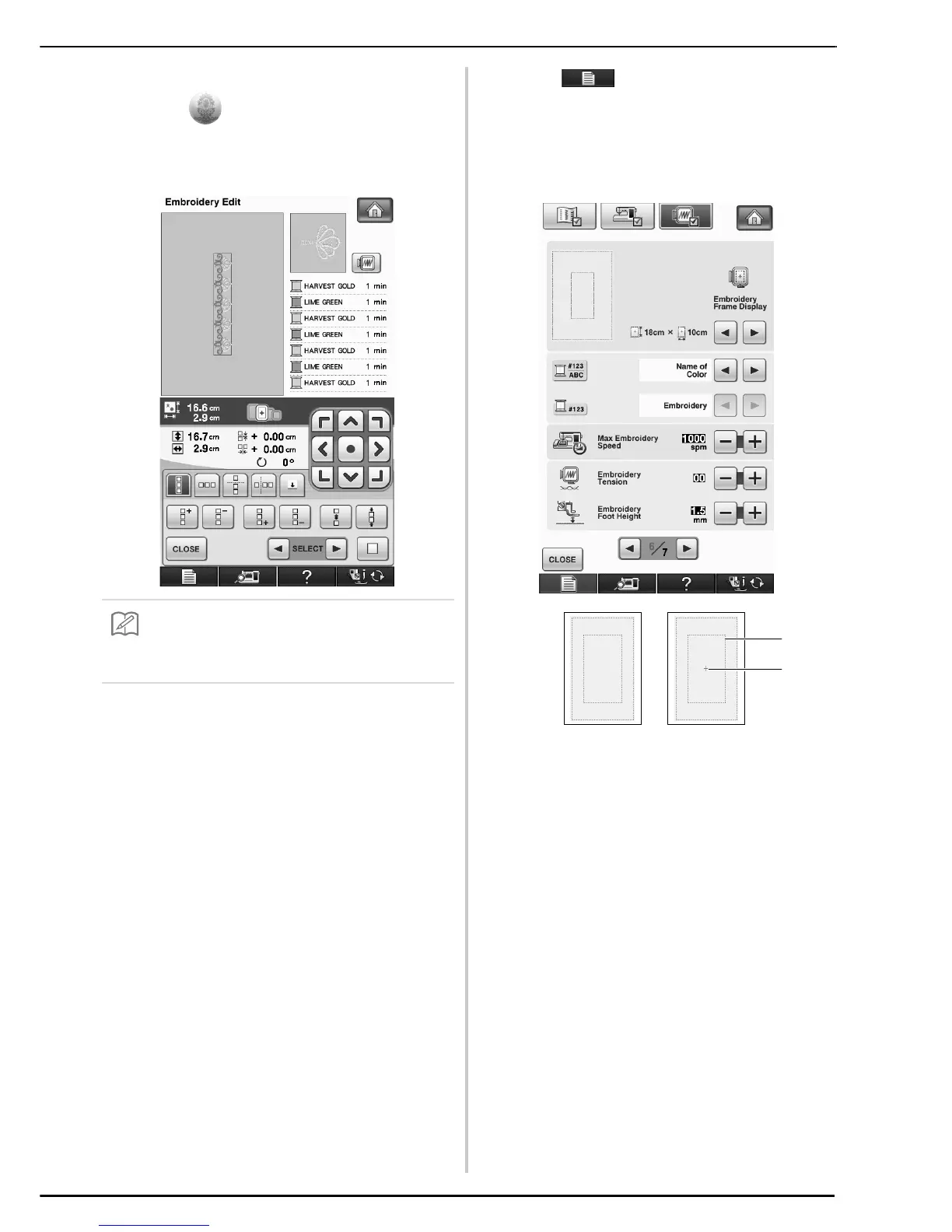
Select and select a pattern.
b
Combine the patterns and use the border
function to repeat the pattern.
c
Press .
d
From the embroidery frame display settings,
select one of the embroidery frame displays
for the border embroidery frame.
* Of the 14 settings available, there are two for border
embroidery frames.
a Border embroidery frame embroidering area
(18 cm × 10 cm)
b Center line
• For details on the border function, refer to
“Designing Repeated Patterns” in chapter 6 of the
Operation Manual for the sewing machine.



 To Next Page