-13-
3 &%"!)!%"4-),!
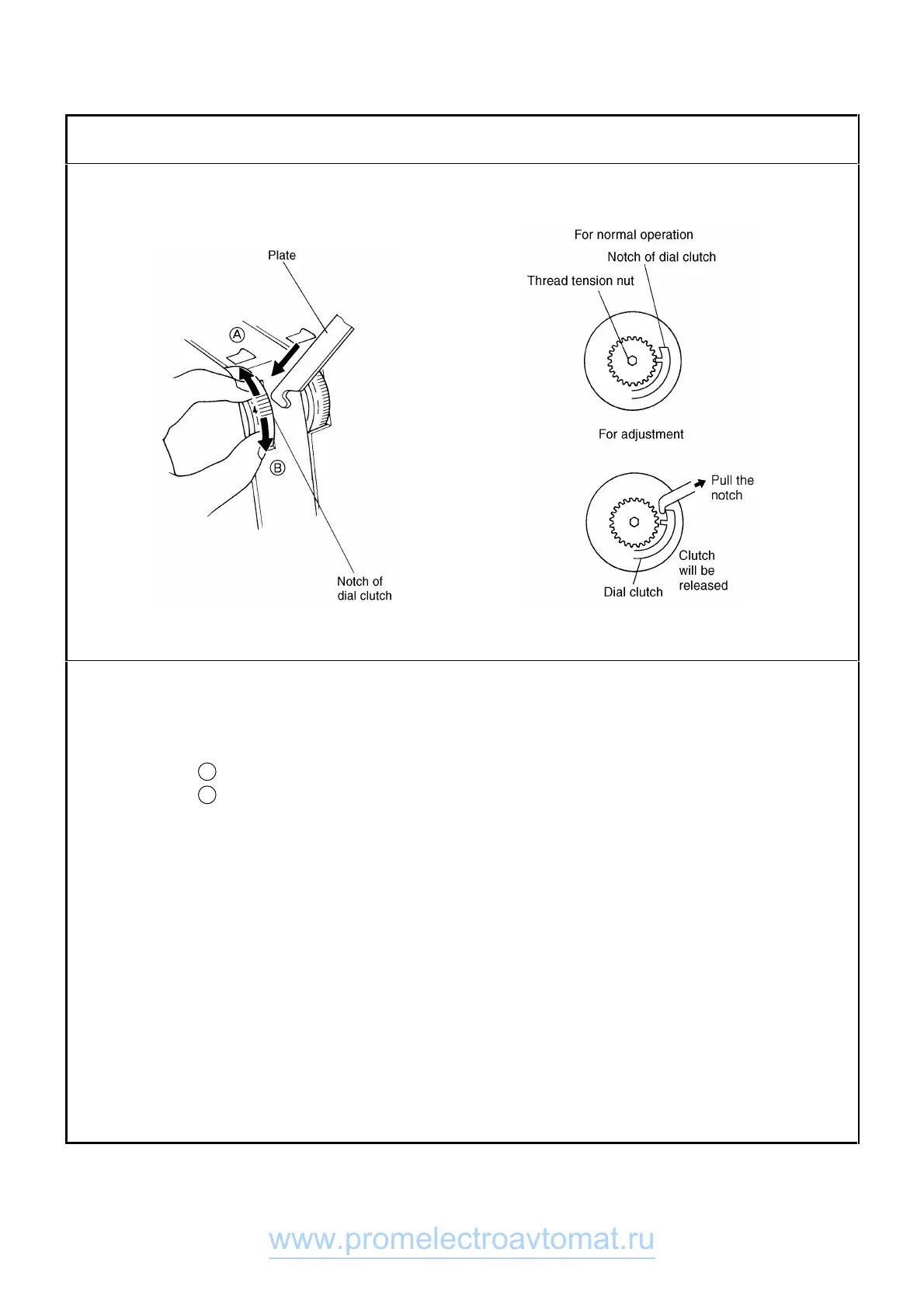
1. Set the thread tension dial to "4" on the dial scale.
2. Insert a plate of approx. 0.5 mm (0.02 in.) of thickness into the right side slot of the thread tension dial "4"
position on the dial scale and pull the notch of the dial clutch.
Then while holding the plate, turn the dial to adjust the thread
•
Direction A : increase tension
•
Direction B : decrease tension
www.promelectroavtomat.ru



 To Next Page
 Loading...







