1
— — — — — — — — — — — — — — — — — — — — — — — — — — — — — — — — — — — — — — — — — — — — — — — — — — — —
English
Introduction
This manual provides descriptions for connecting the USB cable between the machine and the computer
and for performing the various operations that are available. For details on other machine functions and
operations, refer to the Operation Manual.
USB cable
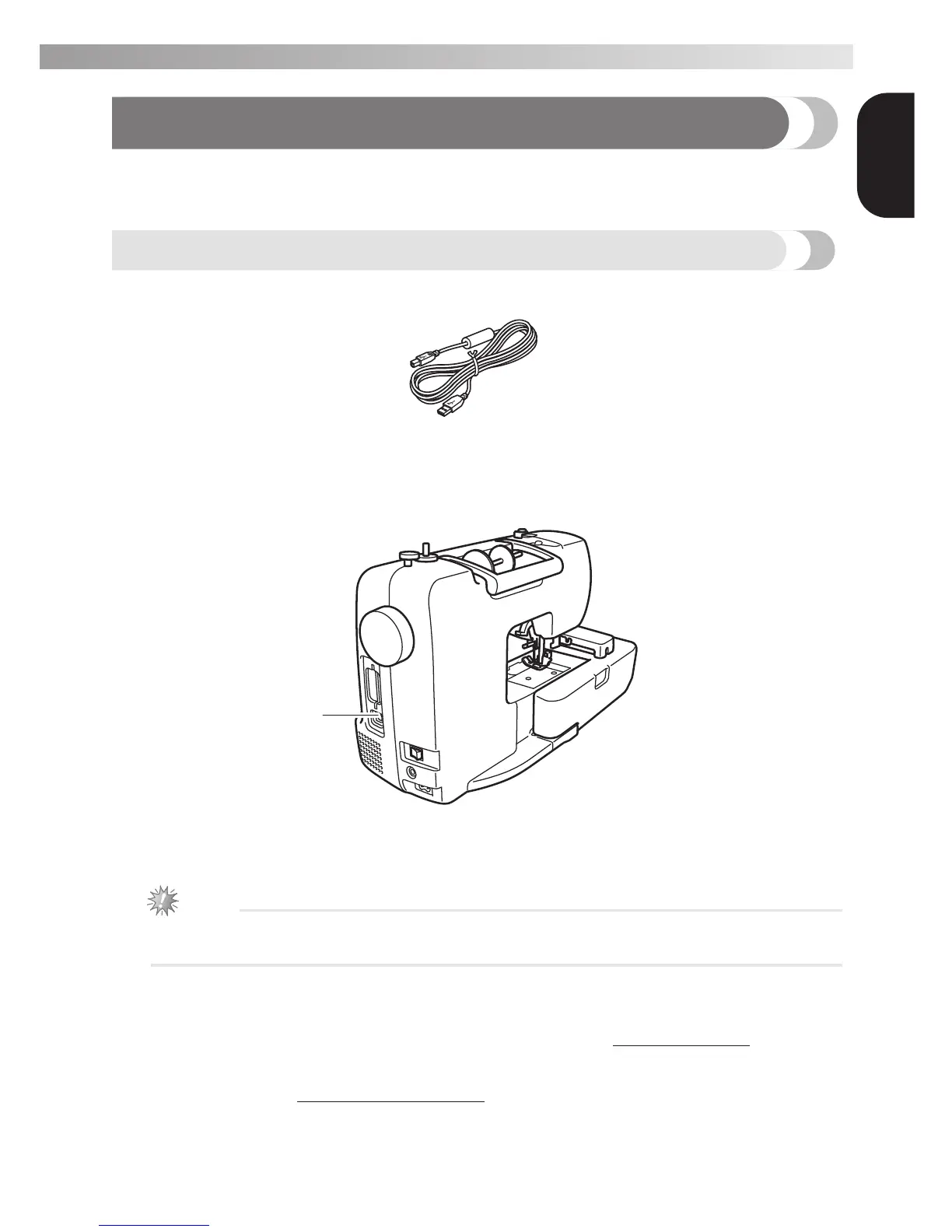
The following USB cable is included with this machine.
USB cable (XD0745-051)
Plug the USB cable connector into the USB port on the right side of this machine.
a USB port connector
Plug the USB cable into the USB port connector.
Note
z Use only the interface cable (USB cable) included with this machine.
z Use only the power cord included with this machine.
IMPORTANT - Brother is at your side
Need help - call 1-877-276-8437, or by email at custsrv@brother.com.
*For important tips and tricks, savings on Brother sewing and embroidery
products, and to register your warranty online go to
www.registermybrother.com or call 1-877-276-8437.
a


 To Next Page