EasyManua.ls Logo

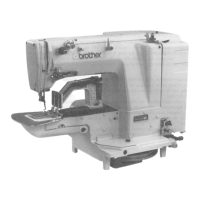
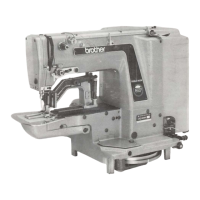
Brother LK3-B438E MKII - User Manual

Brother LK3-B438E MKII
62 pages
Print Icon
To Next Page IconTo Next Page
Loading...
LK3-B438E
INSTRUCTION MANUAL
Please read this manual before using the machine.
Please keep this manual within easy reach for quick reference.
ELECTRONIC LOCKSTITCH BUTTON SEWER

Table of Contents

Other manuals for Brother LK3-B438E MKII

Questions and Answers

  • D
    Duane WestAug 19, 2025
    Why does the needle keep breaking on my Brother LK3-B438E MKII Sewing Machine?
    • C
      Cody WeberAug 19, 2025
      If the needle on your Brother Sewing Machine breaks, it could be due to a couple of reasons. First, check if the needle is bent and replace it if necessary. Also, ensure you are using the correct needle type for the material you are sewing.
  • G
    Glenn EstradaAug 21, 2025
    Why is the upper thread breaking on my Brother LK3-B438E MKII?
    • N
      Nicole JohnsonAug 21, 2025
      If the upper thread on your Brother Sewing Machine is breaking, there are a few potential causes. One reason could be that the thread take-up height is incorrect, in which case you should adjust the tension of the thread take-up spring. Another cause might be damage or burring on the rotary hook, needle hole plate, or needle; you should file smooth or replace the affected part. If you're using synthetic thread, it might be melting, so consider using a thread cooling device.
  • C
    Carla FreemanAug 23, 2025
    What to do if my Brother LK3-B438E MKII is skipping stitches?
    • D
      Diana LyonsAug 25, 2025
      Skipped stitches on your Brother Sewing Machine can occur for several reasons. Ensure that there is proper clearance between the driver and needle by adjusting the driver needle guard. Another reason may be a bent needle, so replace the needle if needed. You may also refer to “6 CHECKING THE SEWING PATTERN”.
  • H
    harrischristopherAug 26, 2025
    How to correctly install needle on Brother LK3-B438E MKII Sewing Machine?
    • B
      brianedwardsAug 26, 2025
      If the needle is installed incorrectly in your Brother Sewing Machine, install the needle so that the groove is facing forward.
  • J
    Jennifer FergusonAug 28, 2025
    What to do if threads comes unthreaded on Brother LK3-B438E MKII?
    • I
      ireedAug 28, 2025
      If threads comes unthreaded on your Brother Sewing Machine, it may be caused by uneven upper thread length. Adjust the sub-tension.
  • B
    brittanyruizAug 30, 2025
    What causes lower thread to break on Brother LK3-B438E MKII Sewing Machine?
    • J
      Jason RichardsonAug 30, 2025
      If the lower thread breaks on your Brother Sewing Machine, it could be due to damaged corners on the needle hole plate or bobbin case; file them smooth or replace the affected part. Another reason might be excessive clearance between the hook tip, so adjust the needle clearance. Also, check for incorrect needle and rotary hook timing, and adjust the needle bar lift amount if necessary.
  • J
    Jeffrey WilsonSep 1, 2025
    What to do if thread wiper does not operate correctly on Brother LK3-B438E MKII Sewing Machine?
    • M
      Mary RyanSep 1, 2025
      If your Brother Sewing Machine's thread wiper isn't working right, adjust the operating distance of the thread wiper.
  • E
    Eric CardenasSep 3, 2025
    What to do if button clamp does not rise on Brother Sewing Machine?
    • L
      Luis RobinsonSep 3, 2025
      If the button clamp on your Brother Sewing Machine does not rise, it might be because the presser is contacting the thread wiper. Adjust the position of the thread wiper. Also, ensure that you hook the link return spring properly.
  • J
    joseph65Sep 5, 2025
    What to do if button clamp does not drop on Brother Sewing Machine?
    • A
      Alex HamiltonSep 6, 2025
      If the button clamp on your Brother Sewing Machine does not drop, the presser lifter link might not be moving back. Hook the link return spring properly.
  • X
    xpollardSep 8, 2025
    Why is the upper thread too long on my Brother Sewing Machine?
    • K
      Keith DaltonSep 8, 2025
      If the upper thread is too long on your Brother Sewing Machine, it may be caused by incorrect thread take-up lever height. Adjust the thread take-up lever stroke.

Summary

Brother LK3-B438 E Mark II Instruction Manual

Safety Instructions

Safety Indications and Their Meanings

Explains Danger, Caution indications and their meanings.

Safety Symbols

Describes warning symbols and their meanings.

Notes on Safety

Environmental Requirements for Safe Operation

Details ambient temperature, humidity, and sunlight conditions.

Installation Safety Precautions

Covers safe installation procedures, handling, and electrical connections.

Warning Labels and Safety Instructions

Danger Labels and Their Meanings

Details hazardous voltage and danger warnings with specific instructions.

Caution Labels and Usage Guidelines

Explains caution labels for moving parts and safety device usage.

Ground Connection Importance

Emphasizes the importance of secure ground connection for safety.

Machine Operation Direction Diagram

Illustrates the machine's direction of operation with labeled parts.

Machine Parts Identification

Key Machine Components

Identifies key parts of the sewing machine using numbered labels.

Safety Device Overview

Lists and identifies various safety devices attached to the machine.

Machine Specifications and Programs

General Technical Specifications

Lists technical specifications like stitch formation, speed, and dimensions.

Sewing Program List

Details pre-set sewing programs, button holes, and stitch configurations.

Machine Installation Procedures

Power Table Setup

Instructions for setting up the power table and ensuring stability.

Motor Installation and Pulley Mounting

Steps for installing the motor and aligning the motor pulley.

Control Box and Wiring Installation

Details on mounting the control box and connecting its components and cords.

Cushions, Oil Pan, and Head Rest Installation

Steps for mounting cushions, oil pan, head rest, and cooling tank.

Machine Head and Eye Guard Mounting

Procedures for attaching the machine head and safety eye guard.

Operation Panel and Ground Wire Setup

Steps for mounting the operation panel and connecting the ground wire.

Internal Cord Connections

Detailed instructions for connecting various machine and control box cords.

V-Belt and Belt Cover Installation

How to install and adjust the V-belt tension and fit the belt cover.

Foot Switch and Motor Cover Mounting

Steps for correctly installing the foot switch pedal and motor cover.

Spool Stand, Button Tray, and Eye Guard Setup

Mounting the spool stand, button tray, and eye guard for usability.

Lubrication Procedures

Identifying Lubrication Points

Identifies lubrication points and provides instructions for oiling the machine.

Machine Operation Guide

Operation Panel Functions Explained

Explains the purpose and function of each control on the operation panel.

Setting Program, Scale, and Speed

How to select and set program number, X/Y scale, and sewing speed.

Sewing Pattern Checking Procedure

Correct Sewing Usage Guidelines

Needle, Thread, and Upper Threading

Recommends needles/threads and guides upper threading process.

Needle Installation and Lower Threading

Guides needle installation and lower thread winding process.

Bobbin Case, Thread Tension, and Winding

Covers bobbin case replacement, thread tension, and winding.

Sewing Operation Steps

Maintenance and Inspection Procedures

Cleaning the Rotary Hook Assembly

Procedure for cleaning the rotary hook assembly to ensure smooth operation.

Machine Lubrication and Oil Drainage

Details on machine lubrication and safely draining waste oil.

Cleaning Air Inlet Port and Needle Inspection

Steps for cleaning air inlet port and checking needle condition.

Standard Machine Adjustments

Needle Bar Height and Lift Adjustment

Procedure to set the correct height and lift of the needle bar.

Needle Guard, Clearance, and Thread Guide Settings

Adjusting needle guard, clearance, and shuttle race thread guide.

Thread Take-up and Movable Knife Adjustments

Setting thread take-up amount and adjusting the movable knife.

Knife Replacement and Clamp Lift Adjustment

Steps for replacing knives and setting button clamp lift amount.

Holding Pressure and Button Holder Positioning

Setting correct holding pressure and button holder position.

Needle Stop Position and Thread Wiper Adjustment

Setting needle stop position and adjusting the thread wiper.

Input Sensor, DIP Switch, and Voltage Checks

Verifying sensor inputs, DIP switches, and input voltage.

Clearing Memory and Moving Stitch Patterns

How to clear memory settings and adjust stitch pattern positions.

Using Counters and DIP Switches

Bobbin and Production Counter Usage

Setting and using counters for bobbin thread and production tracking.

Operation Panel DIP Switches Configuration

Explains DIP switches on the operation panel and their functions.

Control Box DIP Switches and User Programs

Describes internal DIP switches and managing user programs.

Special Functions via Memory Switches

Memory Switch Functions (10-1 F, 20-2 F)

Details functions controlled by specific memory switch ranges.

Memory Switch 30-4 F Configuration

Explains how to configure memory switches 30 through 4F using two-digit values.

Cycle Sewing Function Setup

Setting up and using the cycle sewing function for pattern sequences.

Table of Error Codes

Gauge Parts List

Troubleshooting Guide

Optional Parts Information

Brother LK3-B438E MKII Specifications

General IconGeneral
BrandBrother
ModelLK3-B438E MKII
CategorySewing Machine
LanguageEnglish

Related product manuals