Using the Battery Unit (Rechargeable Li-ion Battery included)22
Charging the Battery Unit
• Before use, you must charge the Battery Unit.
• To fully charge the Battery Unit, charge for approximately 2.5 hours.
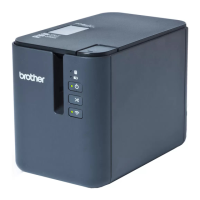
a Make sure the Battery Unit is installed in the Label Printer.
b Use the AC Adapter and AC Power Cord to connect the Label Printer to an AC power outlet.
For QL-810W, the Battery ( ) LED lights in orange during charging, and it turns off when the Battery
Unit is fully charged.
For QL-820NWB, the Battery Power is shown on the LCD.
If the Battery Unit is not fully charged and you use the Label Printer to print, feed, or perform another
operation, the Battery Unit temporarily stops charging, and continues automatically after the operation is
completed.
Using the Battery Unit
(Optional: PA-BU-001)

 Need help?
 General

 To Next Page