EasyManua.ls Logo

Brother XL-3500 - User Manual

Brother XL-3500
81 pages
Print Icon
To Next Page IconTo Next Page
Loading...
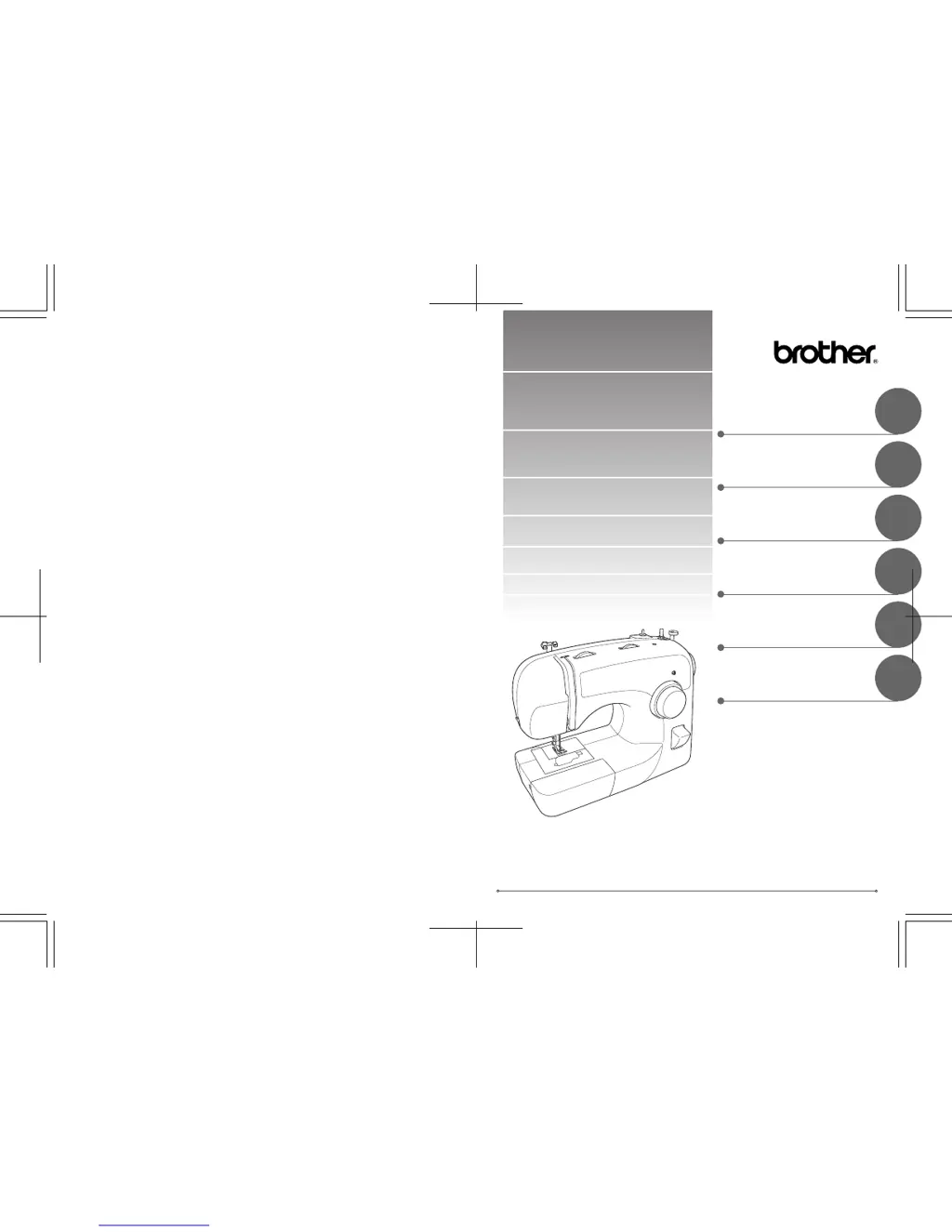
XL_brother_cover_Eng-Spa
ENGLISH/SPANISH
885-S25/S27
XC8346-021
Printed in China
6
5
4
3
2
1
Operation Manual
Manual de Instrucciones
SEWING BUTTONHOLES AND
BUTTONS
COSTURA DE OJALES Y
BOTONES
PUNTADAS DE COSTURA
INCORPORADAS
BUILT-IN STITCHES
ANEXO
APPENDIX
USING ATTACHMENTS AND
APPLICATIONS
USO DE ACCESORIOS Y
APLICACIONES
STRAIGHT AND ZIGZAG
STITCHING
COSTURA RECTA Y EN ZIG-ZAG
KNOWING YOUR SEWING
MACHINE
CONOZCA SU MÁQUINA DE
COSER

Table of Contents

Other manuals for Brother XL-3500

Questions and Answers

  • W
    Willie SalinasAug 15, 2025
    Why is my Brother XL-3500 Sewing Machine not working?
    • K
      Kevin ElliottAug 15, 2025
      If your Brother Sewing Machine isn't working, check these potential causes: * Ensure the machine is properly plugged into a power outlet. * Verify that the main power switch is turned on. * Make sure the bobbin-winder shaft is moved to the left. * Confirm that you are using the foot controller correctly.
  • D
    David GrantAug 18, 2025
    Why is my Brother Sewing Machine skipping stitches?
    • G
      Glenda JonesAug 19, 2025
      If your Brother Sewing Machine is skipping stitches, try the following: * Correct the upper threading. * Use the right combination of fabric, thread, and needle. * Replace the needle if it's bent or blunt. * Insert the needle properly. * Remove the needle plate cover and clean the plate and the bobbin case to eliminate any accumulated dust.
  • D
    Dr. Lydia NashAug 21, 2025
    What to do if the needle breaks on my Brother XL-3500 Sewing Machine?
    • F
      Frederick BrooksAug 21, 2025
      If the needle on your Brother Sewing Machine breaks, consider the following: * Ensure the needle is correctly fitted. * Tighten the needle clamp screw with a screwdriver. * Replace the needle if it's bent or blunt. * Use the correct combination of fabric, thread, and needle. * Loosen the upper thread tension. * Fit the spool properly. * Only use a bobbin that has been designed for this machine. * If the area around the hole in the needle plate, presser foot, or the bobbin case is scratched, contact your retailer or the nearest authorized service center to replace the corresponding part.
  • T
    Thomas Brown DVMAug 25, 2025
    Why does the upper thread keep breaking on my Brother Sewing Machine?
    • B
      Brandon HaleAug 25, 2025
      If the upper thread keeps breaking on your Brother Sewing Machine, try these solutions: * Ensure that you've threaded the upper thread correctly. * Use a needle appropriate for the thread you're using. * Loosen the upper-thread tension. * Remove any tangled thread, and if necessary, clean the bobbin case. * Insert the needle properly.
  • T
    Thomas MillerAug 27, 2025
    How to fix incorrect thread tension on a Brother XL-3500?
    • J
      Joseph GarciaAug 27, 2025
      If the thread tension is incorrect on your Brother Sewing Machine, consider the following: * Correct the upper threading. * Wind the bobbin thread properly. * Choose a thread and needle that are appropriate for the type of fabric. * Adjust the tension of the upper thread. * Reset the bobbin thread correctly.
  • N
    Nicholas DavidsonAug 30, 2025
    What to do if the lower thread is tangled in my Brother Sewing Machine?
    • A
      Abigail KellerAug 30, 2025
      If the lower thread is tangled or breaks in your Brother Sewing Machine, here’s what you can do: * Wind the bobbin thread properly. * Remove any tangled thread and clean the bobbin case. * Reset the bobbin thread correctly.
  • V
    Victor AndersenSep 2, 2025
    How to fix the needle threader on a Brother Sewing Machine?
    • E
      Eric GibsonSep 2, 2025
      To resolve the issue where the needle threader cannot be used on your Brother Sewing Machine, turn the handwheel toward you (counterclockwise) to raise the needle holder to the highest position.
  • P
    pbrownSep 5, 2025
    Why is my Brother XL-3500 making a high-pitched noise?
    • G
      gordontimothySep 5, 2025
      If your Brother Sewing Machine is making a high-pitched noise while sewing, clean the bobbin case to remove any dust that has built up in the feed dogs or in the bobbin case.
  • G
    Gregory VazquezSep 8, 2025
    Why is the fabric wrinkled when using my Brother Sewing Machine?
    • C
      Christopher PowellSep 8, 2025
      If the fabric is wrinkling while using your Brother Sewing Machine, consider these potential solutions: * Ensure you've threaded the upper thread and wound the bobbin thread correctly. * Fit the spool properly. * Use the right combination of fabric, thread, and needle. * Replace the needle if it is bent or blunt. * Adjust the tension of the upper thread.
  • C
    Christopher RobinsonSep 12, 2025
    What to do if the sewing light bulb does not come on in my Brother XL-3500 Sewing Machine?
    • M
      Michael GarciaSep 12, 2025
      If the sewing light bulb does not come on in your Brother Sewing Machine, replace the sewing light bulb.

Summary

KNOWING YOUR SEWING MACHINE

THE MAIN PARTS

Identifies and describes the primary components of the sewing machine.

USING YOUR SEWING MACHINE

Provides instructions and warnings for operating the sewing machine safely.

THE CONTROLS

Explains the function of various dials, levers, and buttons on the machine.

THREADING THE MACHINE

Details the step-by-step process for threading the sewing machine.

STRAIGHT AND ZIGZAG STITCHING

Please Read Before Sewing

Essential safety precautions and guidelines before starting sewing operations.

Straight Stitching

Instructions for performing straight stitches, including setup and technique.

SEWING BUTTONHOLES AND BUTTONS

Making a Buttonhole

Step-by-step guide to creating buttonholes, including practice and stabilizer use.

Adjusting Buttonholes

Fine-tuning buttonhole stitching for evenness using adjustment screws.

Sewing Buttons

Instructions for attaching buttons using the zigzag stitch and button sewing foot.

USING ATTACHMENTS AND APPLICATIONS

Zipper Insertion

Guide to inserting zippers using the specialized zipper foot.

Using the Walking Foot

How to attach and use the walking foot for difficult-to-feed materials.

Using the Quilting Foot

Instructions for attaching and using the quilting foot for darning and free-motion quilting.

APPENDIX

Cleaning

Procedures for cleaning the sewing machine's internal and external parts.

Troubleshooting

A guide to diagnosing and resolving common sewing machine problems.

Brother XL-3500 Specifications

General IconGeneral
TypeMechanical
Free ArmYes
Maximum Sewing Speed800 stitches per minute
Warranty25-year limited warranty
Stitch Functionsdecorative
Bobbin TypeClass 15
Bobbin SystemTop Drop-in
Presser FeetButtonhole, Zipper
LightingYes
Weight13 pounds

Related product manuals