Need help?
Do you have a question about the Browan L0006 and is the answer not in the manual?
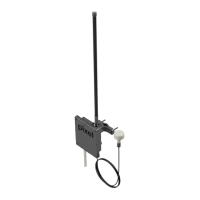
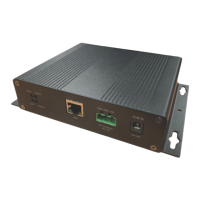
Overview of gateway capabilities, connections, and target applications, including LED functions and reset button.
Explains the different ways to power up the Pico Next Gateway, including DC Adapter, Terminal Block, and Ethernet/PoE.
Steps to access the administrative web interface (WebUI) via DHCP IP for gateway configuration.
Configure the Pico Next login password and other administrative settings.
Resets device configurations, including password, LoRa, and network settings, to defaults.
Instructions for checking current firmware version and upgrading to the newest system firmware.
Selects the LoRa mode, such as Packet Forwarder or Basic Station.
Enables and configures the Packet Forwarder mode for the gateway.
Configures LoRa parameters like Gateway ID, Server Address, and ports.
Sets the antenna gain for the LoRa radio.
Configures LoRa radio parameters and channel assignments.
Configures Listen Before Talk (LBT) function for specific regions.
Enables and configures the Basic Station mode for the gateway.
Displays Gateway EUI and radio type information for Basic Station mode.
Sets up basic station connection parameters like protocol and server address.
Configures connection settings for LNS (LoRa Network Server) mode.
Configures connection settings for CUPS (Centralized URIs Provisioning Service) mode.
Scans RF signals to identify available channels and their noise levels.
Displays recent LoRa logs, with different limits for Packet Forwarder and Basic Station modes.
Manages Wide Area Network (WAN) settings, including status and configuration.
Displays the current status of Ethernet and 3G/4G LTE WAN connections.
Configures various WAN connection modes including Ethernet, 3G/4G LTE, and Dual WAN.
Configures Ethernet WAN connection modes (DHCP Client or Static IP).
Configures 3G/4G LTE connection parameters like APN and authentication.
Configures dual WAN setup, specifying primary and backup interfaces.
Displays LTE connection logs when debug mode is enabled.
Performs network diagnostics by pinging URLs.
 General
| Model | L0006 |
|---|---|
| Category | Gateway |
| Modulation | LoRa, FSK |
| Operating Temperature | -20°C to 55°C |
| Connectivity | LoRaWAN, Ethernet |
| Interface | Ethernet |
| Power Supply | 12V DC |

 To Next Page