Barometer Display
To Change Barometric Pressure Unit
!
!
!
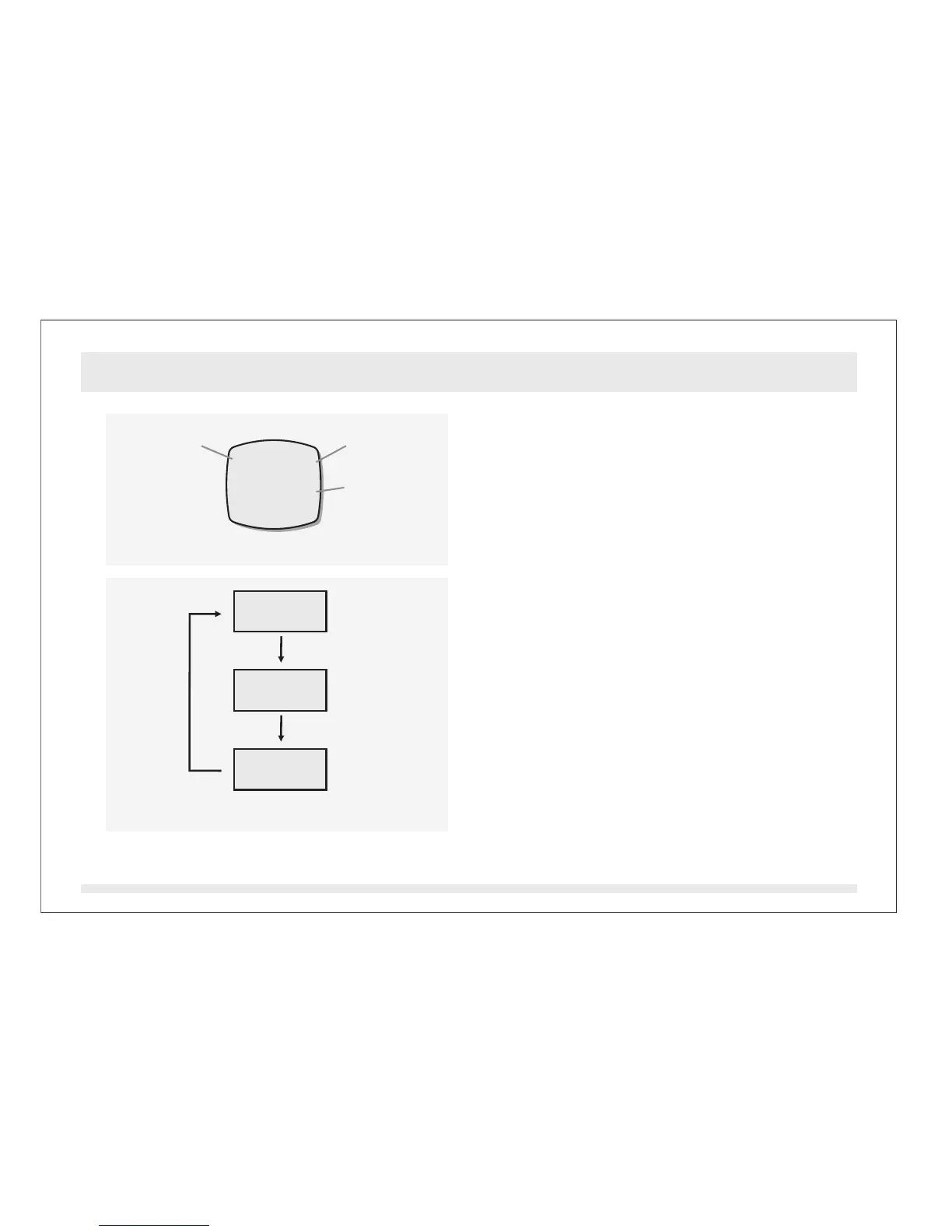
In Barometer Mode, the display will show the
following:
1) The mode indicator ' ' Indicator and
the barometric pressure unit appear on the
1st row of the display.
2) The ambient Barometric Pressure
appears on the 3rd row of the display.
The ADC can display Barometric Pressure in
the following units:
1) Hecto-Pascal (hPa)
2) milli-bar (mb)
3) Inches of mercury (inHg)
In Barometer Mode, press the [reset] button
to change the barometric pressure unit
following the adjacent diagram.
BARO
Barometer Mode - Barometer Display13.1
[reset]
[reset][reset]
hPa
mb
inHg
Barometric Pressure Unit Selection Sequence
BARO hPa
1001.3
Barometer Mode
Mode
Indicator
Pressure
Unit
Current
Barometric
Pressure


 To Next Page