
 Need help?
Do you have a question about the Bryant TSTATBBPS701 and is the answer not in the manual?
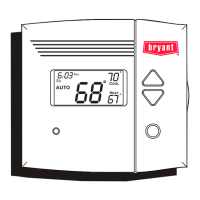
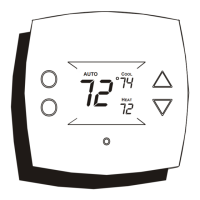
Describes the illuminated Liquid Crystal Display screen.
Includes Warmer/+, Cooler/-, and Mode buttons for operation.
Features the Heat/Cool indicator light.
Symbols indicating the current operating mode of the thermostat.
Displays current time and day, used for programming.
Shows the current ambient temperature of the room.
Displays the target temperature(s) for heating or cooling.
Shows if the displayed temperature is from an optional outdoor sensor.
Indicates programmed time periods like Morning, Day, Evening, Night.
Shows setup mode, fan status, and filter service alerts.
Appears when the keypad is locked or programming timers are active.
How to choose between Heat, Cool, Auto, or Off modes.
How to set the target temperature for heating or cooling.
How to control the fan for continuous operation or demand-based.
Setting up four distinct time periods for automatic temperature control.
Setting time and temperature for the morning period.
Setting time and temperature for the day period.
Setting time and temperature for the evening period.
Setting time and temperature for the night period.
Option to copy daily program settings to subsequent days.
Time, day, heat pump, and reversing valve polarity configuration.
Electric heat, deadband, setpoint difference, cycles per hour, fan timer.
Programmable fan scheduling, backlight, and energy watch timers.
Filter resets, run times, and temperature unit selection.
How settings are retained and how 2-stage heating/cooling engages.
Rules for setpoint gaps and programmable fan operation.
Special modes for heat pumps and electric heating impact.
Setting a schedule for temperature control while away.
How heat and cool setpoints interact in Auto mode.
Using an outside sensor and resetting to factory defaults.
This document describes the Bryant Model TSTATBBPS701 Programmable Digital Thermostat, a device designed for controlling residential light commercial heating and cooling systems. The thermostat offers a range of features aimed at providing precise temperature control, energy efficiency, and user convenience.
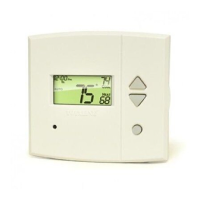
The TSTATBBPS701 thermostat serves as a central control unit for heating and air conditioning systems, including heat pumps and heat/cool systems. Its primary function is to maintain desired indoor temperatures through programmable settings and automatic operation. The thermostat features a large, easy-to-read backlit LCD display that shows current time, day of the week, room temperature, and desired set temperatures for both heating and cooling.
One of its core functionalities is 7-day programmability, allowing users to set different temperature schedules for each day of the week. Within each day, there are four distinct time periods: Morning, Day, Evening, and Night. This enables tailored comfort and potential energy savings by adjusting temperatures based on occupancy patterns. The thermostat also supports auto changeover, meaning it can automatically switch between heating and cooling modes as needed to maintain the set temperature range, eliminating the need for manual mode changes.
The device is designed to operate without batteries, retaining all stored program settings even during a power loss, thanks to its memory backup feature. An optional outside temperature sensor can be connected to display the outdoor temperature, though the thermostat does not control based on this reading.
The thermostat is designed for ease of use, starting with a quick setup process for setting the clock and day of the week. Basic operation involves selecting the desired mode (Heat, Cool, Auto, Program On, or Off) and adjusting the desired set temperature using the "Warmer" (+) and "Cooler" (-) buttons. In "Auto" mode, adjusting the temperature simultaneously changes both the heat and cool setpoints, maintaining a consistent spread. In "Heat" or "Cool" mode, only the respective setpoint is adjusted.
Programming the 4 time periods is a straightforward process. Users can select the day of the week, adjust the start time for each period (Morning, Day, Evening, Night), and then set the desired cooling and heating setpoints for that period. A convenient "copy" function allows users to replicate a day's program to subsequent days, simplifying the setup for repetitive schedules.
Advanced setup options provide further customization. Users can configure settings such as whether the system is a heat pump, reversing valve polarity, electric heat options, deadband (temperature swing), minimum difference between heating and cooling setpoints, and cycles per hour. The programmable fan feature allows users to set specific times for the fan to run continuously, independent of heating or cooling calls. This can be set for a specific duration (0-60 minutes) and within defined start and stop times, even operating when the thermostat is in "Off" mode.
The "Thremoglow™ Backlight" ensures visibility of the display in various lighting conditions. Users can choose to have the backlight always on or turn off after 8 seconds of inactivity. For enhanced security, a "Keypad Lock" feature can disable the front panel buttons, preventing unauthorized adjustments. This is activated by pressing and holding the "Mode" button while simultaneously pressing the "Up" and "Down" buttons. The "Locked" icon appears on the display to indicate activation. The same button combination unlocks the keypad.
A "Vacation Mode" is available for extended periods away from home. In this mode, the thermostat operates under specific vacation setpoints for a user-defined number of days. This mode activates at 12:00 AM and requires the thermostat to be in "Program On" mode.
The TSTATBBPS701 includes features to assist with system maintenance. A "Service Filter" indication appears on the display to remind users when the air filter needs servicing. This indicator is triggered after a configurable number of blower operation hours (0-1950 hours). The filter counter can be reset in the advanced setup, which also removes the "Service Filter" icon from the display.
The "Energy Watch" feature includes separate hour counters for heating and cooling operation. These counters track the total hours the system has run in each mode (0-1999 hours) and can be reset in the advanced setup. This information can be useful for monitoring system usage and scheduling preventative maintenance.
For troubleshooting or reconfiguring, the thermostat offers a "Factory Defaults" reset option. By pressing and holding the "Mode" button and then the "Fan" button for 5 seconds, all stored settings can be returned to their original factory settings. Additionally, the room temperature can be calibrated if needed by pressing the "Up" and "Down" arrow buttons simultaneously twice in normal operation mode, then using the same buttons to adjust the temperature.
The thermostat is designed for durability and reliability, backed by a five-year warranty against defects in material and workmanship. This warranty covers replacement parts but excludes labor or other costs associated with diagnosis, repair, or installation. The manual emphasizes the importance of following installation instructions and setting the thermostat to "OFF" prior to changing settings in setup or restoring factory defaults to ensure proper operation and prevent potential issues.
 General
| Brand | Bryant |
|---|---|
| Model | TSTATBBPS701 |
| Remote Access | No |
| Humidity Control | No |
| Dehumidification | No |
| Compatibility | Compatible with most HVAC systems |





 To Next Page