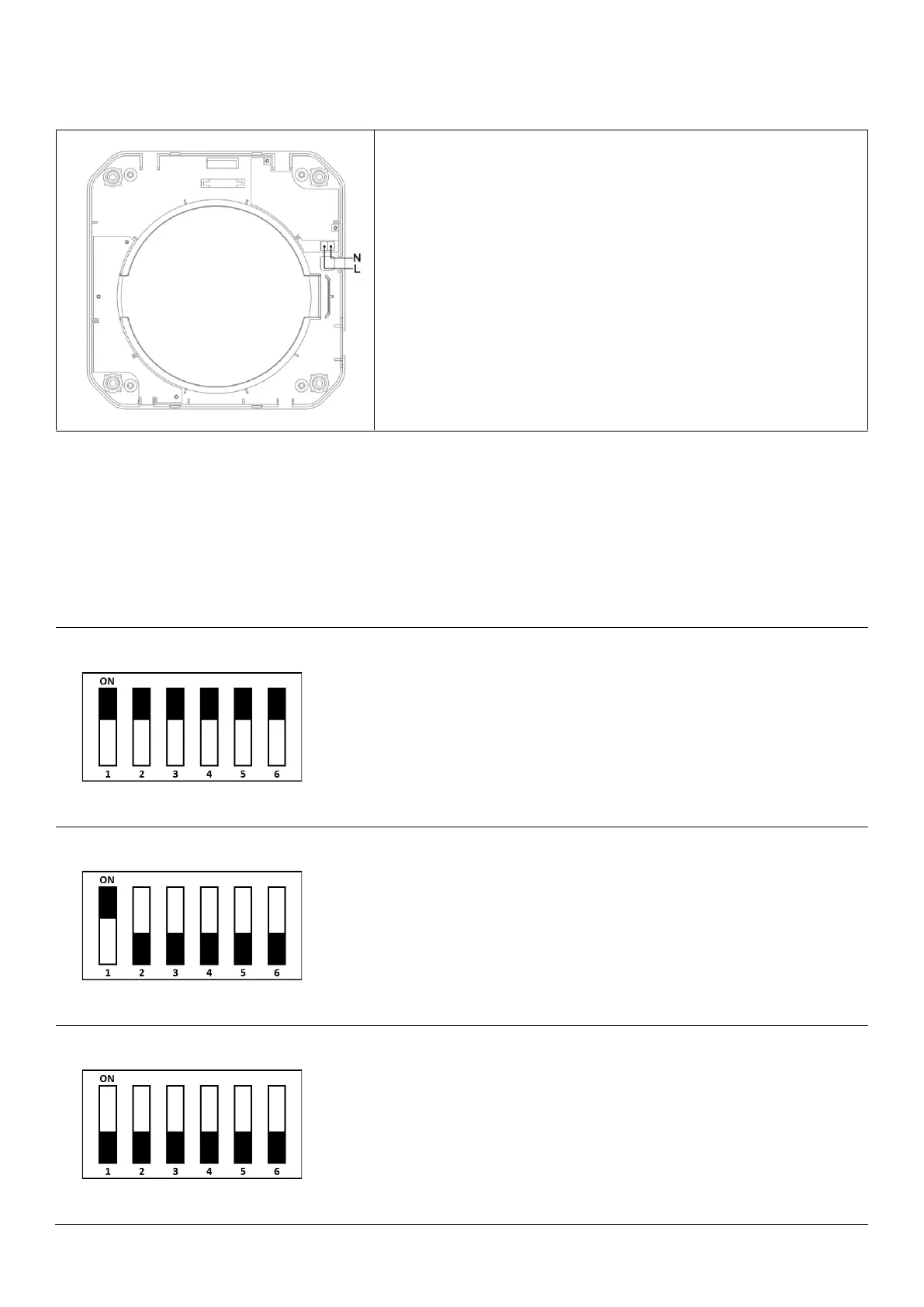
For the electrical connection of the device, L and N lines of AC
220V/50Hz mains electricity are connected to the terminal
shown in the figure on the inner wall mounting part.
Electrical cable connections can be hidden by coming out of
the wall and passing through the cable hole in the part, or by
opening a hole on the side of the inner cover piece for the
cable to pass through.
Wireless Pairing of Multiple Devices
BSK Zephyr devices can work individually or as a group by connecting to each other wirelessly. By
connecting devices in more than one room or in different rooms, you can also control other connected
devices through a single master device. Up to 15 different address groups can be created.
Stand-alone Device Mode; Your device will work in stand-alone
mode, without connecting to another device.
The address keys #3-4-5-6 are set to ON. Keys #1-2 don't matter.
Primary Device Mode; It creates a wireless network which secondary
devices with the same address can connect to and controls the
devices connected to it.
The #1 key is set to ON. The desired address is set from the address
keys # 3-4-5-6.
Secondary Device - Reverse Mode; It works in reverse to the primary
device by connecting to the primary device with the same address.
(E.g., Primary device blows air out while secondary device does the
reverse and takes air in)
The #1 and #2 key is set to OFF. Address keys #3-4-5-6 are set to be
the same as the primary device to be connected.


 To Next Page
 Loading...