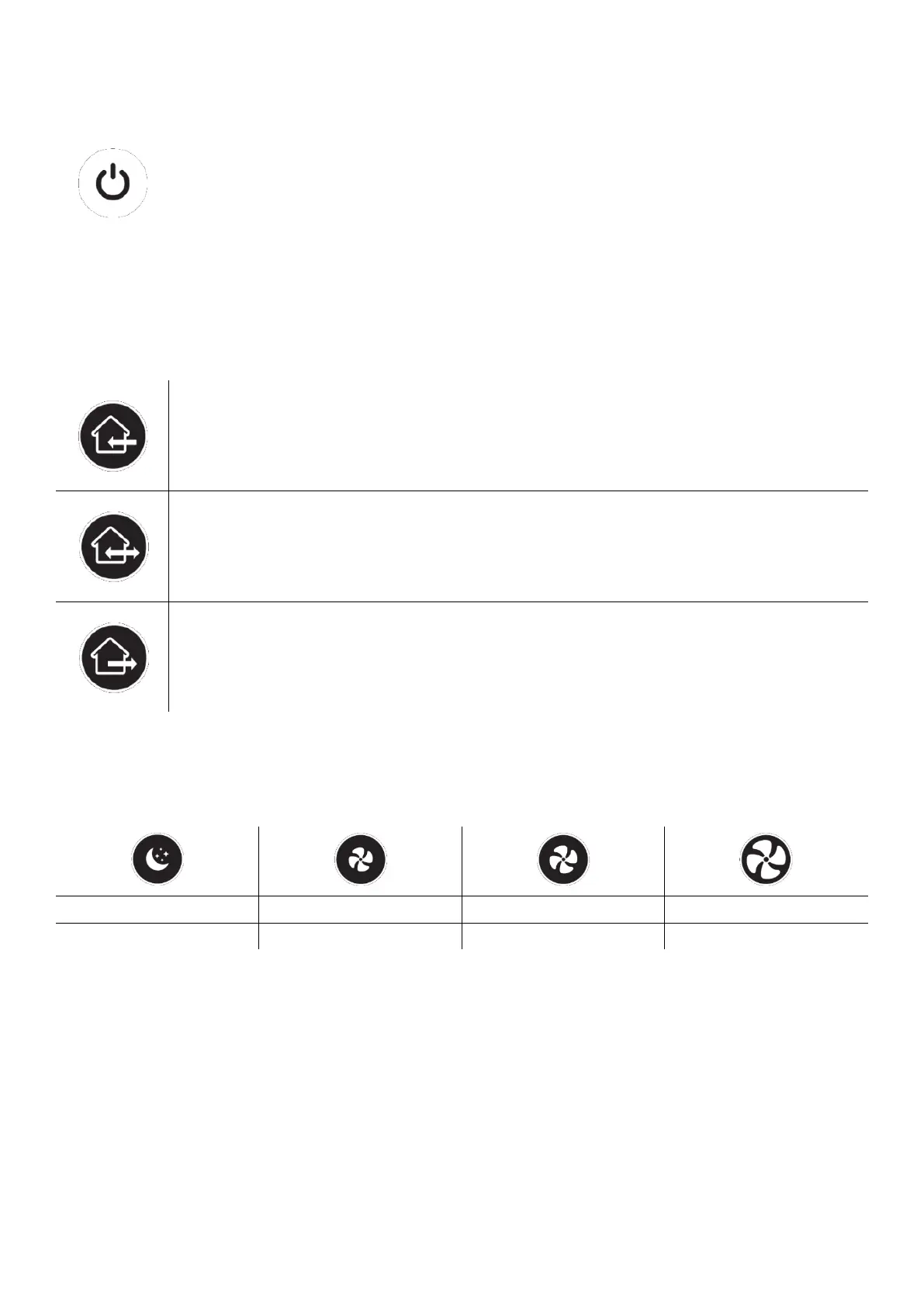
When this button is pressed while the device is in the off position, the front cover will
open and the fan will start to operate. When this button is pressed while the device is on,
the front cover will be closed and the fan will stop.
Air Flow Mode Buttons
• When the air flow control buttons are pressed, the device turns the air flow in the relevant direction.
Supply mode: The device will supply air from outside to inside continuously for 30
minutes. After 30 minutes, the device returns to the cycle mode. There is no heat
recovery in this mode.
Cycle mode: It is the default operating mode of the device. The device will change the
direction of the air flow every 70 seconds between supply mode and exhaust mode. This
mode recovers heat through the ceramic heat exchanger inside the device.
Exhaust mode: The device will exhaust air from inside to outside continuously for 30
minutes. After 30 minutes, the device returns to the loop mode. There is no heat recovery
in this mode.
Fan Speed buttons
• When the fan speed control buttons are pressed, the device adjusts the fan speed to the relevant level.
• When the night mode button is pressed, the device not only switches to the lowest fan speed, but also
closes the front cover a little more than its normal opening in order to reduce the noise levels further.
Humidity Level buttons
• When the humidity level buttons are pressed, the device adjusts the set humidity value to the relevant
level.


 To Next Page
 Loading...