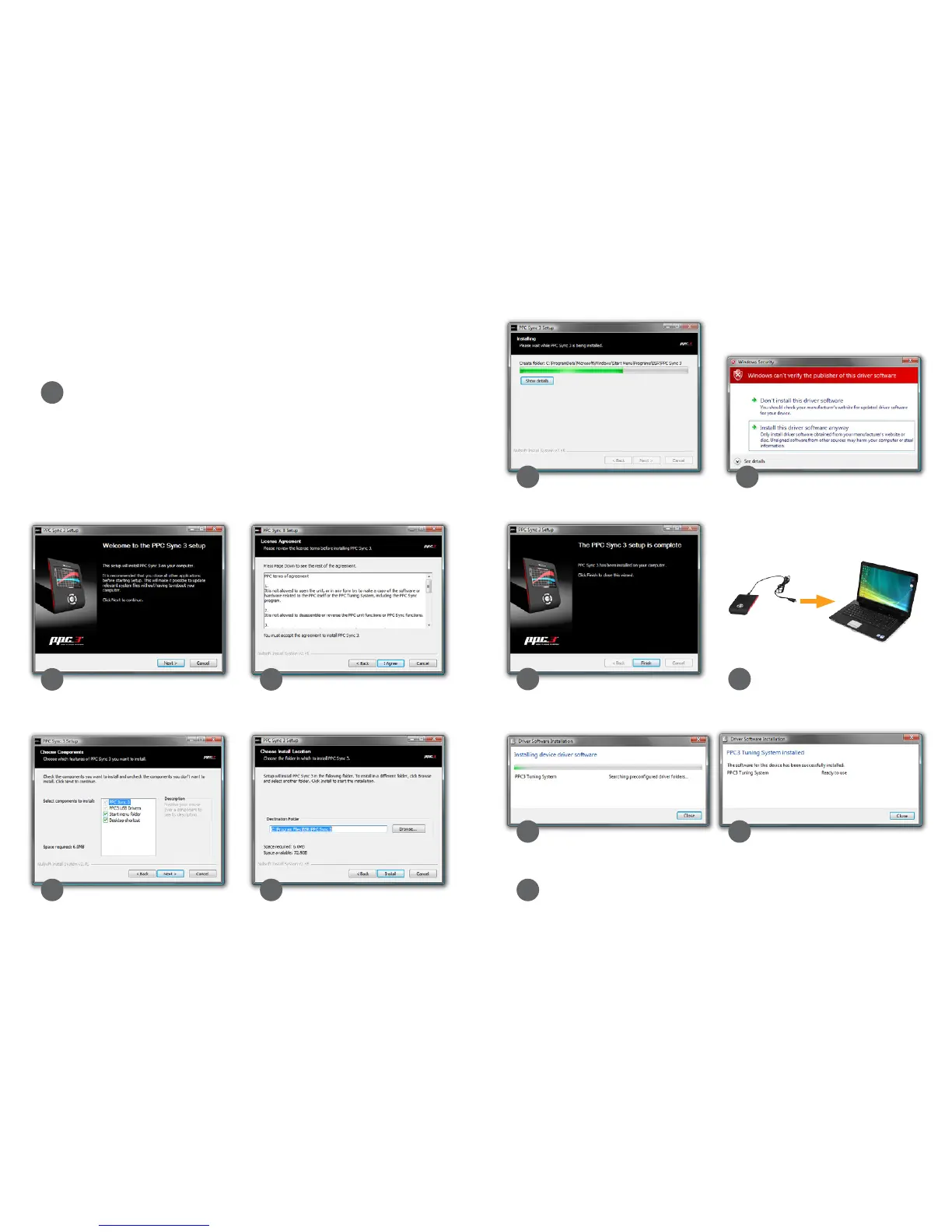
HOW TO INSTALL PPC SYNC 3
10 11
Click Install this driver software
anyway.
Now connect PPC to your computer
with the USB cable.
It is necessary to install the PPC Sync 3 program to be able to
download new software from BSR’s server to your PPC.
Enter the website www.bsr.se/ppc and log in with your PPC
number and password that were sent to your e-mail. Click on the
PPC Sync 3 link to start the installation.
This is how the installation looks when using Windows Vista. The
installation might dier slightly on other operation systems.
Click Next. If you agree, click I Agree.
Click Next. Click Install.
2
1
3
4 5
6 7
8 9
10 11
Click Finish.
12
The installation is complete! You can
now use the PPC Sync 3 program.


 To Next Page