HANDLE DTCS VIA PPC SYNC 3 AND
THE CUSTOMER PAGE
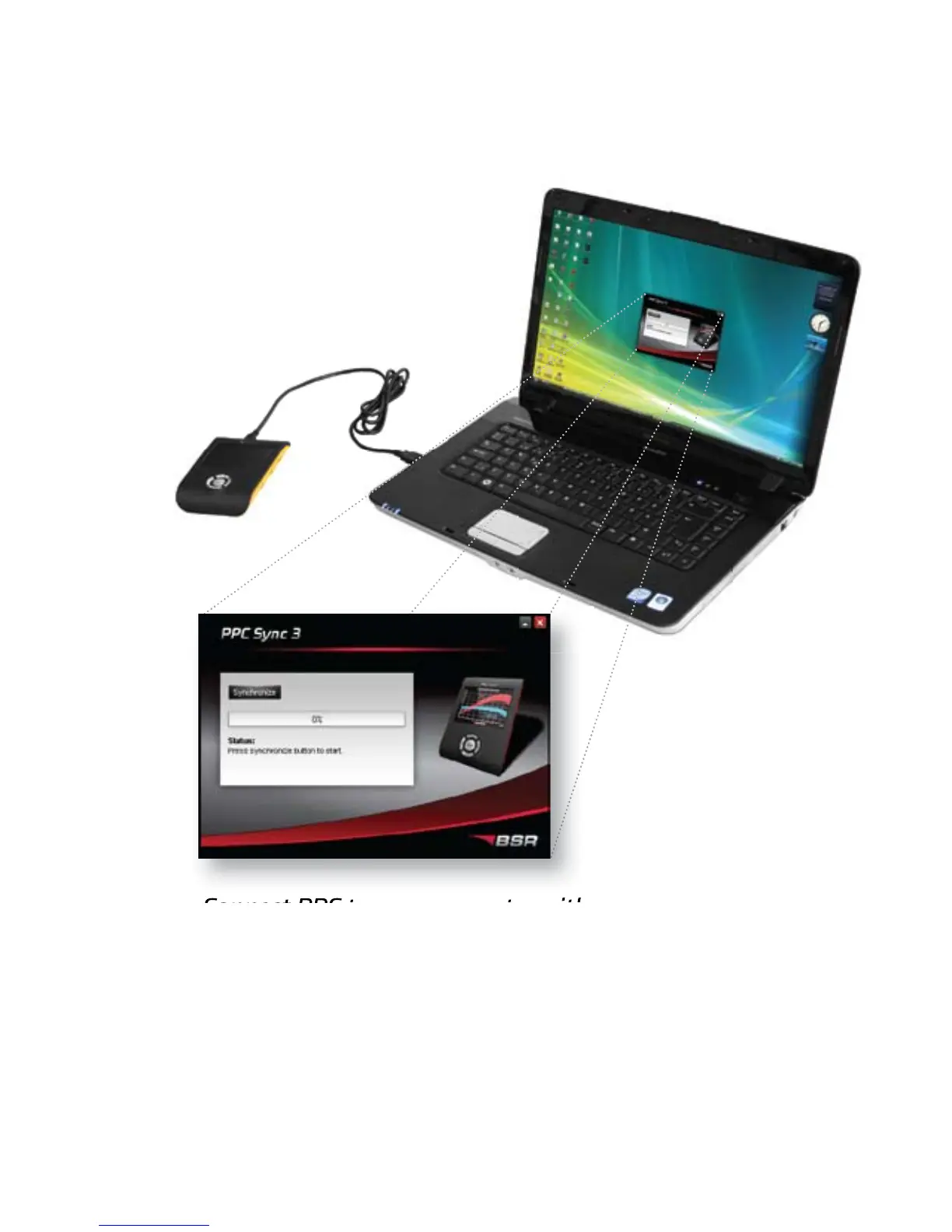
1. Connect PPC to your computer with the USB cable.
The computer must be connected to the Internet.
2. Start the program PPC Sync 3.
3. Fill in the PPC number and password that were
sent to your e-mail. (Only necessary to do once.)
4. Click “Synchronize” to send the DTCs from your
PPC unit to the customer page.
USB cable
PPC Sync 3
10
PPC unit


 To Next Page