User Guide
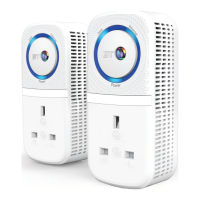
Broadband Extender Flex 500 Kit
Follow the steps in this guide to set up your kit.
If you need some help, see the Frequently Asked Questions at bt.com/bbextenderflex500 or call 0808 100 6116*.
* Calls made from within the UK mainland network are free. Mobile and International call costs may vary.
1 Plug one extender near your router
2 Plug one extender near your device
3 Connect your device
Check box content:
Broadband Extender Flex
Data
Ethernet
Power
Broadband Extender Flex
Data
Ethernet
Power
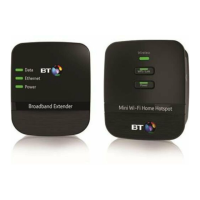
2 x Broadband Extender Flex 500
2 x Ethernet cables
Find out more
• If you need more detailed instructions, Frequently Asked Questions are
available at bt.com/bbextenderflex500
• If you cannot find the answer to your problem in the Frequently Asked Questions,
then please call our free Helpline on 0808 100 6116*. Our dedicated advisors
are more likely to be able to help you than the retailer where you made
your purchase.

 Need help?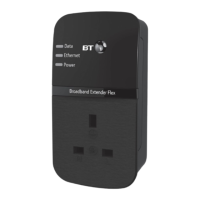

 To Next Page
 General