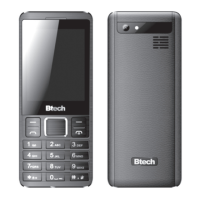
3.
When home screen is displayed you can
press RIGHT SHIFT to enter phonebook, use
UP/DOWN button to select contact, press
RECEIVE CALL to dial number.
4.
When home screen is displayed you can
use numeric keypad and enter manually
number to dial, press RECEIVE CALL button
to connect.
5. To end call press END CALL button.
Note! END CALL button also works as resume
home screen.
using Menu
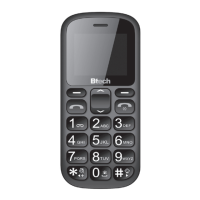
Use LEFT SHIFT or RIGHT SHIFT to open function
described above these buttons. Use UP/DOWN
to navigate, you can also use * (le) and # (right)
button.
vOluMe cOntrOl
During voice call press UP/DOWN button to adjust
volume level.
Menu structure
PHONEBOOK
Add new contact
Photo contact
Item1, Item2...
Here you can manage contacts, edit, delete,
add, send SMS to selected contact, add contact
to Blacklist (incoming call will be automatically
rejected as busy status)
MESSAGES
Write message
Inbox
Dras
Outbox
Sent messages
Delete messages
Templates
Message settings
CALL LOGS
Call history
Call settings


 To Next Page