Need help?
Do you have a question about the Bticino KW8013 and is the answer not in the manual?
Details Wi-Fi network features and smartphone technical specifications for connection.
Covers danger of electrical shock and requirements for qualified personnel during installation.
Explains the need for Legrand and Amazon accounts to use connected functions.
Details the function keys (Multifunction, Mute, Volume) and their operations.
Visually explains the status of Module A and Module B LEDs based on configuration.
Explains the meaning of different LED colors (Blue, Red, Yellow, White, Orange, Purple) for various functions.
Provides the recommended installation height for optimal operation and placement advice.
Illustrates the connection of Alexa Voice Control within a MyHOME_Up system.
Details installation for SCS MyHome systems needing extra power, highlighting qualified personnel.
Outlines steps to interact with Alexa Voice Control using the free Voice Control App.
Guides users through opening the app and authorizing access using Legrand account credentials.
Explains how to sign in with existing credentials and the consequence of failed attempts.
Details the process to activate password recovery and send a verification code.
Guides users to note down the MAC Bluetooth address before associating the device.
Covers selecting an existing home or creating a new one for device setup.
Guides users to start the connection procedure and prepare for device setup.
Explains how to ensure the LED is yellow for device pairing.
Details selecting the device using its MAC Bluetooth address for connection.
Explains how to select the home Wi-Fi network and enter the password for connection.
Instructs on entering a name for the Alexa Voice Control device.
Details the steps to connect to the Amazon account and authorize Alexa Voice Service.
Lists options available on the home page: firmware, name, Amazon Alexa, reset.
Details how to install firmware updates via the local Wi-Fi network.
Guides users to select and save the desired language for Alexa communication.
Details the procedure to reset the device and disconnect accounts.
Guides users on how to log out from their Legrand account.
Outlines the steps required to change the Wi-Fi network or password.
Explains how Alexa recognizes voice commands for integrated functions and connected controls.
Details how to decrease the volume, including disabling it by reaching the lowest level.
Guides users on how to disable the microphone to stop receiving commands.
Details the procedure to reset the device, disconnecting accounts and preparing for re-association.
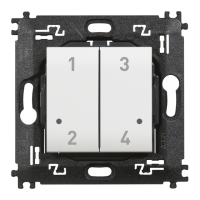
Lists the possible modes for capacitive keys: cyclical, off-only, pushbutton, timed control.
Guides users to download the MyHOME_Up app and connect to the system.
Details how to connect to the MyHOMEServer1, including finding it by ID.
Explains how to name the connection and input the INSTALLER CODE.
Details accessing the system after connection and automatic device detection.
Explains how to add an object (light) to a specific room.
Details naming the object and associating it with the relevant system.
Guides users to associate an actuator to the object, covering different situations.
Explains how to identify actuators by pressing pushbuttons on the device.
Guides users to select the actuator based on the test results and activated loads.
Explains how to associate the command that actuates the load.
Explains how to add the selected Alexa Voice Control to the light controls.
Details how to modify thermostat parameters and LED brightness settings.
Explains how to set the parameter for cyclically switching lights on or off.
Guides users to set the light to switch on for a specific duration.
Explains how to save the object and control lights via physical or app interface.
Explains how to select and drag the Alexa Voice Control to the design area.
Explains module settings like enabling, function type, room, and mode.
Explains how to set addressing type (Point-to-point, Group) and general settings.
Explains how to cyclically switch lights on or off using the capacitive keys.
Explains the PUL mode for impulse input devices, where contact remains closed while pressed.
Explains how to switch a light on for a configurable period, which then switches off automatically.
 General
| Brand | Bticino |
|---|---|
| Model | KW8013 |
| Category | Control Unit |
| Language | English |

 To Next Page