12
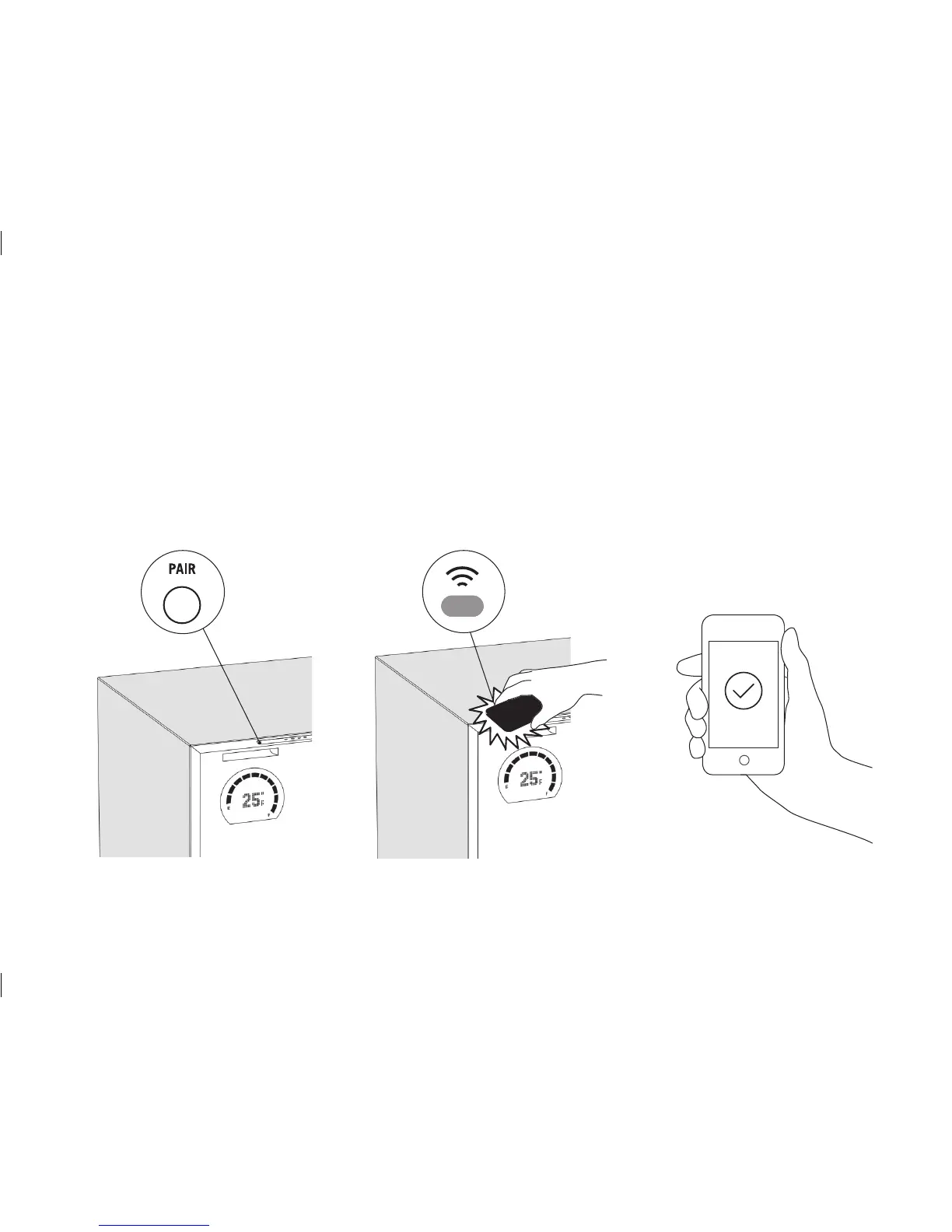
Press the pair button on top of the
refrigerator door. This will wake the
Wi-Fi sensor for connection.
When countdown starts, hold the
screen of your device fl at against
the Wi-Fi sensor until the screen
stops fl ashing.
Once connected, the Bud-e App
will display real time stock count
and temperature of the refrigerator.
1. 2. 3.
Bud-e App - WI-FI CONNECTION
Download the Bud-e App and follow on screen prompts to connect


 To Next Page