13
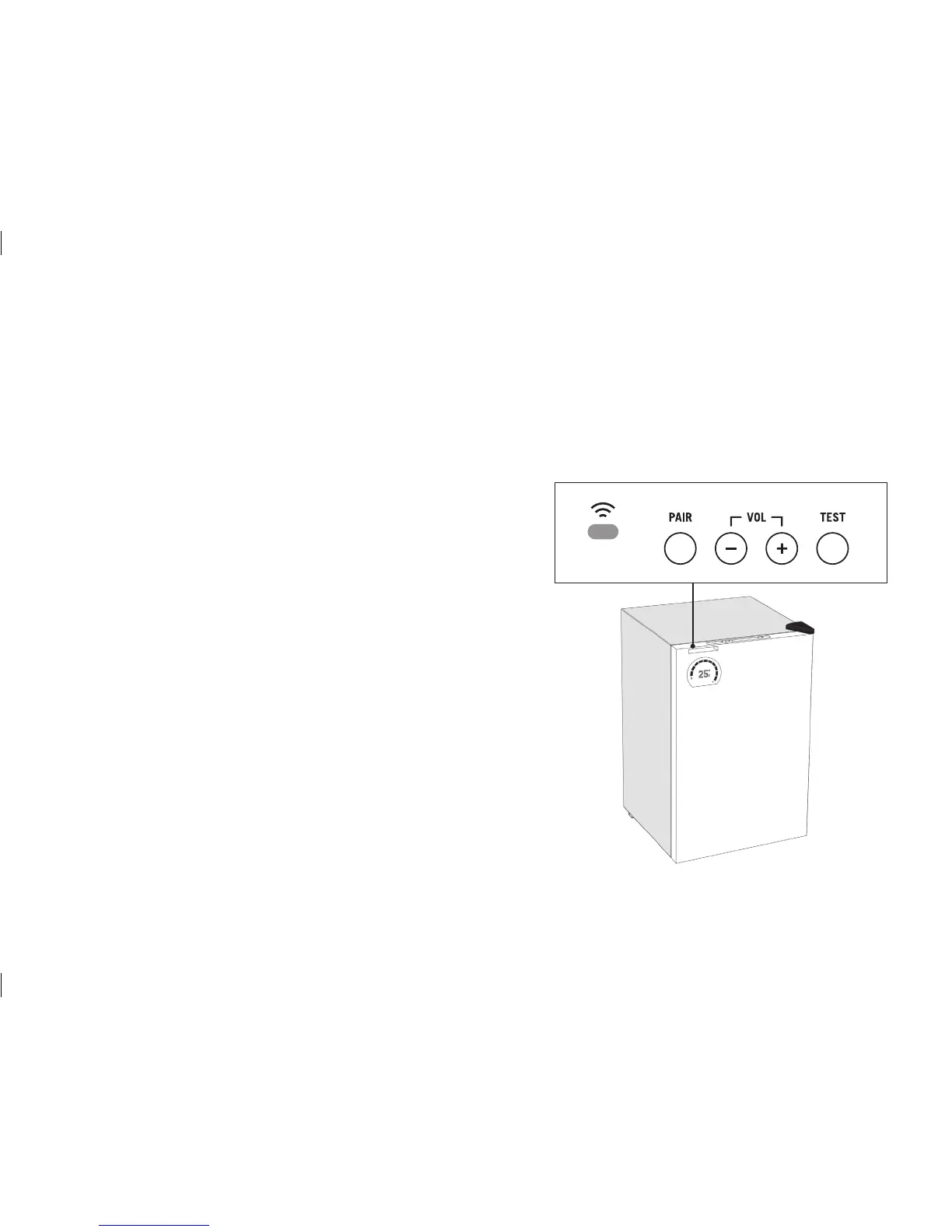
Wi-Fi LED status
Flashing red = not connected
Flashing green = connected successfully
Solid green = updating fi rmware
(do not unplug refrigerator during this process)
Flashing amber = has not received any
Wi-Fi settings
Off = normal operation
(the unit is still connected to Wi-Fi)
Note: If Wi-Fi connection is lost the Wi-Fi icon on the display
will fl ash red. The refrigerator will automatically re-connect to
your Wi-Fi network when it becomes available again.
Wi-Fi status LED is located on
top of the refrigerator door.
WI-FI STATUS LED (top panel)


 To Next Page