EasyManua.ls Logo

Buffalo filter ViroVac VV120 - User Manual

Buffalo filter ViroVac VV120
62 pages
Print Icon
To Next Page IconTo Next Page
Loading...
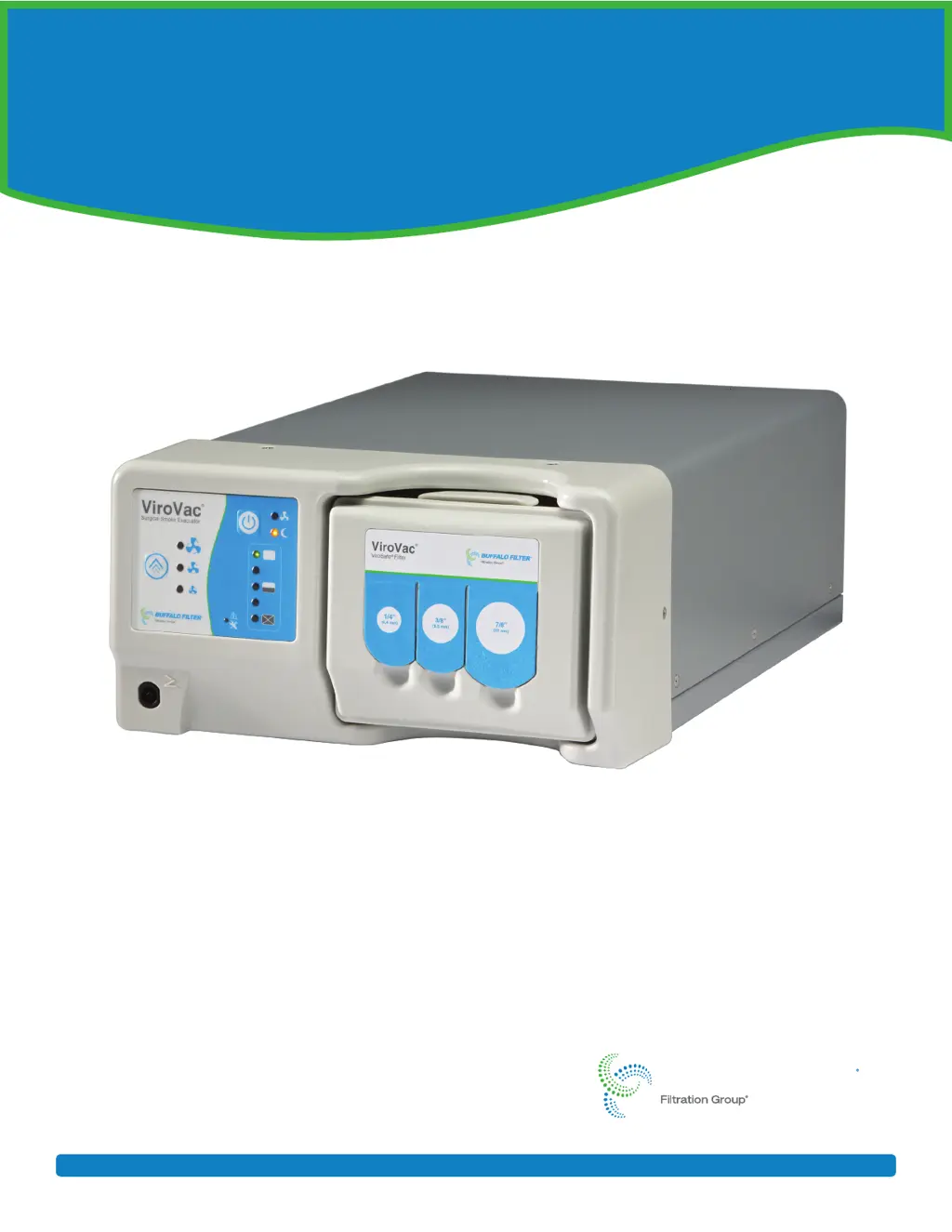
ViroVac
®
Surgical Smoke Evacuator
Service Manual
BUFFALO FILTER
www.buffalofilter.com +1 716.835.7000 (International) 800.343.2324 (United States) bf.techsuppor t@filtrationgroup.com

Questions and Answers

  • T
    Tara Branch DVMAug 3, 2025
    What to do if my Buffalo filter Medical Equipment ViroVac© Surgical Smoke Evacuator does not function?
    • J
      John GutierrezAug 4, 2025
      If your ViroVac© Surgical Smoke Evacuator Medical Equipment isn't working even when the On/Standby button is pressed, and there are no lights, first, check if it's properly plugged into a grounded electrical outlet and the power receptacle at the back of the device. If that's not the issue, the fuse(s) might be blown. Disconnect the power, remove the fascia and body, and check the two fuses on the circuit board (PCB). Replace them if necessary. It could also mean the filter life has expired or an invalid filter is installed, so try replacing the filter. As a last resort, apply the power directly to the motor. If the motor spins, the PCB is not functioning, then replace the PCB and perform a hipot test and current leakage test.
  • Z
    Zachary BushAug 9, 2025
    How to troubleshoot minimal suction in Buffalo filter Medical Equipment ViroVac© Surgical Smoke Evacuator?
    • J
      Joshua HuntAug 9, 2025
      If the ViroVac© Surgical Smoke Evacuator Medical Equipment is on but has minimal or no suction, the filter might not be correctly installed. Reinstall the filter, pressing it firmly into place. Alternatively, the filter could be clogged, in which case you should replace it with a new one from the manufacturer. Another possibility is that the vacuum tubing is clogged, so replace it with the manufacturer’s products.
  • B
    Brett JenkinsAug 16, 2025
    What causes the motor to stop spinning in Buffalo filter ViroVac VV120?
    • P
      pvillanuevaAug 16, 2025
      If the motor in your Buffalo filter Medical Equipment is not spinning, the fuse(s) might be blown. To fix this, disconnect the power, remove the fascia and the body, and then check the two fuses on the circuit board (PCB). Replace the fuse(s) if needed. If that's not the problem, the PCB might not be working. You can test this by applying power directly to the motor; if it spins, the PCB needs to be replaced. After replacing the PCB or motor, perform a hipot test and current leakage test. The motor itself might also be faulty, so if applying power directly doesn't make it spin, replace the motor and perform a hipot test.
  • J
    Jessica WalkerAug 21, 2025
    Why are the buttons not functioning on my Buffalo filter ViroVac VV120 Medical Equipment control panel?
    • H
      hernandezjoseAug 21, 2025
      If the buttons on the control panel of your Buffalo filter Medical Equipment aren't working, it could be due to blown fuse(s). Disconnect the power, remove the fascia and the body, and check the two fuses on the circuit board (PCB). Replace them if necessary. Another possibility is that the key pad isn't firmly connected. Once the fascia is removed, check if the key pad is plugged in and fully seated. If it is, try replacing the key pad. If the problem persists, the PCB might not be functioning. Apply the power directly to the motor. If the motor spins, the PCB is not functioning, then replace the PCB and perform a hipot test and current leakage test.
  • M
    mirandamatthewAug 27, 2025
    What to do if Buffalo filter Medical Equipment is not recognizing the filter?
    • J
      Jack ClaytonAug 27, 2025
      If the filter is not being recognized by your Buffalo filter Medical Equipment, it might have reached the end of its useful life; try replacing it. If a new filter doesn't solve the issue, disconnect the power, remove the cover, and inspect the antenna connection. Unplug the antenna from the PCB and check the connector and wires. If there's any sign of a bad crimp, replace the antenna. If the issue continues, replace the antenna again. As a last resort, apply the power directly to the motor. If the motor spins, the PCB is not functioning, then replace the PCB and perform a hipot test and current leakage test.

Summary

Introduction

Purpose

Explains the ViroVac Surgical Smoke Evacuator's function and filtration stages.

Precautions

General Safety Precautions

Covers safe operation, electrical safety, environmental conditions, and accessory usage.

Warning Definitions

Explains DANGER, WARNING, CAUTION, and NOTE symbols used in the manual.

Safety Symbols Explanations

Explains various safety symbols and their meanings used in the manual.

System Overview

System Information

System Specifications

Details the electrical and operational specifications of the device.

System References

System Operation

Installation Instructions

Step-by-step instructions for setting up the surgical smoke evacuator.

Filter Instructions

Filter Installation

Detailed steps for installing a new ViroVac filter.

Filter Removal

Procedures for safely removing and disposing of the used filter.

System Maintenance

Troubleshooting

Troubleshooting Table

Lists common problems, causes, and corrective actions for the device.

Repair

Precautionary Warnings

Critical safety warnings before disassembling or repairing the unit.

Tests

Disassembly

Printed Circuit Board (PCB) Disassembly

Steps to disconnect and remove the main circuit board.

Reassembly

Motor Boot Assembly Reassembly (Models VV120 and VV220)

Steps to reassemble the motor boot assembly for VV120/VV220.

Motor Boot Assembly Reassembly (VV120;VV220) (continued)

Continued steps for motor boot assembly reassembly.

Motor Boot Assembly Reassembly (Model DKVV220)

Steps to reassemble the motor boot assembly for DKVV220.

Motor Boot Assembly Reassembly (DKVV220) (continued)

Continued steps for DKVV220 motor boot assembly reassembly.

Printed Circuit Board (PCB) Reassembly

Steps to reconnect and mount the main circuit board.

Appendix A

Buffalo filter ViroVac VV120 Specifications

General IconGeneral
CategoryMedical Equipment
ULPA FilterYes
Pre-FilterYes
Filtration Efficiency99.999% at 0.12 μm
Sound Level< 60 dBA
Pore Size0.12 μm

Related product manuals