20Bualo Filter® VisiClear™ Operator’s Manual
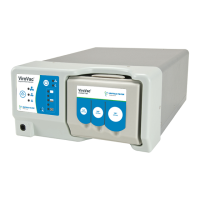
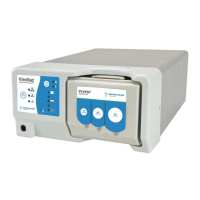
2. Insert the VisiClear™ Filter into lter receptacle. Be sure that the lter is seated completely
against the bottom of the lter chamber and clip is fully engaged.
WARNING: is device is not intended for evacuation of uid. If uid is expected to be
aspirated using the VisiClear™ Filter or the BUFFALO FILTER® VisiClear™ system, uid
collection devices must be installed with the vacuum hose assembly. Failure to install a uid
collection device may cause lter blockage and/or electrical damage.
Filter Removal Instructions:
1. Aer the VisiClear™ Filter has been exhausted and requires changing, turn the smoke
evacuation system o and disconnect any accessory tubing attached to the lter.
2. Depress the tab and pull the VisiClear™ Filter from the smoke evacuation system and
dispose of in accordance with hospital policy. e VisiClear™ Filter may be disposed of or
incinerated.
3. Clean the unit with appropriate germicide prior to re-use. Follow the indicated instructions
for maintenance and installation of a new VisiClear™ Filter.
CAUTION: Using any other lter or accessory not supplied by BUFFALO FILTER® may
cause damage to the system and/or cause the system to be inoperable and may void the
warranty.
WARNING: e VisiClear™ Filter should be changed when the Filter Life Indicator touch
screen indicates an expired lter. Failure to change this lter may result in decreased
eciency and contamination of the electric motor, vacuum pump, and sound absorbing
media within the system, or non-operation of smoke evacuator.


 To Next Page