MEG300 Electric Meat Grinder Assembly & Operating Instructions
7
MAINTENANCE
Always disconnect the Grinder from its electrical power supply source before performing any
cleaning, inspection or maintenance.
Before and after use, wash parts with warm soapy water. Do NOT wash any parts in dishwasher.
Before and after use, wash all parts with warm soapy water.
Do not use solvents to wipe off the inside/outside of the Grinder.
Cover the machine with a cloth cover when not in use.
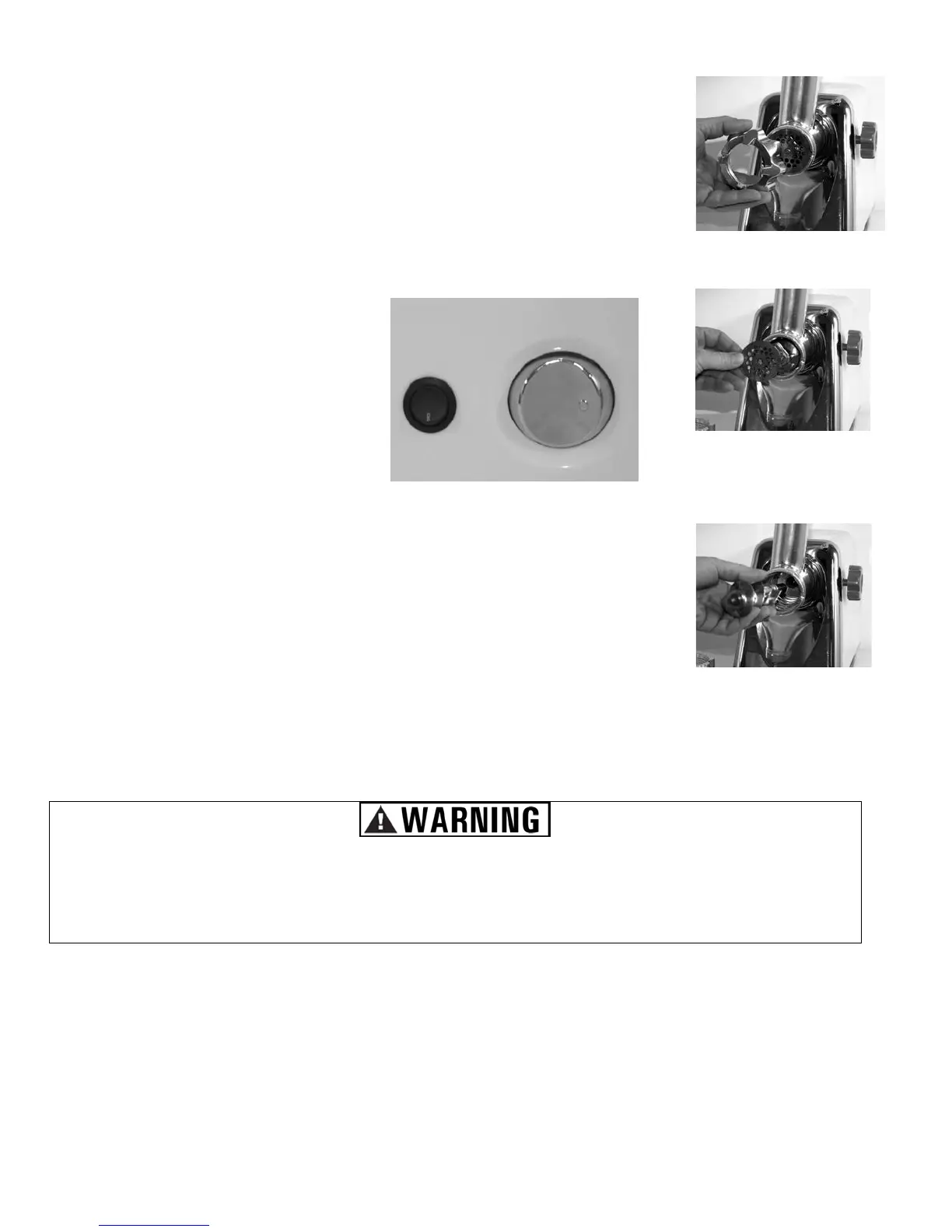
This unit has a Reverse/Forward Switch
and a Power Switch.
Press the top of the Forward Switch and
press on the LEFT side of the Power
Switch to operate the meat grinder.
the Reverse Switch
and press on the RIGHT side of the
Power Switch to reverse the grinding
mechanism. (Use this feature if the
meat has jammed inside the machine.)
If you are unable to clear the jam, and
the meat is still stuck inside the grinder,
unplug
the unit from the electrical outlet,
remove the cutting plate lock
mechanism and clear the Feed Screw.
WARNING: DO NOT INSERT ANY
FINGERS OR OBJECTS INSIDE THE
UNIT WHILE IT IS PLUGGED INTO AN
ELECTRICAL SOCKET.
1. Unit should be unplugged while assembling or cleaning.
2. Remove cutting plate lock mechanism. (Figure 5)
3. Replace cutting plate. (Figure 6)
4. To clean the grinder, remove the Feed Screw. (Figure 7)
Operating - Selecting Forward / Reverse



 To Previous Page