Appendix B Checking Wireless Signal Quality
- 3 -
4
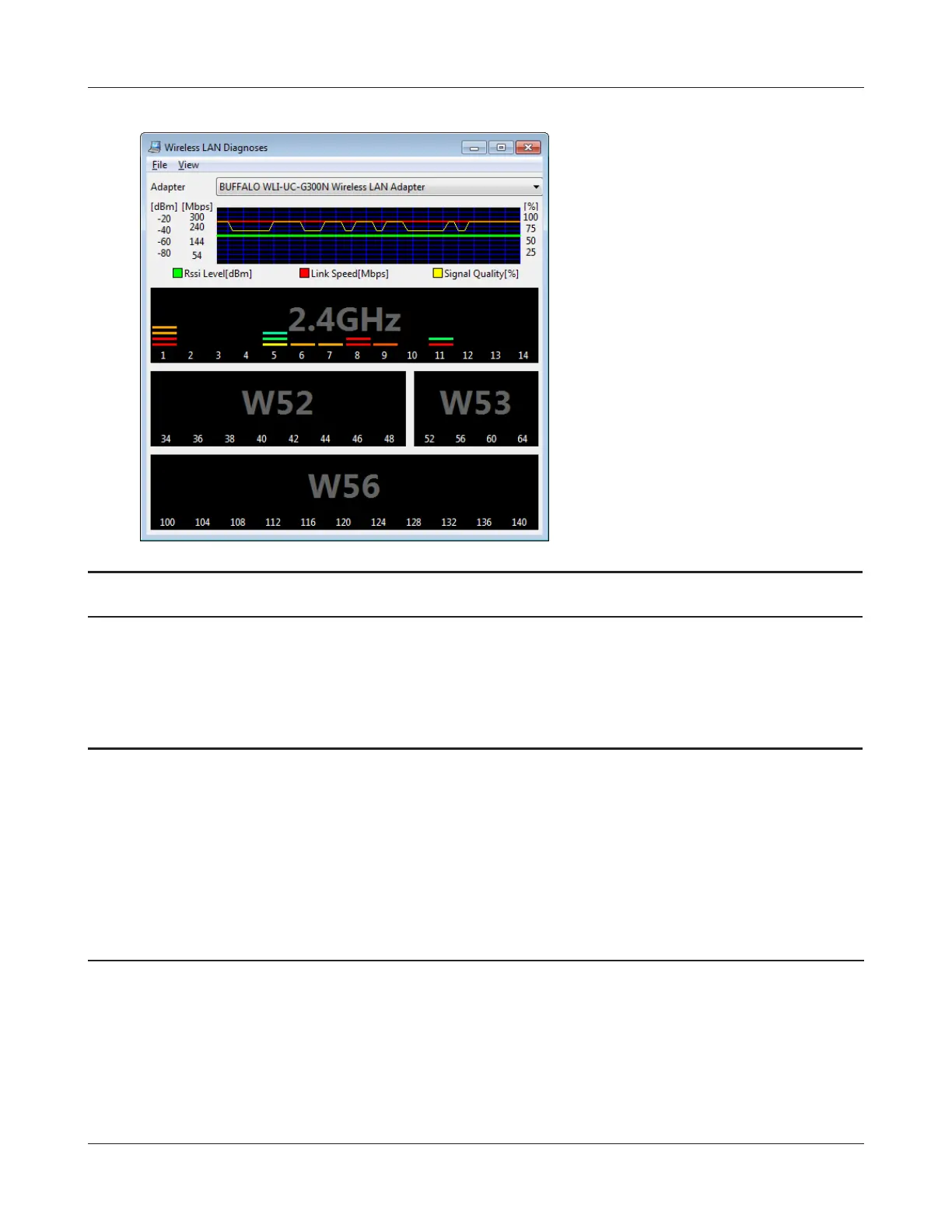
Parameter Meaning
Connection status Signal strength (dBm), link speed (Mbps), and signal quality (%) are
displayed in one-minute intervals on a real-time graph.
Usage status by channel The 11b/11g display shows usage in the 2.4 GHz band channels 1
to 11.
Colors are used to indicate the signal strength of the access point. Colors closer to red indicate an
access point with a stronger signal strength, and colors closer to blue indicate an access point with a
weaker signal strength.
Mac OS X
1
Load the utility CD into your Macintosh.
2
From the menu bar, click [Go] > [Computer].
3
Double-click the CD icon, and then double-click [WLAN Monitor] in the “Mac” folder.


 To Next Page
 Loading...








