
 Need help?
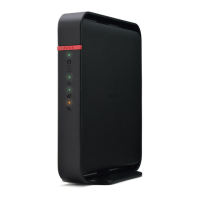
Do you have a question about the Buffalo AirStation WHR-300HP2 and is the answer not in the manual?
Guides through the initial setup process for connecting and configuring the AirStation.
Explains how to access the AirStation's web-based configuration GUI and log in.
Details configuration of the WAN-side port and IP address acquisition methods.
Covers configuration of PPPoE settings, including connection lists.
Describes LAN-side IP and DHCP server settings configuration.
Explains DHCP settings for automatic IP address assignment.
Explains the WPS system for automatic wireless network configuration.
Describes AOSS, Buffalo's one-touch secure system for wireless connection setup.
Covers basic wireless settings like channel, SSID, authentication, and encryption.
Explains how to configure the AirStation's firewall to control packet traffic.
Details how to edit IP filters to manage packet traffic based on IP addresses.
Guides on configuring port translation for games and applications.
Explains how to configure packet priority for internet traffic.
Explains how to configure the administrator password for accessing the configuration screen.
Explains how to restart or initialize the AirStation to factory defaults.
Guides on updating the AirStation's firmware.
Guides on connecting devices wirelessly using AOSS or WPS for automatic setup.
Provides troubleshooting steps for wired internet connection issues.
Offers solutions for problems accessing the AirStation's settings.
Troubleshoots issues with wireless network connectivity.
Explains how to reset settings to defaults if credentials are lost.
Guides through the initial setup process for connecting and configuring the AirStation.
Explains how to access the AirStation's web-based configuration GUI and log in.
Details configuration of the WAN-side port and IP address acquisition methods.
Covers configuration of PPPoE settings, including connection lists.
Describes LAN-side IP and DHCP server settings configuration.
Explains DHCP settings for automatic IP address assignment.
Explains the WPS system for automatic wireless network configuration.
Describes AOSS, Buffalo's one-touch secure system for wireless connection setup.
Covers basic wireless settings like channel, SSID, authentication, and encryption.
Explains how to configure the AirStation's firewall to control packet traffic.
Details how to edit IP filters to manage packet traffic based on IP addresses.
Guides on configuring port translation for games and applications.
Explains how to configure packet priority for internet traffic.
Explains how to configure the administrator password for accessing the configuration screen.
Explains how to restart or initialize the AirStation to factory defaults.
Guides on updating the AirStation's firmware.
Guides on connecting devices wirelessly using AOSS or WPS for automatic setup.
Provides troubleshooting steps for wired internet connection issues.
Offers solutions for problems accessing the AirStation's settings.
Troubleshoots issues with wireless network connectivity.
Explains how to reset settings to defaults if credentials are lost.
 General
| Brand | Buffalo |
|---|---|
| Model | AirStation WHR-300HP2 |
| Category | Wireless Router |
| Language | English |





 To Next Page