13. Stage Cooking Programming
This allows the user to cook food items at combination of various Power Levels.
1) Three stages can be set at most under cooking mode or memory mode.
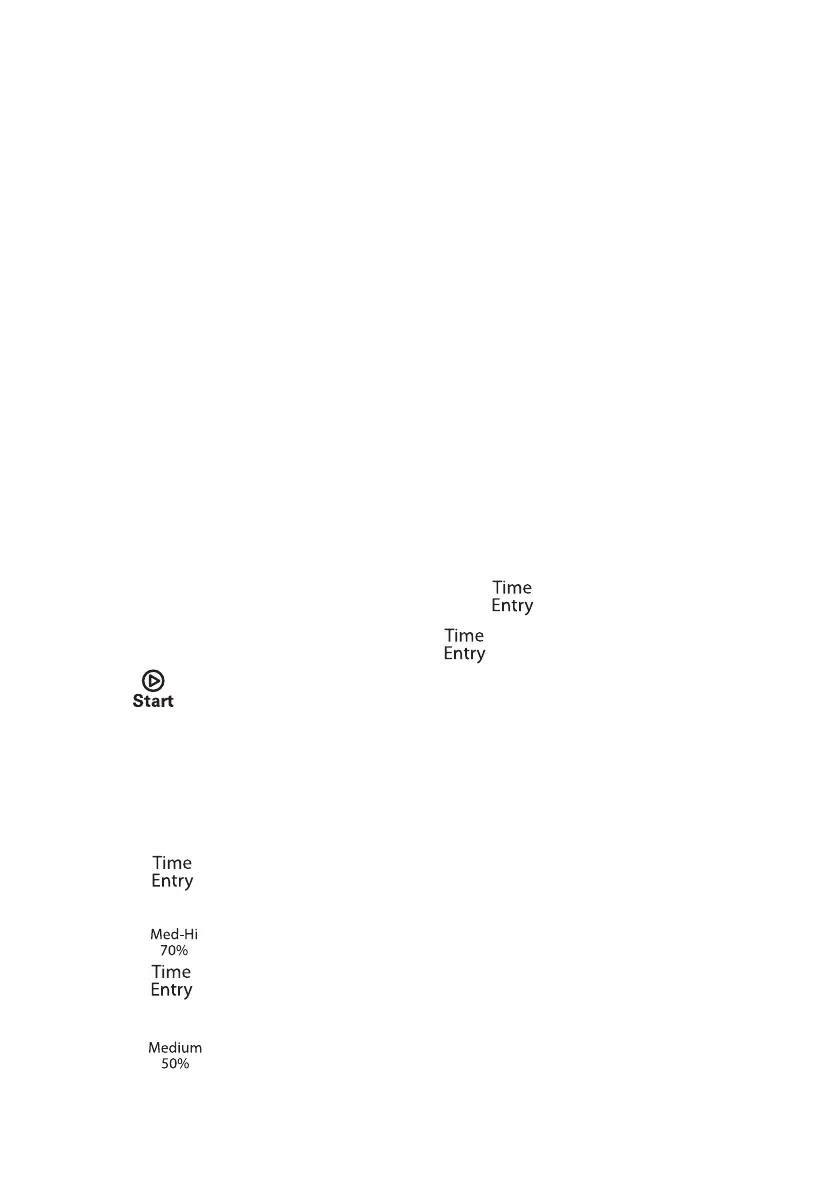
Aftet setting the power and time for the first stage, press " " to set the second stage.
And the same step to set the third stage.
2) When setting the second or the third stage, press " ", "S-2" or "S-3" displays.
3) Press " " button to start cooking.
Example: To set three stages as memory mode. The first stage is PL7 and time is 1 minute
25 seconds. The second stage is PL5 and 5 minutes and 40 seconds. The steps are as as
below:
a. In Waiting state, press "1" for 5 seconds, LED displays "ProG".
b. Press number buttons "3" to save the program in "3".
c. Press "
", "00:00" is displayed.
d. Press "1", "2", "5" to input the cooking time. "1:25" is displayed.
e. Press "
f. Press "
", LED displays "S-2".
g. Press "5", "4", "0" button, "5:40" is displayed.
h. Press "
", "PL5" is displayed. Now the sec
ond stage is finished.
12. Double Quantity cooking
", "PL7" is displayed. Now the first stage is finished.
1) By using X2 button, the user can easily set the doubled cooking time for a particular
food item.
2) Under waiting state, press "X2" button first and then within 5 seconds press number
buttons 0-9, the oven will start cooking with the doubled cooking time. Or, press the
number buttons 0-9 to start cooking first, then within 5 seconds press "X2" button to
start cooking with the doubled cooking time.
3) When pressing "X2", LED will display "doub". When pressing number buttons, LED
will display the corresponding doubled cooking time.
For example, press the number button "5" (whose corresponding preset time is 1 minute)
first. Then press "X2", the total cooking time will change to 1:00*(1+0.8)=1:48 (1 minute
and 48 seconds).
(Note: The total cooking time is approximately 2 times of the original preset time, not exactly
doubled.)
4) When cooking program finishes, the oven will enter End of Cook Cycle Mode.
Note: This function cannot be used under memory mode.


 To Next Page