EasyManua.ls Logo

Buffalo NBB3 - User Manual

Buffalo NBB3
10 pages
Print Icon
To Next Page IconTo Next Page
Loading...
IS 619 ECN 3949 Page 1 of 10
Installation, Operating and Servicing
Instructions
Electric Auto-Fill Water Boilers
NBB3 AND NBB3F
Please make a note of your product details for
future use:
Date Purchased:_________________________
Model Number:__________________________
Serial Number:__________________________
Dealer:_________________________________
_______________________________________
Question and Answer IconNeed help?

Do you have a question about the Buffalo NBB3 and is the answer not in the manual?

Summary

Important Information

Safety Symbols Explained

Defines symbols for injury, damage, and additional tips.

Warnings and Precautions

Technical Data

Installation and Commissioning

Earthing and Wiring

Covers appliance earthing, equipotential bonding, and plug wiring.

Electrical Supply and Water Connection

Details about supply cords, 13 amp plug, and water inlet connection.

Operating Instructions

First Use

Initial steps including filling and draining the boiler.

Regular Operation and Standby

Describes normal operation, automatic filling, and standby mode.

Adjustment Settings

How to adjust water temperature, backlight, and contrast via the control panel.

Filter Replacement (NBB3 F)

Guidance on replacing the filter cartridge for NBB3F models and resetting the filter life.

Cleaning

De-scaling Procedure

Instructions for removing scale deposits, noting it requires trained personnel.

Servicing, Maintenance, and Component Replacement

Fault Finding

Service Information

Guarantee Information

Summary

Important Information

Safety Symbols Explained

Defines symbols for injury, damage, and additional tips.

Warnings and Precautions

Technical Data

Installation and Commissioning

Earthing and Wiring

Covers appliance earthing, equipotential bonding, and plug wiring.

Electrical Supply and Water Connection

Details about supply cords, 13 amp plug, and water inlet connection.

Operating Instructions

First Use

Initial steps including filling and draining the boiler.

Regular Operation and Standby

Describes normal operation, automatic filling, and standby mode.

Adjustment Settings

How to adjust water temperature, backlight, and contrast via the control panel.

Filter Replacement (NBB3 F)

Guidance on replacing the filter cartridge for NBB3F models and resetting the filter life.

Cleaning

De-scaling Procedure

Instructions for removing scale deposits, noting it requires trained personnel.

Servicing, Maintenance, and Component Replacement

Fault Finding

Service Information

Guarantee Information

Overview

This document provides installation, operating, and servicing instructions for the Buffalo Electric Auto-Fill Water Boilers, specifically models NBB3 and NBB3F.

Function Description

The Buffalo Electric Auto-Fill Water Boilers are designed to provide a continuous supply of hot water. They are intended for commercial use, automatically filling with water and heating it to a set temperature. The NBB3F model includes a filter for improved water quality and taste. The boilers are designed for permanent operation, only requiring to be switched off for descaling or maintenance.
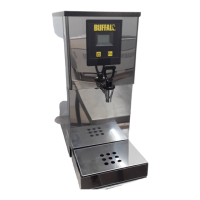
Important Technical Specifications

  • Models: NBB3, NBB3F
  • Dimensions:
    • Height: 560 mm
    • Width: 255 mm
    • Depth: 446 mm
  • Weight: 13 kg
  • Power: 3.0 kW
  • Electrical Supply: Units are supplied with a 13 amp plug.
    • Earth: Green and Yellow wire
    • Neutral: Blue wire
    • Live: Brown wire
  • Ambient Temperature Range: 5 to 30 degrees Celsius
  • Water Inlet Pressure:
    • 1 to 8 bar
    • 100 to 800 kPa
  • Water Connection: Inlet hose with ¼" BSP connection.
  • Serial Plate Location: On Fig 1 (F).
  • Supply Cords: Oil resistant, sheathed flexible cable, not lighter than ordinary polychloroprene or equivalent elastomer sheathed cord (code 60245 IEC 57).

Usage Features

  • Installation: Must be installed on a level surface with unobstructed vents. Installation, commissioning, and servicing must be performed by a qualified person in accordance with national and local regulations. An equipotential bonding terminal is provided for cross bonding with other equipment.
  • First Use:
    1. Switch on water and electricity supplies.
    2. Allow the boiler to fill for 30 minutes.
    3. Drain approximately 5 litres of water to remove loose carbon particles from the filter (if applicable).
  • Regular Operation: The boiler starts automatically when the water supply is on. Small quantities of water are added during the heating cycle to ensure continuous hot water availability. Water is drawn off through the tap (E).
  • Adjustments:
    • Water Temperature: Turn power off and on. Press and hold the power button (D) until the software version is displayed. Press the function button (C) to display temperature. Cycle through 70-96°C using the power button and select with the function button.
    • Screen Backlight: After temperature adjustment, the backlight screen is displayed. Cycle through values 1-25 using the power button and select with the function button.
    • Screen Contrast: After backlight adjustment, the contrast screen is displayed. Cycle through values 35-60 using the power button and select with the function button. Press the power button to exit.
  • Standby: To turn off the heating element when the boiler is not in use for an extended period, press the power button.
  • FilterFlow Screen (B): Displays information on the control panel (A).
  • Filter Replacement (NBB3F ONLY):
    • The filter display shows the estimated life remaining. A reminder message appears when replacement is needed.
    • To replace: Remove the drip tray. Twist the base of the filter (G) 90 degrees anti-clockwise and slide out the cartridge. Re-insert the new filter by twisting clockwise.
    • Reset filter life: Press and hold the Fn button for 5 seconds.
    • Drain approximately 5 litres of water to remove loose carbon particles from the new filter.
    • Note: The boiler can be used without a filter, but scale will build up faster, and water taste may be affected.

Maintenance Features

  • Cleaning:
    • Do not use a water jet or steam cleaner, and do not immerse the appliance.
    • Clean all panels with warm water and mild detergent; avoid abrasive materials. Dry with a soft cloth.
    • Regularly slide out and empty the drip tray (H).
    • Wipe the dispensing tap spout daily to remove lime scale deposits.
  • Descaling:
    • The boiler should be descaled regularly to maintain efficient operation and water quality. Frequency depends on water hardness and filter replacement.
    • Procedure (must be performed by trained personnel due to access to live electrical components):
      1. Wear protective clothing.
      2. Isolate the boiler from the electrical supply.
      3. Turn off power and allow water to cool to 60°C.
      4. Remove the screw in the top of the boiler using a 3mm Allen key.
      5. Remove insulation from the top of the tank. Unscrew and remove the tank lid.
      6. Slowly add descaling agent (Buffalo recommends MS19) following manufacturer's instructions to avoid eruption.
      7. Replace tank lid and outer lid. Attach an 'Out of Use' notice.
      8. Turn on electricity and run the boiler normally for 30 minutes.
      9. Isolate the boiler and allow water to cool.
      10. Remove outer and tank lids. Inspect tank and level sensor housings for scale. Repeat if necessary.
      11. Drain and Flush: Remove drip tray. Remove front panel by unscrewing two screws behind the drip tray. Connect a hose from the overflow pipe to a bucket and open the service valve to drain water. Flush with clean water, shut the valve, and replace the front cover.
      12. Replace drip tray and tank lid, ensuring the gasket seals correctly.
      13. Re-fit the outer lid and turn on the boiler.
  • Servicing and Component Replacement:
    • Other than filter replacement, all servicing, maintenance, and component replacement must be carried out by Buffalo's recommended service engineers.
    • Fault Finding: The control panel displays fault messages. Before calling service, draw off a litre of water, clear the fault code by pressing the Fn button, and cycle power. If the fault persists, call service.
      • FILTER DESCALE / CAUTION SEE MANUAL: Possible causes: Scale on level sensors, boiler overfilling. Corrective action: Descale, check water inlet valve.
      • FILTER NO WATER / FAULT SEE MANUAL: Possible causes: Water turned off, inlet hose kinked/blocked, water pressure too high/low, drain valve open. Corrective action: Check water supply and drain valve. Call service if fault persists.
      • FILTER NOT HEATING / FAULT SEE MANUAL: Possible causes: Boil dry/overheat protector tripped, temperature sensor fault, element failed, PCB fault, faulty/loose connection. Corrective action: Check connections. Call service if fault persists.
      • FILTER THERMISTOR / FAULT SEE MANUAL: Possible cause: Temperature sensor fault. Corrective action: Call service.

Warranty and Service Information

  • Warranty: This unit carries a comprehensive UK mainland 1-year warranty. It does not cover accidental damage, misuse, non-compliance with instructions, consumable items (filters, bulbs, seals), incorrect installation, modification, unauthorized service, or damage from scale/debris buildup.
  • Service Contact: For help in the UK, contact 0845 146 2887. Non-UK customers should contact their local Nisbets dealer.
  • Service Requirements: All service work (except routine cleaning) must be carried out by authorized service agents. Nisbets reserves the right to carry out warranty work with reasonable access during normal working hours (Monday-Friday, 08:30-17:00). Service calls under warranty are subject to conditions of sale, including a maximum of 15 minutes administrative time. Additional administrative time may be chargeable.

Buffalo NBB3 Specifications

General IconGeneral
BrandBuffalo
ModelNBB3
CategoryBoiler
LanguageEnglish

Related product manuals