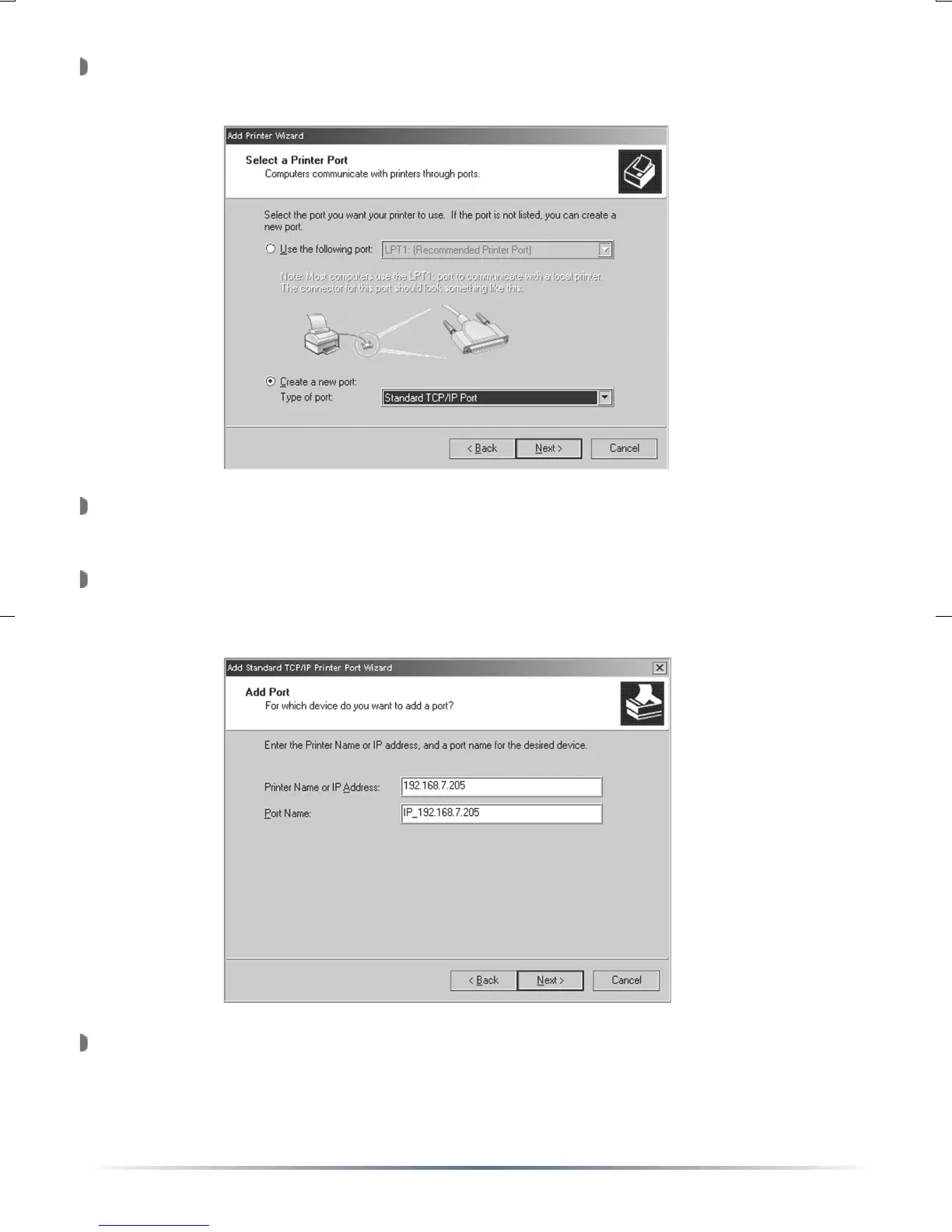
Select ‘Create a new port: Type of port:’. From the pull down list,
select ‘Standard TCP/IP Port’. Press the ‘Next’ button.
The ‘Add Standard TCP/IP Printer Port Wizard’ will open. Press the
‘Next’ button.
Enter the IP address of the USB Print Server into the field called
‘Printer Name or IP Address:’. The Port Name field will be filled
automatically once the IP address is entered.
Please enter the IP address recorded on Page 6. Once complete,
press the ‘Next’ button.


 To Next Page