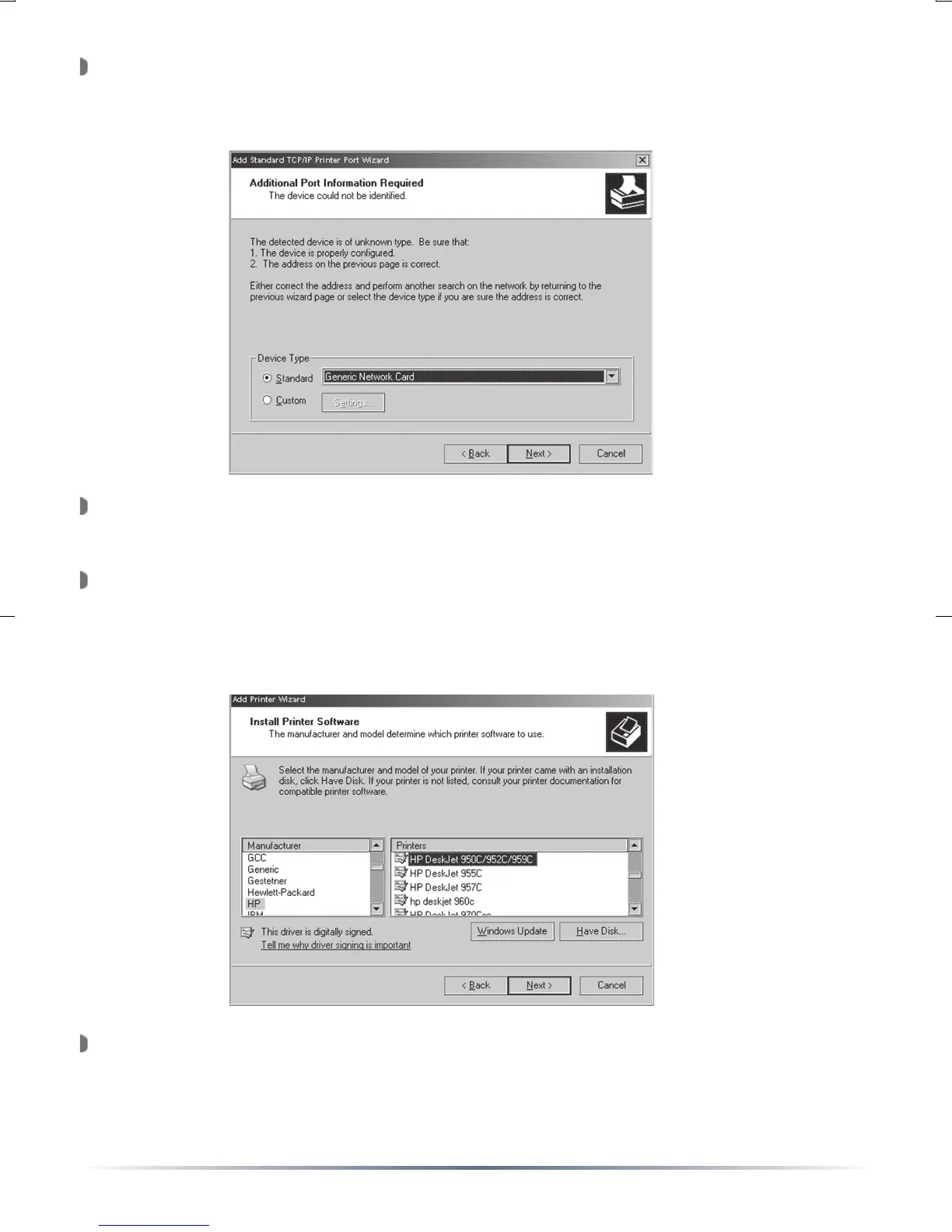
The ‘Additional Port Information Required’ window will appear. Select
‘Standard’ device type and select ‘Generic Network Card’ from the pull
down menu. Press the ‘Next’ button when finished.
A summary screen will appear. Press the ‘Finish’ button to continue
setting up your USB Network Printer.
The ‘Install Printer Software’ window will appear. Please select the
proper printer from the list below, or refer to the printer manufacturer’s
driver location. Once the proper printer driver has been selected,
press the ‘Next’ button.
NOTE: Press the ‘Have Disk’ button to install drivers from a CD-ROM
or Floppy disk.


 To Next Page