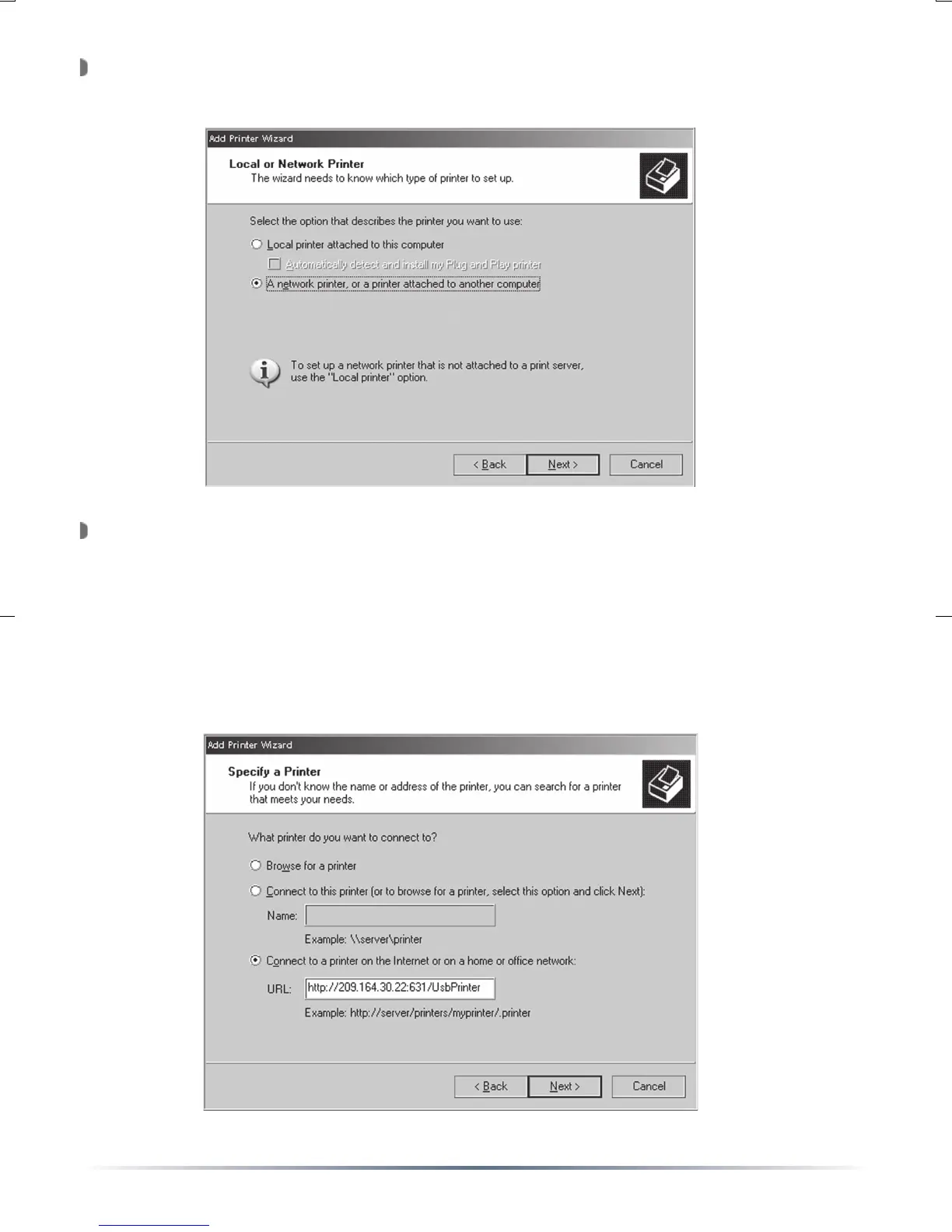
Select ‘A network printer, or a printer attached to another computer’.
Press the ‘Next’ button.
Select ‘Connect to a printer on the Internet or on a home or office
network:’. In the ‘URL’ field, enter:
http://IP_ADDRESS:631/PORTNAME (using the ‘Port’ name from
Page 5). Once complete, press the ‘Next’ button.
NOTE: The IP address inputted needs to be your external/Internet
IP address, NOT the internal IP address. Consult your router
documentation or ISP information to determine this IP address.


 To Next Page