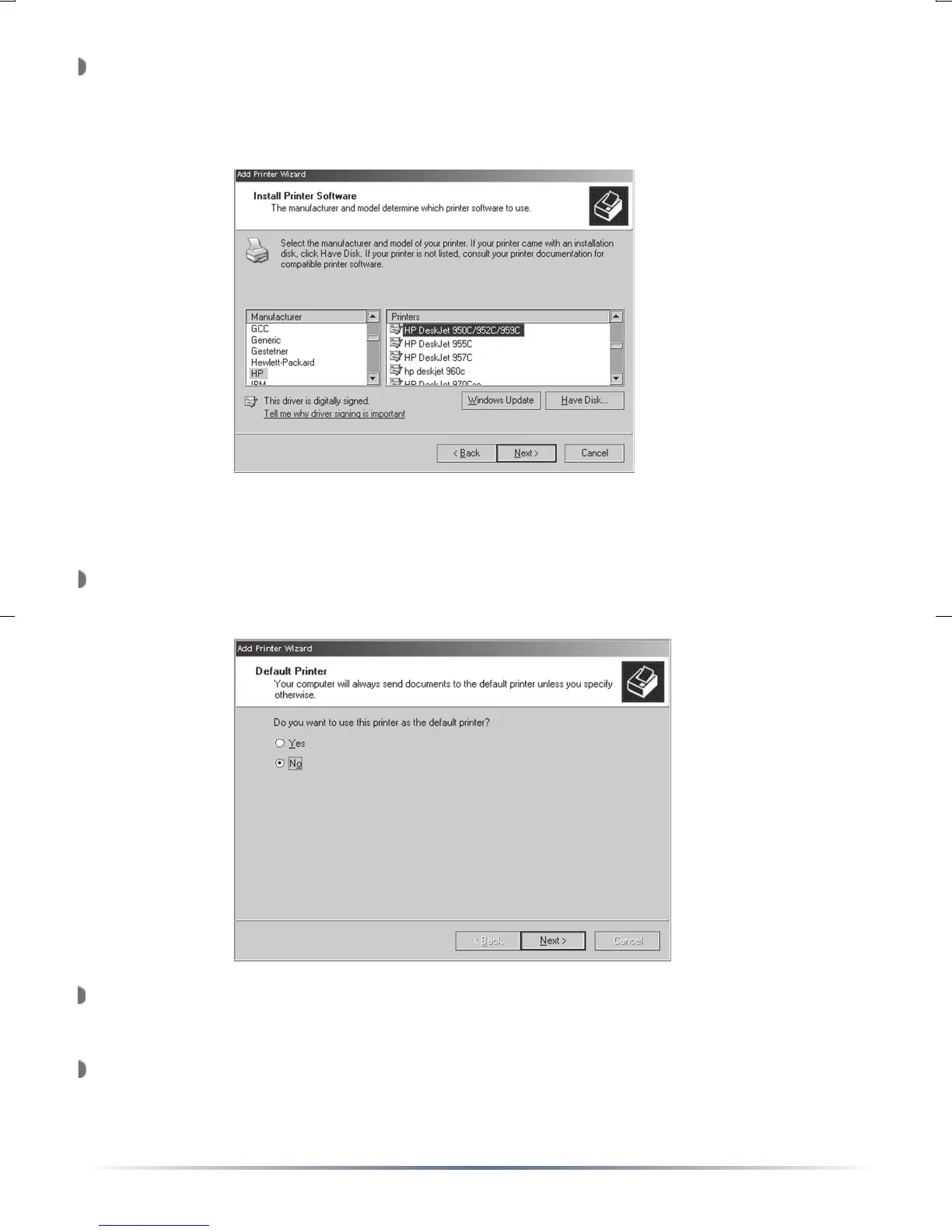
The ‘Install Printer Software’ window will appear. Please select the
proper printer from the list below, or refer to the printer manufacturer’s
driver location. Once the proper printer driver has been selected,
press the ‘Next’ button.
The ‘Default Printer’ window will appear. Select if the printer is to be
the default printer or not. Press the ‘Next’ button when complete.
The ‘Add Print Wizard’ is now complete. Press the ‘Finish’ button.
Congratulations, your IPP USB Network Printer has been installed.
The printer will now be available in your ‘Printers and Faxes’ folder.
You can print a test page by going to the printer’s properties and
pressing the ‘Print Test Page’ button.
NOTE: Press the ‘Have Disk’ button to install drivers from a CD-ROM or
Floppy disk.


 To Next Page