Installing the Printer on your Macintosh
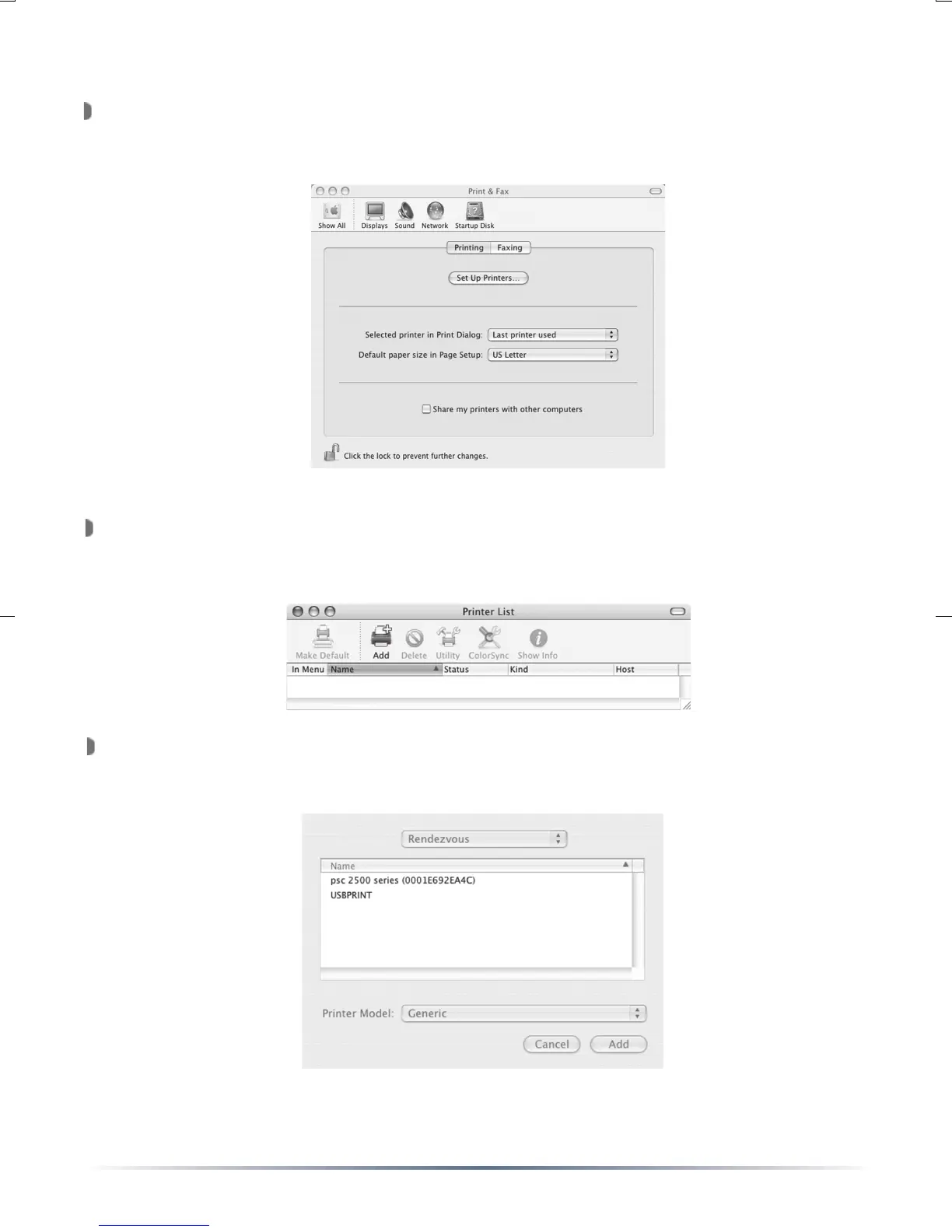
Open the ‘System Preferences’ from the Apple menu and select ‘Print
& Fax’. The ‘Print & Fax’ window will appear. Press the ‘Set Up
Printers...’ button.
The ‘Printer List’ will appear. A dialog box may appear stating “You
have no printer available.” In this case press the ‘Add’ button.
Otherwise press the ‘Add’ button from the graphical menu.
A list of available printers will appear. In that list should appear the
Rendezvous name set on Page 7 or Page 21. Highlight the correct
printer.


 To Next Page