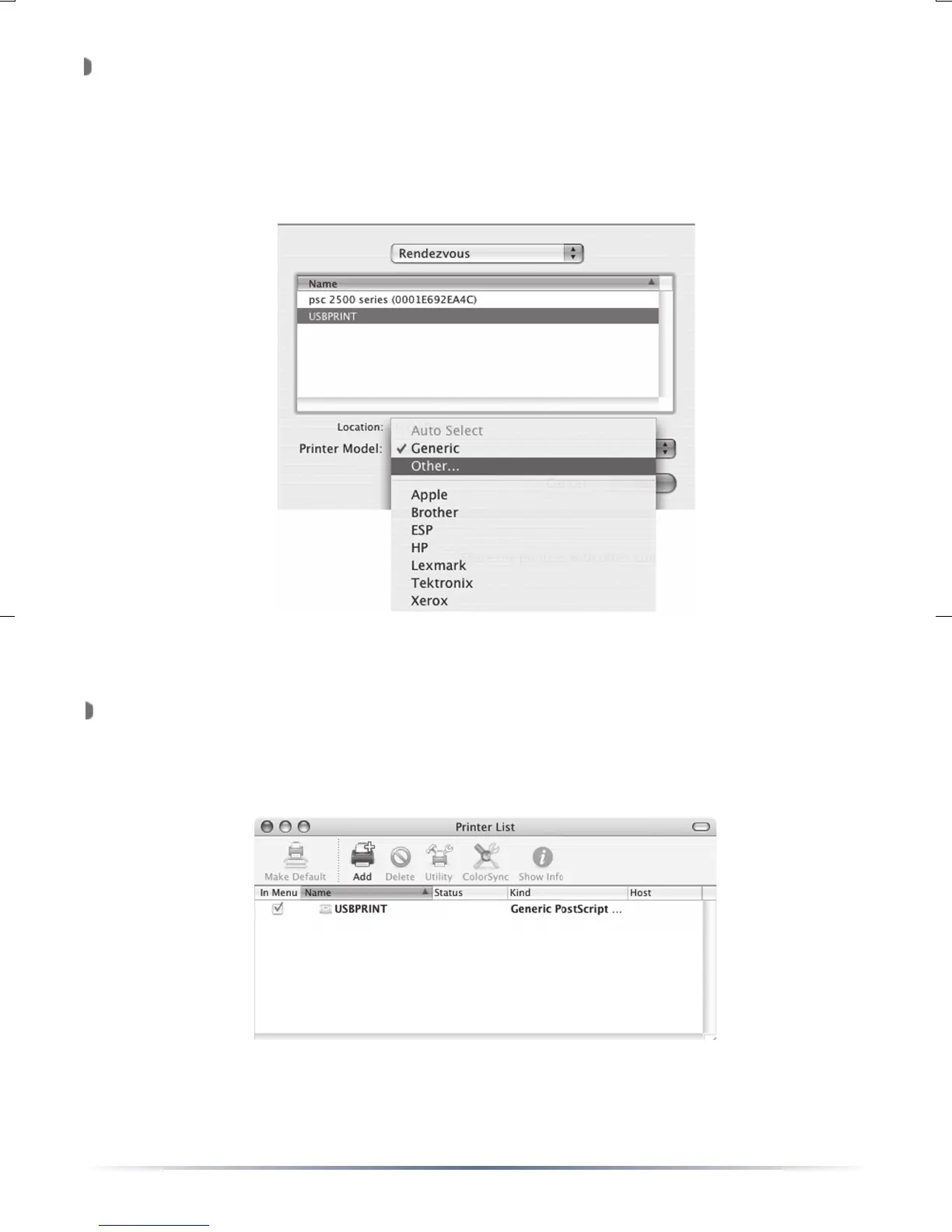
Press the ‘Printer Model’ pull down menu and select the proper
hardware driver for the printer. The printer’s CD-ROM may be needed
to install the proper drivers if they’re not already supplied. In this case,
select the ‘Other...’ option and provide the location of the proper driver
fi le. Once the driver has been selected, press the ‘Add’ button.
Congratulations, the printer has been installed. The ‘
Printer List’ will
now list the installed network printer. This window can be closed. You
can now print to that printer.


 To Next Page