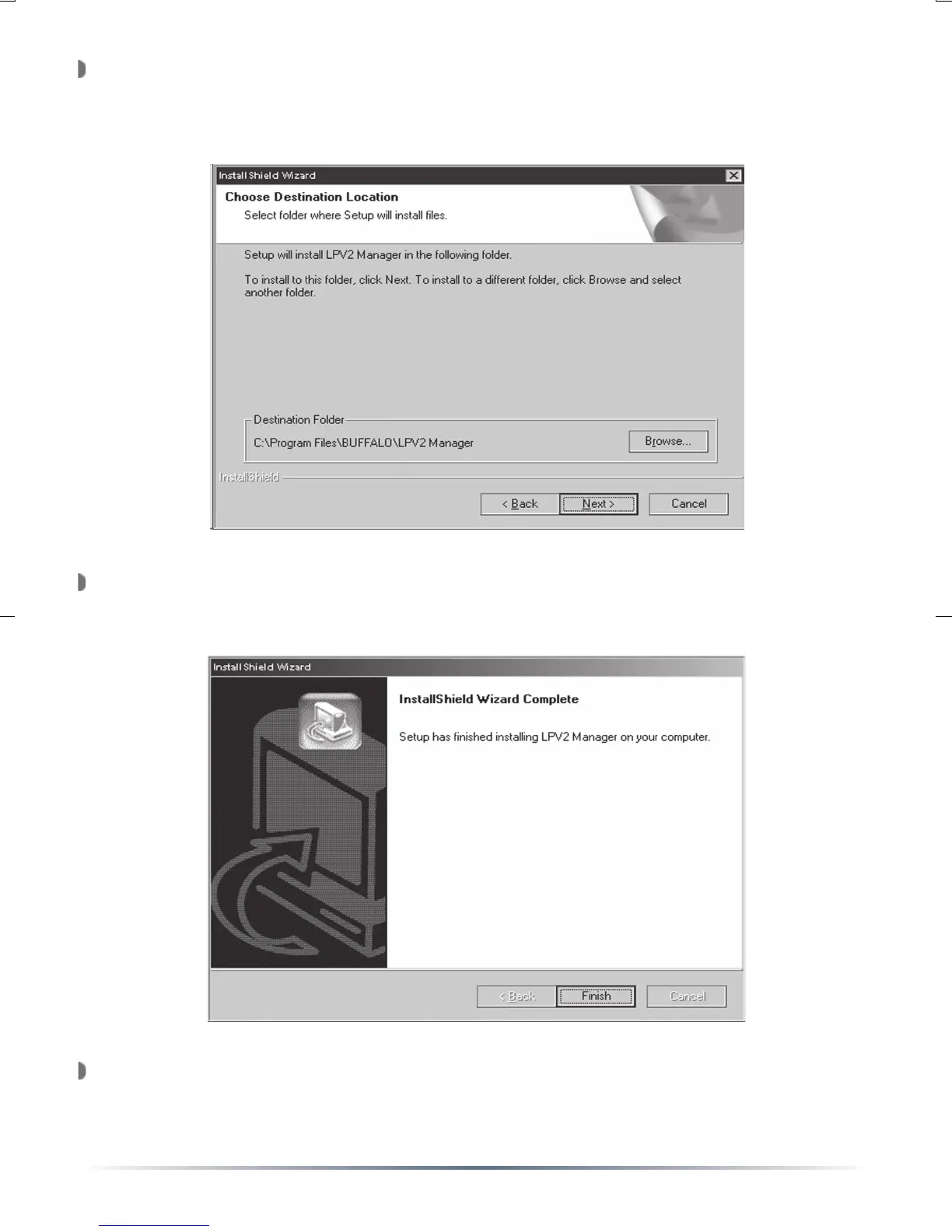
Press the ‘Browse’ button if there is a specific location the manager
should be installed to. Otherwise press the ‘Next’ button and accept
the default installation location.
The installation will continue and copy files to their necessary locations.
When the installation is complete, press the ‘Finish’ button.
Congratulations, the software has been successfully installed.


 To Next Page