Using the Software
Launch the software by finding the icon in the Start Menu. Press
the ‘Start’ button, select ‘Programs’, select ‘BUFFALO’, select ‘LPV3
Manager’, and finally press the ‘LPV3 Manager’ icon.
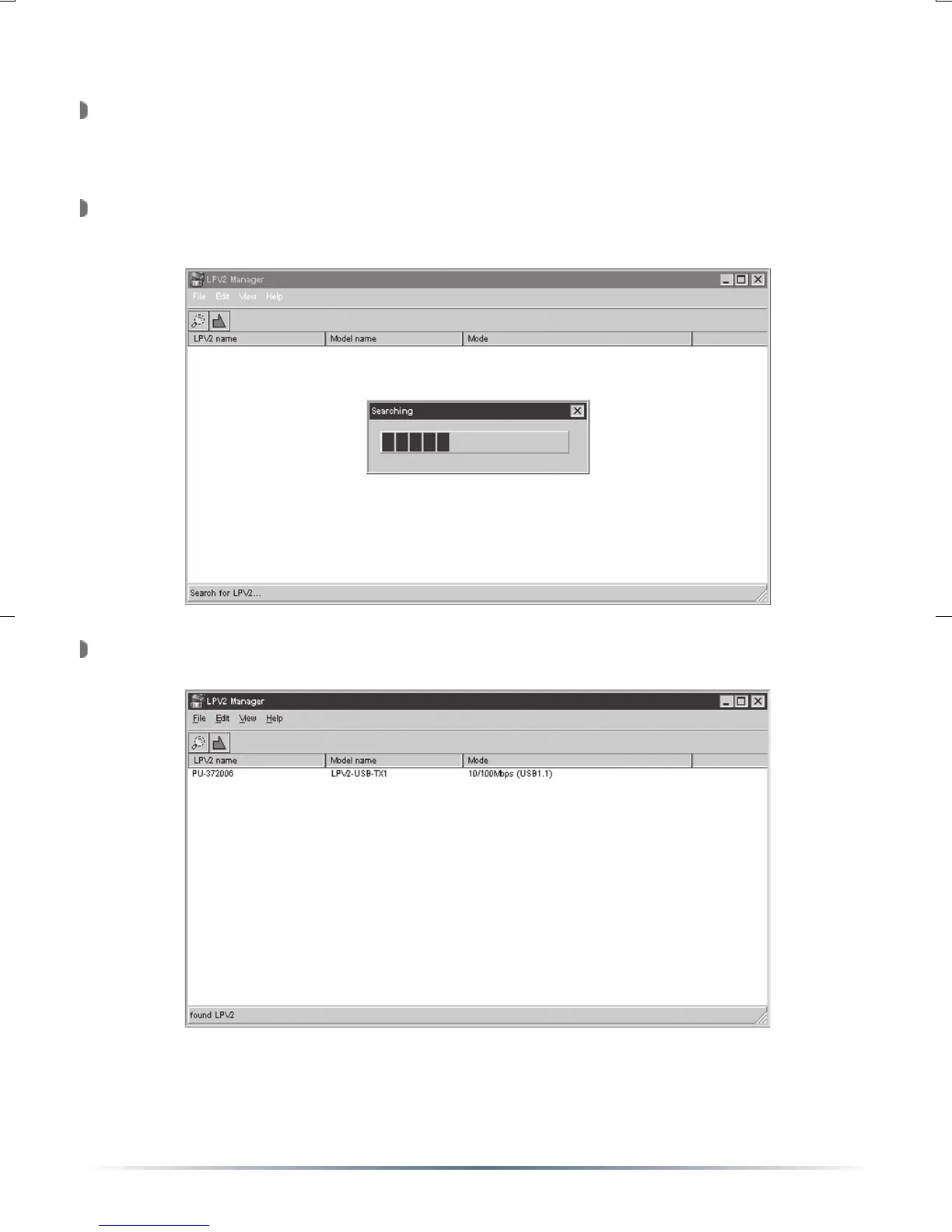
The LPV3 Manager will launch and search for the USB Print Server on
the network.
The LPV3 Manager will display the USB Print Servers on the network.


 To Next Page