Need help?
Do you have a question about the Buffalo PL-05H Series and is the answer not in the manual?
Details the key features including Homeplug AV 500 and Gigabit Ethernet capabilities.
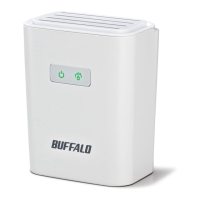
Explains the status indicators on the front panel for power and PLC connection status.
Details the ports and connectors located on the bottom of the device.
Describes the buttons and ports located on the side of the device.
Identifies the label on the back containing factory default settings.
Explains the function and operation of the PLC button for connection and disconnection.
Describes how to use the Reset button to restore factory default settings.
Indicates where to find the MAC address and Device Password on the device label.
Provides tips for optimal placement and connection of PLC devices to ensure best performance.
Step-by-step guide for setting up the Powerline 500AV Adapter Starter Kit.
Step-by-step guide for setting up the Powerline 500AV Adapter Extender Kit.
Addresses issues with establishing an internet connection using the PLC devices.
Explains how to re-establish connection after PLC devices are reset.
Provides guidance on where to download the latest drivers and firmware from the Buffalo website.
Step-by-step guide to configure TCP/IP settings in Windows 8.
Step-by-step guide to configure TCP/IP settings in Windows 7.
Step-by-step guide to configure TCP/IP settings in Windows Vista.
Step-by-step guide to configure TCP/IP settings in Windows XP.
Step-by-step guide to configure TCP/IP settings in Mac OS.
 General
| Model | PL-05H |
|---|---|
| Category | Powerline Adapter |
| Security | 128-bit AES Encryption |
| Ports | 1 x Ethernet |
| Range | Up to 300 meters over power lines |
| Interface | Ethernet |
| Compatible Devices | Devices with Ethernet port |
| Standards | HomePlug AV |
| Data Rate | 10/100 Mbps |

 To Next Page