WHR-1166D Router settings (For PCCW netvigator, HGC broadband PPPoE user)
WHR-1166D PPPoE setup guide 2
WHR-1166D Internet Connection Setup: (PPPoE):
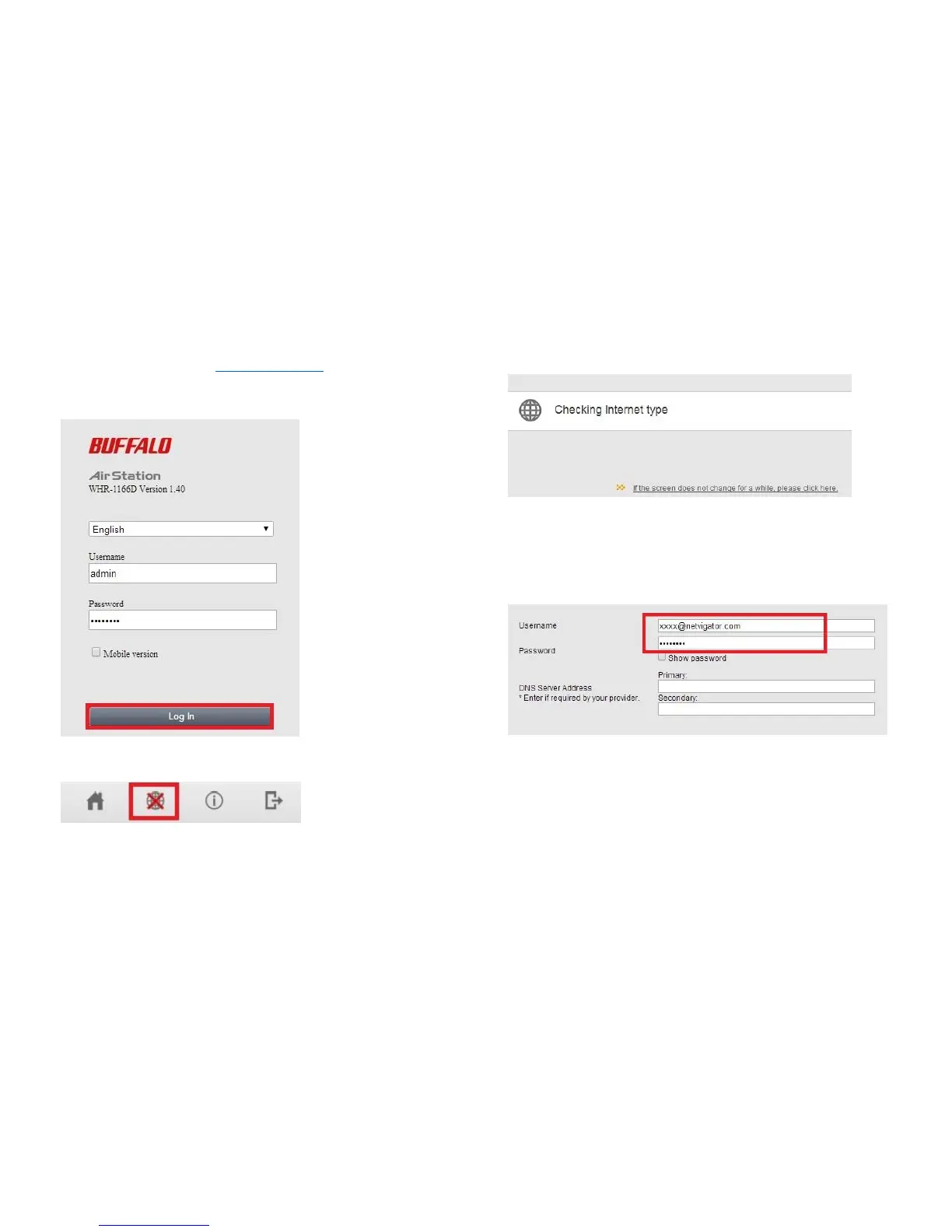
5. Launch Web Browser, enter http://192.168.11.1 in address bar and then
press “Enter”. Then type username as “admin” and input “password” at
the password field.
6. At the home page’s top click the “Internet” icon.
7. Router will be detecting the internet type automatically.
8. Please input your username (e.g. XXXX@netvigator.com or
XXXX@hgcbroadband.com) and password of your broadband service.
Then click “NEXT”.


 To Next Page
 Loading...