16 Infotainment System
.
EQ (Equalizer) (If Equipped):
Press
o or p to scroll through
the preset EQ options.
.
Stereo/Surround/DSP Mode (If
Equipped): Press
o or p to
scroll through the preset Digital
Signal Processing (DSP) or to
toggle between Stereo and
Surround (5.1 DVD only) modes.
.
Fade: Press the F button to fade
the audio to the front speakers.
Press the R button to fade the
audio to the rear speakers. The
middle position balances the
sound between the front and
rear speakers.
.
Balance: Press the L button to
balance the audio to the left
speakers. Press the R button to
balance the audio to the right
speakers. The middle position
balances the sound between the
left and right speakers.
Finding a Station
Press the SRCE button to go to the
currently playing source. Press it
again to select a different source.
Turn the PUSH/SEL knob to find a
radio station. To select a preset
station, press FAV to scroll through
the favorite banner. Press the
desired station on the banner.
Seeking a Station
Press
© SEEK or SEEK ¨ to search
for a station, or use
¨ on the
steering wheel controls.
Press and hold the
© SEEK or
SEEK
¨ button to scan up or down
the band, pausing on each station
for five seconds. Touch
© SEEK or
SEEK
¨ again to cancel the scan.
AM
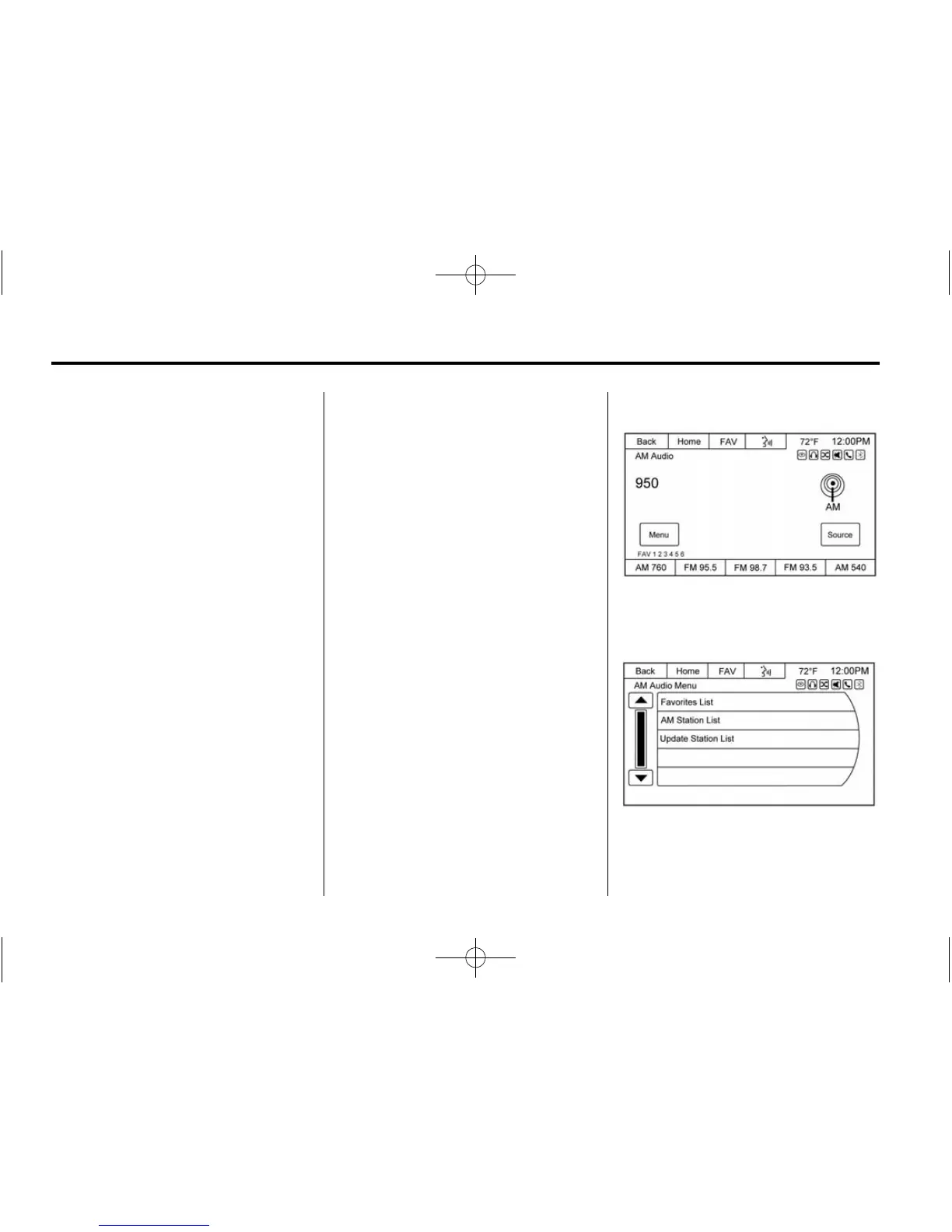
To access the AM menu, press the
Menu screen button from the AM
source screen:
Favorites List: Press to display the
favorites list.














 To Next Page