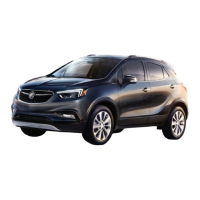
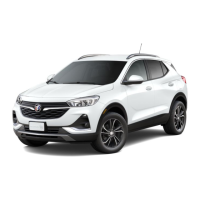
This document is a Quick Reference Guide for the 2022 Buick Encore GX, providing an overview of its key features and functionalities. It covers various aspects of the vehicle, from the instrument panel and remote keyless entry to driver assistance systems and infotainment.
Instrument Panel and Controls:
The instrument panel features a comprehensive layout of controls for various vehicle functions. On the left side of the steering wheel, you'll find buttons for Memory Seat, Head-Up Display, Cruise Control, Forward Collision Alert, and Heated Steering Wheel. The Turn Signal Lever/IntelliBeam Control and Driver Information Center controls are also located here. On the right side of the steering wheel, there are controls for the Driver Information Center and Voice Recognition. The Windshield Wipers Lever is also on the right. Below the steering wheel, on the driver's door, are Power Mirror/Window Switches and Power Liftgate Control. Exterior Lamps/Instrument Panel Lighting Controls are to the left of the steering wheel. Audio Favorite Station or Seek Controls are behind the steering wheel, along with Steering Wheel Adjustment Lever (under the steering column) and Audio Volume Controls (behind the steering wheel). The Engine Start/Stop Button is on the instrument panel.
Symbols:
The guide includes a legend of symbols used on the instrument cluster:
- Low Fuel
- Traction Control Off
- Brake System
- Cruise Control
- StabiliTrak Active
- StabiliTrak Off
- IntelliBeam Active
- Security
- Electric Parking Brake
- Service Electric Parking Brake
- Lights On Reminder
- Airbag Readiness
- Engine Oil Pressure
- Check Engine
- Lane Keep Assist
- Vehicle Ahead
- Pedestrian Ahead
- Antilock Brake System
- Low Tire Pressure
- Charging System
- Driver Seat Belt Reminder
- Passenger Seat Belt Reminder
Remote Keyless Entry Transmitter (Key Fob):
The key fob offers several functions:
- Lock: Locks all doors.
- Unlock: Unlocks the driver's door with one press, and all doors and the liftgate with a second press.
- Power Liftgate: Press twice to open or close the liftgate; press once to stop operation.
- Vehicle Locator/Panic Alarm: Press and release to locate the vehicle (horn sounds, lights flash 3 times); press and hold to activate the alarm; press again to cancel.
- Remote Vehicle Start: Press and release the Lock button, then press and hold the Remote Start button until turn signals flash to start the engine. The engine runs for 15 minutes and can be extended for another 15 minutes. To cancel, press and hold the Remote Start button until parking lamps turn off.
- Key Release: A physical key can be pulled from the fob to access the door lock in case of vehicle power loss.
Keyless Access System:
This system allows door and liftgate operation without removing the key fob from a pocket or purse, provided the fob is within 3 feet of the liftgate or door.
- Keyless Unlocking: Press the button on the driver's door handle to unlock the driver's door (press again within 5 seconds for all doors), or press the button on a passenger's door handle for all doors. The touchpad above the license plate opens the liftgate.
- Keyless Locking: With the ignition off, key fob out of the vehicle, and all doors closed, press the button on any door handle to lock all doors. Passive Locking can be enabled to automatically lock doors after a short delay.
The key fob must be in the vehicle to start the ignition.
- Starting the Engine: With the transmission in Park or Neutral, press the brake pedal and then the ENGINE START/STOP button. A green indicator illuminates. If the key fob battery is weak, place the fob in the front cupholder to enable starting.
- Stopping the Engine/Off: Shift to Park, then press and hold the ENGINE START/STOP button.
- Accessory Mode: With the engine off and brake pedal not depressed, press the ENGINE START/STOP button to operate radio, windows, and other accessories. An amber indicator illuminates.
Auto Engine Stop/Start Operation:
This fuel-saving system automatically turns off the engine (Auto Stop) when the brake pedal is pressed and the vehicle is stopped, under certain conditions. The tachometer displays "AUTO STOP." Releasing the brake or pressing the accelerator restarts the engine. The engine may remain running or restart if minimum speed is not reached, operating temperature is not met, outside temperature is out of range, shift lever is not in Drive (D), battery charge is low, climate control requires engine operation, or maximum Auto Stop time is reached. The system can be disabled/enabled via the "A Auto Stop" button on the center console.
Power Front Seats:
- Seat Adjustment (A): Horizontal control moves the seat forward/rearward and tilts/raises/lowers the seat.
- Seatback Recline Adjustment (B): Vertical control reclines or raises the seatback.
- Lumbar Support Adjustment (C): Round control adjusts lumbar support.
- Set Memory Seat Position: Adjust seat and mirrors, press SET button, then immediately press and hold button 1 or 2. An Exit button can also be programmed for clearance.
- Recall Memory Seat Position: Press and hold button 1 or 2 until the saved position is reached. Memory/exit positions can be programmed for automatic recall when the ignition is turned off.
Steering Wheel Adjustment:
With the vehicle parked, push down the lever under the left side of the steering column to adjust the steering wheel up/down and in/out. Pull up the lever to lock.
Folding Front Passenger Seatback:
The front passenger seatback can fold flat for additional cargo space. Lower the head restraint, move the seat back, then lift the seatback adjustment lever to fold it forward.
Rear Seats:
- Folding the 40/60 Rear Seatbacks: Press the button on the head restraint to fold it automatically. Ensure the seat belt is in the retainer hook. Pull the lever on top of the seatback to fold it forward (a red tab indicates unlatched). To raise, lift until it locks.
Power Liftgate:
- Open/Close: Press the Power Liftgate button on the key fob twice, or press the Power Liftgate knob (A) on the driver's door, or use the touchpad above the license plate. To close, press the button (B) on the bottom edge of the liftgate.
- Programming Height: Turn the Power Liftgate knob to 3/4 mode, open the liftgate, manually adjust to desired height, then press and hold button (B) until turn signals flash and a beep sounds.
- Hands-Free Operation: Kick your foot straight under the driver's side of the rear bumper (left of center) with the key fob within 3 feet. The Buick logo projected on the ground indicates the kicking motion location.
The DIC displays vehicle messages and information on the instrument cluster.
- Controls: Use buttons on the right side of the steering wheel to select Info (trip/fuel), Audio, Navigation, Phone, and Options menus. Use the ◁ or ▷ buttons to move between display zones, the ◁ button to exit a menu, and the thumbwheel to scroll, open menus, or select/reset items.
- Select Info Pages: Open the Options menu, scroll to "Info Page Options," press the thumbwheel, scroll through items, and select/deselect items to display in the Info menu.
Head-Up Display (HUD):
The HUD projects operating information onto the windshield. Controls are on the left side of the instrument panel.
- HUD: Lifts up/presses down to adjust image position.
- INFO: Lifts up to turn HUD on/off and raise/lower the screen. Presses down to select from four displays: Speed View, Audio/Phone View, Navigation View, and Performance View.
- Brightness: Lifts up to brighten, presses down to dim. Hold down to turn off.
Infotainment System:
The system uses a touch screen with shortcuts to apps, additional pages (swipe to view), and offers Bluetooth/USB connectivity for compatible devices.
- Home Page Icons: Press the Home button, then touch and hold an icon to enter edit mode and drag it to a new position.
- Storing Favorites: Tune to a radio station (AM, FM, SiriusXM), select a favorite screen button page, then touch and hold a button until a beep sounds.
- Natural Voice Recognition: Press the Push to Talk button on the steering wheel, wait for the prompt, then speak commands (e.g., "Call Dave," "Tune to 99.5 FM").
- SiriusXM® with 360L+: Offers over 200 channels and On Demand shows. Requires subscription and Connected Access plan.
- Apple CarPlay® and Android Auto™: Available via compatible phones. Download Android Auto app (not needed for Apple CarPlay). Connect wirelessly via Bluetooth or wired via USB data port. Follow on-screen instructions. The icon illuminates when connected. Press the Home button to exit/return.
- In-Vehicle Apps: Entertainment, news, weather, travel apps, including Amazon Alexa Built-In, are available. Requires internet connectivity and a data plan (4G LTE Wi-Fi Hotspot or mobile hotspot).
- Portable Audio Devices: USB ports (Type A and C) are at the front of the center console for data and charging. Rear USB ports are for charging only.
Audio Steering Wheel Controls:
- Push to Talk: Answers incoming calls or uses voice recognition (Bluetooth/OnStar). Press and hold for Phone Assistant Voice Recognition (Siri/Google Assistant).
- End Call/Mute: Ends/declines calls, mutes/unmutes speakers.
- Seek: Rotates the thumbwheel to seek radio stations/tracks (when Audio menu is displayed on DIC).
- Volume: Buttons behind the right side of the steering wheel adjust volume.
- Next/Previous Favorite Station/Seek: Buttons behind the left side of the steering wheel go to next/previous favorite radio station/track, or seek next available station/track. Can be set to select favorites or activate seek function via Audio menu > Favorite Button Setting on the DIC.
Bluetooth® System:
Pairing a phone:
- Press Push to Talk and say "Pair phone," or select Phone icon > Connect Phone > Add Phone on the infotainment screen.
- Start pairing on the phone, select the vehicle name.
- Follow instructions. Phone book may download automatically.
- Secondary Phone: A second phone can be paired for receiving calls only. Set first/secondary phones via Phone icon > Phones > Information icon.
OnStar® 4G LTE Wi-Fi Hotspot:
Connects up to 7 devices to high-speed internet. Retrieve name/password via Wi-Fi Hotspot icon or Settings > System > Wi-Fi Hotspot.
Wireless Phone Charging:
Located at the front of the center console.
- Vehicle must be On or have Retained Accessory Power.
- Remove objects from the charging pad.
- Place phone, screen up, on the pad.
- Charging symbol appears on infotainment screen.
Vehicle Customization:
Features can be turned on/off or customized via Settings menus (System, Apps, Vehicle) on the touch screen.
- Select Settings on Home page.
- Select desired menu item.
- Select desired feature/setting.
- Press <BACK to exit.
Lighting:
- Exterior Lamps Control: Rotate knob (A) to activate.
- Off/On
- AUTO: Automatically activates lamps based on outside lighting.
- Parking Lamps
- Headlamps
- Fog Lamps: Press button (B) to turn on/off.
- Instrument Panel Lighting: Press and release knob (C) to extend it, then rotate to adjust brightness.
- IntelliBeam System: Automatically turns high-beam headlamps on/off based on traffic. Green ≡Ⓐ indicator on cluster when on, blue ≡D indicator when high-beams are on. Press ≡Ⓐ button on turn signal lever (in AUTO or ≡D Headlamps position) to turn on/off. Activates above 25 mph.
Climate Controls:
Features include Driver's Temperature Control, AUTO Automatic Operation, ON/OFF, Fan Speed Controls, MAX Defrost, Rear Window and Heated Mirrors Defog, Passenger's Temperature Control, A/C Air Conditioning Control, Driver's Heated Seat Button, Air Delivery Modes (Defog, Vent, Floor), Passenger's Heated Seat Button, Recirculation Mode, and SYNC (synchronizes passenger settings to driver's).
- Automatic Operation: Press AUTO, set temperature. System controls fan speed, air delivery, A/C, and recirculation. Manual adjustment disables automatic operation for that function.
- In-Vehicle Air Ionizer: Removes contaminants. Turns on automatically with climate control. Status shown on display. To turn on/off, go to Settings > Vehicle > Climate and Air Quality > Ionizer.
Windshield Wipers:
- Windshield Wipers and Washer: Raise/lower lever to activate.
- HI: Fast Wipes
- LO: Slow Wipes
- INT/AUTO Intermittent Wipes or Rainsense™: Rotate band up for more frequent, down for less frequent wipes. Rainsense can be turned on/off via Settings > Vehicle > Comfort and Convenience > Rainsense Wipers.
- OFF
- 1x: Single Wipe
- Washer Fluid: Pull lever to wash windshield.
- Rear Wiper and Washer: Turn end of wiper lever to activate.
- OFF
- INT: Intermittent Wipes
- ON
- Rear Washer Fluid: Push lever to wash rear window.
All-Wheel Drive (AWD):
Vehicle can operate in two-wheel drive (2WD) or all-wheel drive (AWD). 2WD sends power to front wheels for better fuel economy. AWD sends power to all four wheels for better traction. Press the AWD button on the center console to turn the system on/off. The AWD icon displays on the DIC. Vehicle remains in last selected mode when started.
Automatic Transmission Manual Mode:
Allows choosing top gear limit for downhill driving or towing.
- Move shift lever to L (Low).
- Press + (plus) or - (minus) button on shift lever to increase/decrease gear range. Current gear displayed on DIC. Shift will not occur if vehicle speed is too high/low for requested gear.
Cruise Control:
- Setting: Press On/Off button (symbol illuminates white). When at desired speed, press down SET position (symbol illuminates green).
- Adjusting:
- RES/+: Resume set speed, or increase speed.
- SET/-: Set speed, or decrease speed.
- Cancel: Press Cancel button or brake pedal. Set speed is erased when ignition is turned off.
- Adaptive Cruise Control: Maintains following gap by accelerating/braking automatically. Press Following Gap button to select Far, Medium, or Near (also Forward Collision Alert setting). Press and hold Cancel button to switch between regular and Adaptive Cruise Control.
Electric Parking Brake:
Pull the (P) Parking Brake switch on the center console to apply. To release, turn on ignition, press brake pedal, then press the (P) switch.
Tire Pressure Monitoring with Tire Fill Alert:
The (!) Low Tire Pressure warning light illuminates when tires are significantly underinflated. Fill to pressures listed on Tire and Loading Information label. Current pressures can be viewed on DIC Info menu. Tire Fill Alert provides visual/audible alerts when inflating: horn sounds and turn signals change from flashing to solid when recommended pressure is reached.
Driver Assistance Systems:
- Buick Driver Confidence Package:
- Forward Collision Alert: Vehicle Ahead indicator is green when following, amber when too close. Red alert flashes on windshield and rapid beeps sound if approaching too rapidly. Set alert timing (Far, Medium, Near) via button on steering wheel.
- Follow Distance Indicator: Displays following distance in seconds on DIC Info menu.
- Automatic Emergency Braking: At speeds below 50 mph, helps avoid/reduce severity of front-end collisions by automatically providing hard emergency braking or enhancing driver's braking. Set to Alert and Brake, Alert, or Off via Settings > Vehicle > Collision/Detection Systems > Forward Collision System.
- Front Pedestrian Braking: During daytime driving below 50 mph, detects pedestrians, displays amber indicator. Red alert flashes and rapid beeps sound if approaching too quickly. May automatically provide hard emergency braking. Limited performance at night/low visibility. Set to Alert and Brake, Alert, or Off via Settings > Vehicle > Collision/Detection Systems > Front Pedestrian Detection.
- Lane Keep Assist with Lane Departure Warning: Helps avoid unintentional lane departures. Green Lane Keep Assist indicator when available. If vehicle approaches lane marking without turn signal, system may assist by gently turning steering wheel and displaying amber. If active driver steering not detected, amber may flash and 3 beeps may sound. Does not continuously steer. Turn on/off via Lane Keep Assist button on center console. (IntelliBeam included with this package).
- Traction Control and StabiliTrak: Full-time traction control limits wheelspin. StabiliTrak assists with directional control. Both systems turn on automatically. Turn off traction control via 22 OFF Traction Control/StabiliTrak button on center console (light illuminates on cluster) if vehicle is stuck.
- Lane Change Alert with Side Blind Zone Alert: Displays warning symbol on side mirror when moving vehicle detected in side blind zone. Flashes if turn signal activated. Turn on/off via Settings > Vehicle > Collision/Detection Systems > Lane Change Alert.
- Rear Cross Traffic Alert: When in Reverse, warns of detected cross-traffic with red alert on screen and beeps. Turn on/off via Settings > Vehicle > Collision/Detection Systems > Rear Cross Traffic Alert.
- Front and Rear Park Assist: During low-speed parking, provides "distance to closest object" info on DIC. Beeps when object detected (5 beeps when very close). Turn on/off via P▲ Park Assist button.
- Rear Vision Camera: When in Reverse, displays view behind vehicle on infotainment screen (speed below 8 mph). Turn guidelines on/off via Guidelines button.
- HD Surround Vision: Uses multiple cameras to display high-resolution image of area around vehicle, plus front/rear camera views. Operates in Reverse or Drive (speed below 8 mph). Touch camera view buttons to change view.
- Automatic Parking Assist with Braking: Steers vehicle at idle speed and applies brakes to help park.
- While driving below 18 mph, press P Automatic Parking Assist button. Display shows on infotainment screen. System searches for space.
- Switch between parallel/perpendicular parking, or search right/left via screen buttons or turn signal.
- Once space found, shift into Reverse/Drive as directed. Vehicle automatically steers and brakes. Driver controls gears, overrides braking/acceleration. "Parking Complete" displayed and beep sounds when complete.
Cargo Storage:
- Adjustable Cargo Floor: Adjusts to upper/lower floor brackets (A) to change height. Upper brackets create flat load floor when rear seat folded.
- Cargo Sidewall Panel Storage: Pull up lower storage cover (B) on side of cargo area for additional space.
Roadside Assistance:
- Buick Roadside Assistance (1-800-252-1112, TTY: 1-888-889-2438): 5 years/60,000 miles. Provides services like fuel delivery, jump start, flat tire, lock-out, or towing.
- OnStar Roadside Assistance: If active OnStar Safety & Security plan, push blue OnStar or red Emergency button. Advisor uses GPS to pinpoint location.
myBuick Mobile App:
Download the app to compatible smartphone (Apple/Android). If equipped, can start/turn off engine, lock/unlock doors, view diagnostic info, set parking info. Requires device and data plan.
Buick Owner Center:
Access personalized info, online Owner's Manual, how-to videos, service history, warranty status, OnStar/Connected Services plans, Vehicle Diagnostics reports. Create account at my.buick.com.
Maintenance:
Recommends using ACDelco or GM Genuine Parts. Refer to Owner's Manual for complete instructions and safety procedures.

 Need help?
 General







 To Next Page