Buick LaCrosse Owner Manual - 2011
Infotainment System 7-31
Auxiliary Devices
(Radio with CD)
The optional AUX input allows
portable devices to connect to the
vehicle using the 3.5 mm (1/8 in)
input jack or the USB port.
Portable devices are controlled by
using the menu system described
in Operation on page 7‑7.
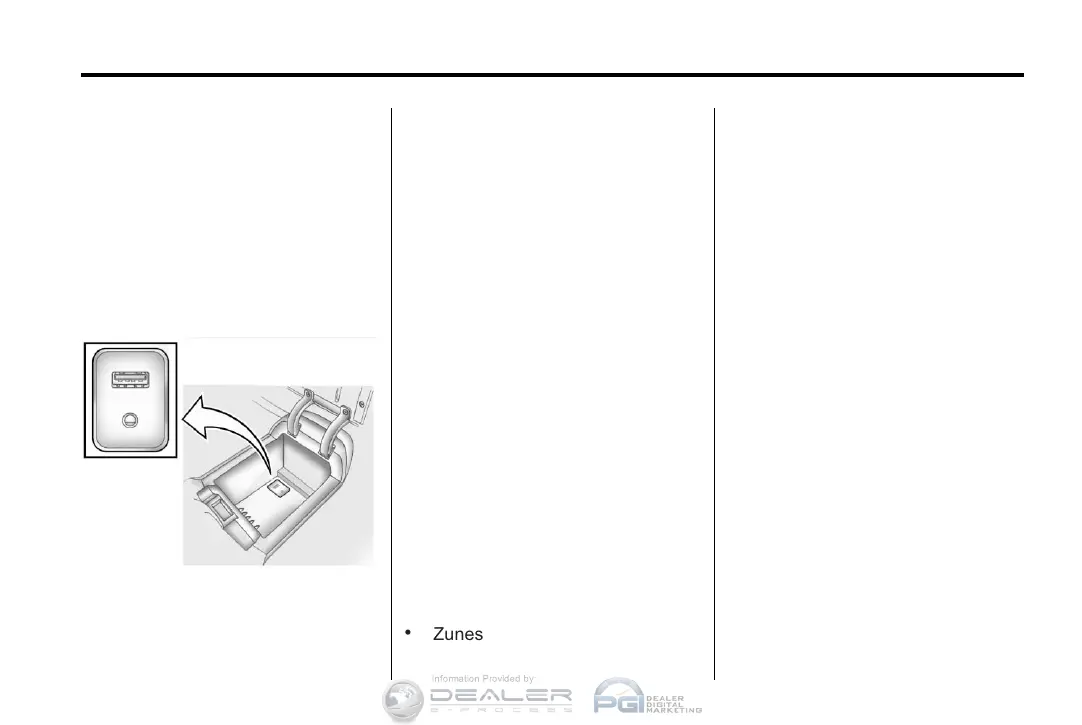
The AUX input is located in the
center console.
3.5 mm Jack
Connect a 3.5 mm (1/8 in) cable
to the auxiliary input jack to use a
portable audio player.
Playback of an audio device that is
connected to the 3.5 mm jack can
only be controlled using the controls
on the device.
Adjusting the Volume
Turn the VOL/
O knob to adjust the
volume of the infotainment system
after the volume level has been set
on the portable audio device.
USB Port
For vehicles with a USB port, the
following devices may be connected
and controlled by the infotainment
system.
.
iPods
.
PlaysForSure Devices (PFD)
.
USB Drives
.
Zunes
Not all iPods, PFDs, USB Drives,
and Zunes are compatible with the
infotainment system.
Connecting and Controlling
an iPod
®
Not all iPods can be controlled by
the infotainment system.
Connecting an iPod
Connect the iPod to the USB port.
Searching for a Track
Tracks can be searched for by:
.
Playlists
.
Artists
.
Albums
.
Song Titles
.
Podcasts
.
Genres
.
Audiobooks
.
Composers













 To Next Page