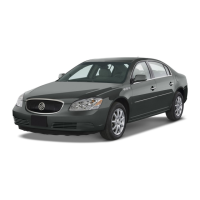
(Next): Press the up arrow to go to the next preset
radio station or, when a CD is playing, to the next track.
+ (Volume): Press the plus button to increase the volume.
SRCE (Source): Press this button to switch to AM, FM,
XM or CD operation.
(Voice Recognition/ Mute): Press this button to
interact with the OnStar system. Without OnStar, press
this button to mute the audio system. Press it again to
turn on the sound.
(Seek): Press the seek arrow to go to the next radio
station or, when a CD is playing, to the next track.
Press and hold the seek arrow for two seconds to scan
radio stations in the selected band or, when a CD is
playing, the tracks of the CD.
– (Volume): Press the minus button to decrease the
volume.
(Previous): Press the down arrow to go to the
previous preset radio station or, when a CD is playing,
to the previous track.
Getting to Know Your Lucerne
14
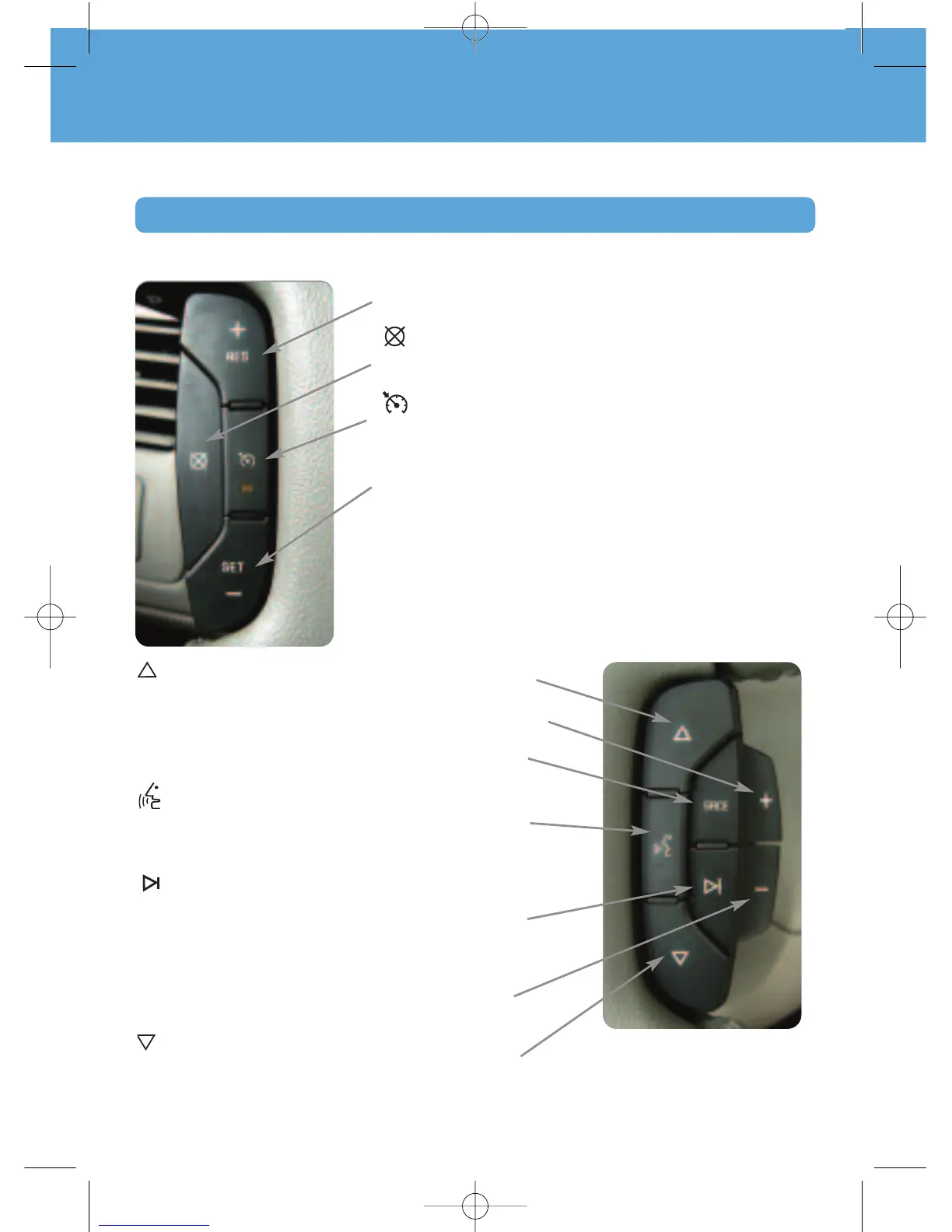
+ RES (Resume/Accelerate): Press this button to resume a
set speed, or to increase the speed when the system is set.
(Cancel): Press this button to cancel the cruise control
but retain the set speed in memory. Applying the brakes will
also cancel the cruise control.
(On/Off): Press this button to turn the cruise control on
or off.
– SET (Set): Press this button to set a speed, or to decrease
the speed when the system is set. When the cruise control is
set, the cruise light will illuminate on the instrument panel
cluster.
CONVENIENCE
Cruise Control and Audio Steering Wheel Controls
See Section 3 of your Owner Manual.
The cruise control buttons and some audio controls are located on the steering wheel.










 To Next Page