EasyManua.ls Logo

Bunker Hill Security 67139 - User Manual

Bunker Hill Security 67139
38 pages
Print Icon
To Next Page IconTo Next Page
Loading...
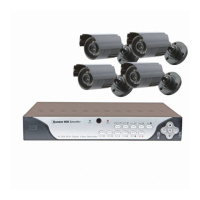
4 CHANNEL SURVEILLANCE
DVR KIT WITH 4-IR CAMERAS
67139
SET UP AND OPERATING INSTRUCTIONS
Visit our website at: http://www.harborfreight.com
Read this material before using this product.
Failure to do so can result in serious injury.
SAVE THIS MANUAL.
Copyright
©
2009 by Harbor Freight Tools
®
. All rights reserved. No portion of this manual or any artwork
contained herein may be reproduced in any shape or form without the express written consent of
Harbor Freight Tools. Diagrams within this manual may not be drawn proportionally. Due to continuing
improvements, actual product may differ slightly from the product described herein. Tools required for
assembly and service may not be included.
For technical questions or replacement parts, please call 1-800-444-3353.
Manual Revised 10h

Questions and Answers

Summary

IMPORTANT SAFETY INFORMATION

General Safety Warnings

General safety precautions and hazard warnings for operating the DVR unit.

DVR-Camera Kit Safety Warnings

Specific safety guidelines for the DVR and camera kit components.

GROUNDING AND ELECTRICAL SAFETY

Grounded Tools: Three Prong Plugs

Explains the use and safety of three-prong grounded tools.

Double Insulated Tools: Two Prong Plugs

Explains the use of double insulated tools with two-prong plugs.

EXTENSION CORD GUIDELINES

Recommended Wire Gauge for Extension Cords

Table detailing minimum wire gauge based on cord length and amperage.

Extension Cord Safety

Precautions for using extension cords safely.

PRODUCT SPECIFICATIONS AND ACCESSORIES

Technical Specifications

Detailed technical parameters of the DVR and camera system.

Included Accessories

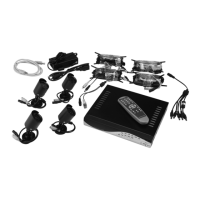
Lists all items provided in the DVR kit packaging.

INITIAL SETUP AND COMPONENTS

Getting Started: Components Overview

Identifies and lists all parts included in the DVR kit.

Front Panel Controls

Explains the functions of the DVR's front panel buttons and LEDs.

BACK PANEL PORTS AND REMOTE CONTROL

Back Panel Port Identification

Details the various ports and their functions on the DVR's back panel.

Remote Control Functions

Describes the buttons and operations of the DVR remote control.

OPERATING INSTRUCTIONS AND SETUP OPTIONS

Work Area Setup

Guidelines for preparing a safe and effective work environment.

Setup Overview and Configurations

Outlines different methods for setting up the DVR system.

CONNECTING THE DVR TO A TV MONITOR

DVR and Camera Cable Connections

Step-by-step guide for connecting cameras to the DVR unit.

Connecting DVR to TV for Setup

Instructions on how to connect the DVR to a TV for initial configuration.

STARTING AND BOOTING THE DVR

Powering On and Initial Boot Process

Describes the steps involved in powering on the DVR and its boot sequence.

Hard Drive Detection and Formatting

Process of the DVR detecting and potentially formatting the internal hard drive.

RECORDING OPERATION

Recording Modes and Indicators

Explains different recording modes and on-screen indicators.

Audio Recording Settings

Details how to manage audio input and output during recording.

VIDEO PLAYBACK AND RECORD TIME ESTIMATION

Estimated Recording Time Charts

Charts estimating recording duration based on quality and hard drive size.

Searching and Playing Recorded Videos

Guide on how to navigate and play back recorded video files.

NETWORK SETUP AND CONNECTION

Online DVR Access Requirements

Lists the necessary hardware and software for network setup.

Connecting DVR to Network Router

Steps to physically connect the DVR to the network router.

DVR Internal IP Address Identification

Method to retrieve the DVR's IP address for network access.

COMPUTER SETUP FOR DVR ACCESS

Installing DVR Viewer Software

Instructions for installing the PC viewer software for remote access.

Browser Trusted Sites Configuration

Steps to add the DVR's IP to trusted sites for browser compatibility.

REMOTE VIEWING OUTSIDE NETWORK

Port Forwarding for Remote Access

Explains port forwarding necessary for remote viewing over the internet.

DVR PROGRAMMING AND MENU NAVIGATION

Main Menu Structure

Overview of the DVR's main menu structure and navigation.

Camera Channel Setup

How to enable or disable individual camera channels.

RECORDING AND FRAME RATE SETTINGS

Channel Recording Setup

Setting which camera channels are configured for recording.

Frame Rate Adjustment

Configuring the frames per second for each camera.

VIDEO QUALITY AND RECORDING SCHEDULE

Video Quality Configuration

Adjusting image quality (Highest, High, Normal, Low).

Recording Schedule Setup

Setting up specific times for recording or no-record periods.

Motion Detection Sensor Setup

Initial configuration for motion detection recording.

MOTION DETECTION SETTINGS

Sensor Record Time Configuration

Defining how long recording lasts after motion is detected.

Motion Detector Configuration Options

Configuring sensitivity, on/off, and area for motion detection.

AREA SELECTION AND HARD DRIVE MANAGEMENT

Motion Detection Area Selection

Defining specific screen areas for motion detection.

Hard Drive Management

Managing hard drive settings like overwrite and formatting.

MISCELLANEOUS SYSTEM SETTINGS

Password Management

Procedure for changing the DVR's administrative password.

System Time and Date Configuration

Instructions for configuring the DVR's internal clock.

HIDDEN CHANNELS AND AUDIO SETUP

Hidden Channel Feature

Option to hide camera feeds while still recording them.

Audio Port Configuration

Configuring audio input from connected microphones.

IMAGE PARAMETERS AND PASSWORD CONTROL

Image Parameter Adjustments

Fine-tuning image parameters like contrast, brightness, hue, and saturation.

Password Protection Settings

Enabling or disabling password protection for system access.

KEYPAD TONES AND SYSTEM ALERTS

Keypad Tones Configuration

Enabling or disabling the buzzer sound for button presses.

Video Loss Sound Alert Setup

Configuring an audible alert for video signal loss.

On-Screen Display Language

Changing the DVR's on-screen display language.

SYSTEM RESET AND NETWORK SETTINGS

Factory Reset

Steps to restore the DVR to its factory default settings.

Network Setup Sub-Menu

Accessing and navigating the network configuration options.

MAC Address Information

Understanding the DVR's unique Media Access Control address.

IP ADDRESS AND SUBNET MASK SETUP

DVR IP Address Setup

Configuring the IP address for network connectivity.

Subnet Mask Setup

Configuring the subnet mask for local network identification.

GATEWAY, DNS, AND HTTP PORT SETUP

Gateway Setup

Setting the default gateway for network communication.

DNS Address Setup

Configuring DNS server addresses for name resolution.

HTTP Port Setup

Setting the HTTP port for web browser access.

DDNS SERVICE SETUP

DDNS Provider Configuration

Setting up Dynamic DNS for remote access with changing IP addresses.

BACKUP PROGRAM AND SOFTWARE

Backup Software Overview

Introduction to the PC viewer software for backing up DVR data.

Software Program Controls

Explanation of the controls and sliders within the backup software.

RUNNING THE PC VIEWER SOFTWARE

Viewer Software Configuration

Adjusting settings for backup and viewing within the software.

Video Playback and Backup

Step-by-step guide on how to play and back up video files.

REMOTE DVR ACCESS MODES

Net Play Mode Operation

Using the PC viewer software for remote DVR control.

Web Browser Remote Access

Accessing and controlling the DVR via a web browser.

SEARCH TIME AND HARDWARE CONNECTIONS

Search Time Functionality

Finding recorded videos by specifying a date and time.

Audio Connection Setup

Instructions for connecting and setting up microphones.

External Hard Disk Installation

Guidance on installing an extra hard drive in the DVR.

MAINTENANCE, SERVICING, AND OUTPUT SELECT

Cleaning and Maintenance Procedures

Procedures for routine cleaning and inspecting the DVR unit.

NTSC;PAL Output Selection

How to change the video output format between NTSC and PAL.

TROUBLESHOOTING COMMON ISSUES

Camera Recording and Display Problems

Solutions for cameras not recording or displaying correctly.

Network Connectivity Issues

Steps to resolve issues with accessing the DVR via the network.

Software Installation Errors

Troubleshooting errors encountered during DxClient software installation.

ADVANCED TROUBLESHOOTING

Remote Access and Firewall Troubleshooting

Resolving problems with accessing the DVR remotely and firewall conflicts.

Poor Image Quality Troubleshooting

Tips for improving video image quality on the DVR.

Bunker Hill Security 67139 Specifications

General IconGeneral
Model Number67139
Compression FormatH.264
Remote AccessYes
Channels4
Motion DetectionYes
Recording Resolution720p
Network InterfaceRJ45
Remote ViewingiOS, Android
Operating System CompatibilityWindows, iOS, Android
Video Inputs4 BNC

Related product manuals