OWNER’S INSTRUCTION & SAFETY MANUAL
5
BURLEY.COM ENG
Tracking Adjustment
If your jogger pulls to the left or the right while in use, use the directions below to
adjust the jogger wheel so it naturally rolls in a straight line.
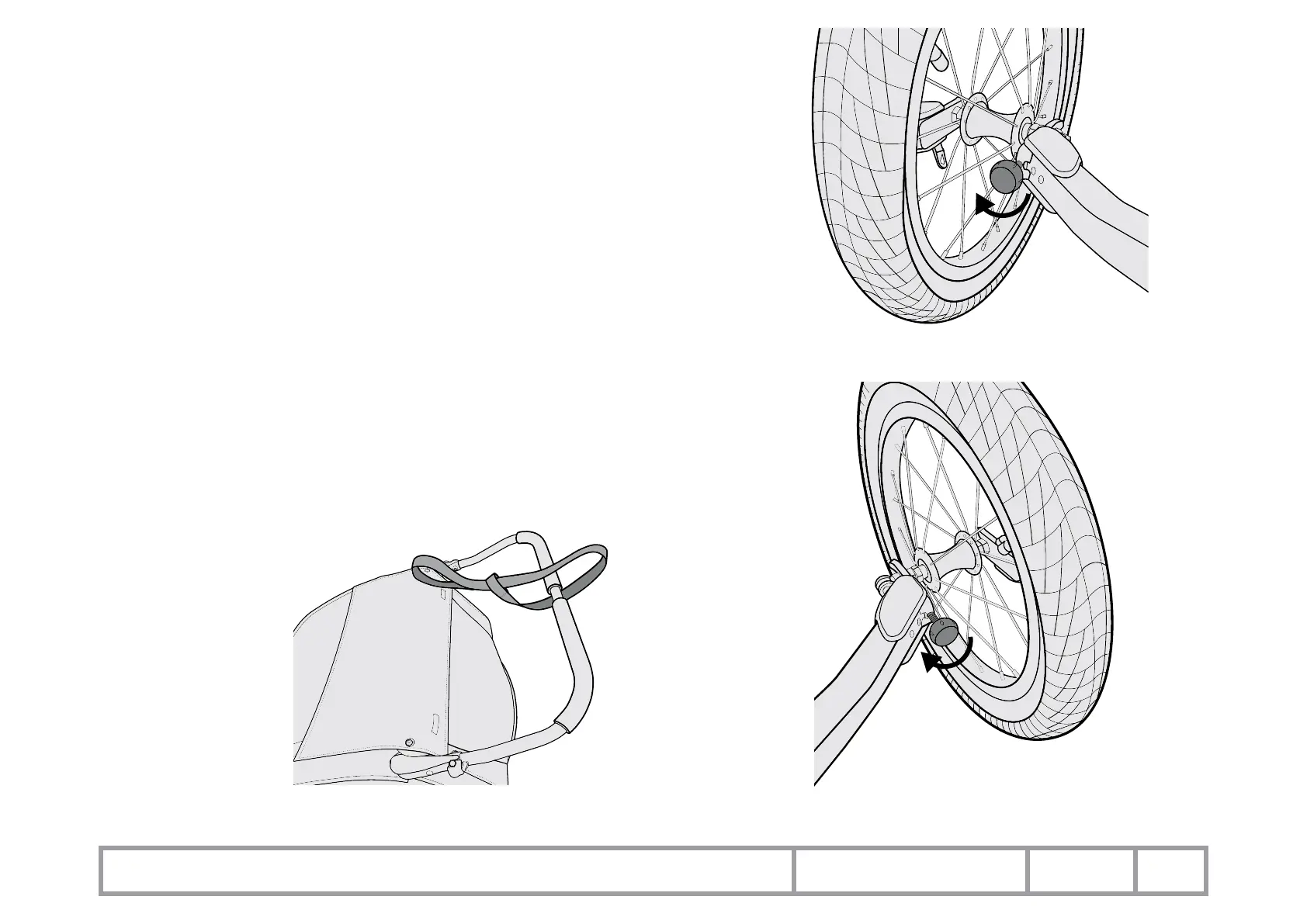
Jogger pulling to the Right:
1. Loosen the Jogger Wheel QR skewer lever.
2. Turn the knob extending the tracking adjustment in the dropout on the right side
(Figure 4).
3. This will orient or turn the wheel more to the left.
Jogger pulling to the Left:
4. Loosen the Jogger Wheel QR skewer lever.
5. Turn the knob extending the tracking adjustment in the dropout on the left side.
(Figure 5)
6. This will orient or turn the wheel more to the right.
Attaching the Jogging Tether
Wrap the strap around the handlebar center, slide the tether end through the loop
on the other end of the strap and tighten securely (Figure 6).
Figure 4
Figure 6
Figure 5



 To Next Page