

EasyManua.ls Logo

BURNiT PM 15kW User Manual

BURNiT PM 15kW
56 pages
To Next Page IconTo Next Page
Page #1 background imageLoading...
Page #1 background image
NES
New Energy Systems Ltd.
12 Madara Blvd. 9700 Shumen, Bulgaria
tel: +359 54 874 536; +359 54 874 555 fax: +359 54 874 556
e-mail: service@sunsystem.bg
www.sunsystem.bg
v.02.1
Installer / Service
Instruction Manual
for installation of
pellet stoves
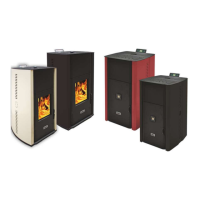
BURNiT Comfort PM (with water jacket)
and PM-B (with water jacket and metal insulated door)

Table of Contents

Question and Answer IconNeed help?

Do you have a question about the BURNiT PM 15kW and is the answer not in the manual?

BURNiT PM 15kW Specifications

General IconGeneral
BrandBURNiT
ModelPM 15kW
CategoryStove
LanguageEnglish

Summary

Safety Precautions

Obligatory Maintenance

Mandatory periodic cleaning of the pellet stove for optimal performance and safety.

Technical Characteristics

Delivery and Unpacking

Procedure for receiving and inspecting the pellet stove upon delivery.

Functional Description

Elements of the Pellet Stove

Identification and description of the main components of the pellet stove.

Technical Parameters

Mounting the Controller

Controller Functional Description

Abbreviations and Technical Data

Definitions of controller terms and its technical specifications.

Operating Environment and Mechanical Data

Information on the controller's working conditions and physical dimensions.

Installing the Pellet Stove

General Installation Rules

Fundamental guidelines and requirements for safely installing the pellet stove.

Fresh Air Intake Connection

Exhaust Gas System

Requirements and recommended parameters for the proper installation of the exhaust gas system.

Exhaust Gas System Requirements

Approved Exhaust Tubes

Specifications for the materials, diameter, and length of tubes used for the exhaust gas system.

Exhaust Gas System Installation Patterns

Roof Exhaust Pipe Installation

Roof Pipe Requirements

Criteria for the upper part of the exhaust pipe to ensure proper discharge and protection.

Exhaust Gas Problems

Discussion of atmospheric influences, particularly wind, on the exhaust gas system.

Power Supply Connection

Pre-Connection Checks

Important checks to perform before connecting the pellet stove to the power supply.

Installing and First Start

Authorized Installer Requirement

Emphasizes that installation and first start must be performed by a qualified installer.

Initial Stove Start-up

Steps involved in the first operation of the pellet stove after installation.

Connecting the Controller

Installing the Controller

Instructions for mounting the controller unit within the pellet stove.

Controller Automatic Test

Pre-First Start Procedures

Safety Precautions During Use

Recommended Fuel

User Interface

Console Overview

Description of the display console and its information visualization.

Symbol Status Indicators

Explanation of the symbols displayed to indicate operating modes and statuses.

Programming Phase Messages

Messages displayed during programming or operation status indication.

Menu Key Explanations

User Menu

Thermostat Setting Levels

Detailed levels and options for setting the thermostat parameters for on/off control.

Weekly Programmer Settings

Language Selection

Ready and Increasing Settings

Initial Pellet Loading

Pellet Stove Mode Selection

Clock Setup

Chrono-Thermostat Setup

Chrono-Thermostat Configuration

Detailed settings for the chrono-thermostat functions.

Daily Programming

Setting up daily operating schedules for the chrono-thermostat.

Weekly Programming Submenu

Program 1 Configuration

Settings for the first weekly operating program.

Program 2 Configuration

Settings for the second weekly operating program.

Program 3 Configuration

Program 4 Configuration

Weekend Programming Submenu

Language Choice Menu

Season Selection Menu

Standby Mode Menu

Zoomer Mode Menu

Initial Pellet Loading Menu

Pellet Stove Mode Menu

Working Mode

Switching On the Pellet Stove

Step-by-step guide on how to turn on the pellet stove.

Pellet Loading Process

Description of how the stove loads pellets after activation.

Ignition Mode

Switching On and Off Procedures

Inability to Switch On

Pellet Stove Operation

Room Temperature Setup

Instructions on how to adjust the desired room temperature setting.

Room Temperature Reaches Set Point

Standby Mode Behavior

How the stove behaves when standby mode is activated due to temperature.

Using Room Thermostat / Chrono-Thermostat

Setting Water Temperature

Water Temperature Increase

Restarting After Shutdown

Circulation Pump Activation

Changing Stove Power Level

Burner Cleaning Mode

Switching Off the Pellet Stove

Pellet Stove Switched Off Status

Switching Pellet Stove On Again

Troubleshooting Scenarios

Pellet Feed Failure

What to do if pellets do not fall into the burner while the stove is on.

Short Power Outages

How the stove responds to brief power supply interruptions.

Long Power Failures

Response to prolonged power supply failures or lack of power.

Messages and Alarms

Alarm: Exhaust Gas Probe

Alarm: High Exhaust Gas Temperature

Alarm: Unsuccessful Ignition

Alarm: No Fire During Operation

Alarm: Auger Pressure Switch Failure

Alarm: Discontinued Auger Operation

Alarm: Fan Failure

Alarm: Water Pressure Restrictions

Cleaning and Maintenance

Exhaust Gas Tube Maintenance

Procedures for cleaning and maintaining the exhaust gas tube to prevent tar buildup and fire hazards.

Pellet Stove Maintenance

Regular cleaning and maintenance tasks for the pellet stove itself.

Outer Surface Cleaning

Instructions for cleaning the exterior surfaces of the pellet stove.

Door Glass Cleaning

Door Insulation Rope Check/Change

Ash Tray Removal

Burner Cleaning

Pellet Silo Cleaning

Silicone Hose Cleaning

Exhaust Heat Exchanger Cleaning

Dismount Exhaust Tube Cover

Step for removing the cover of the fume exhaust tubes for cleaning.

Clean Accumulated Soot

Using a wire brush to remove soot from exhaust system components.

Clean 23kW Stove Openings

Specific cleaning instructions for the 23kW model's inspection openings.

Clean 15kW Stove Openings

Fresh Air System Inspection

Exhaust Gas System Inspection

Motherboard Circuit Diagram

Aftersales Service

Warranty Conditions

Invoice or Receipt Requirement

Proof of purchase needed for warranty validation.

Warranty Card Completion

Requirement for the warranty and service manual to be filled by an authorized installer.

Warranty Restrictions

Limitations and exclusions on warranty coverage for certain parts and conditions.

Warranty Exceptions

Specific cases not covered by warranty, such as color variations or improper installation.

Authorized Installer Menu

Modal Mode Access

Accessing the advanced Modal Mode for authorized installers and dealers.

Menu Explanation Structure

Overview of the menu hierarchy, levels, and access keys for technical settings.

Technical Installation Settings

Channel Data and Other Settings

System Checks and Defaults

Memory and Alarm Management

Pellets Supply Submenu

Chimney Type Submenu

Technical Data Submenu

Channel Data Submenu

Checks (Tests) Submenu

Different Settings Submenu

Default Settings Submenu

Cancellation of Specified Hours

Cancellation of Messages/Alarms

Memory Counter Submenu

Setting Exhaust Gases Sensor

Controller Memory Structure

Creating Personal Data

Loading Card Data

Steps for loading data onto the control card from the menu.

SERAMI Software Data Backup

Procedure for backing up data using the SERAMI software.

SERAMI Connection Settings

Notes on configuring SERAMI software for card connection.

Updating Card Firmware

Remove Card Supply

Step to disconnect power to the card before updating firmware.

Connect RS232 Cable

Instructions for connecting the RS232 cable for firmware updates.

Access Firmware Update Menu

Navigating the SERAMI software to reach the firmware update section.

Select Firmware File

Choosing the correct firmware file (ENC) for the pellet stove.

Execute Firmware Update

Steps for initiating and completing the firmware update process.

Obtain SERAMI Files

Information on where to download necessary SERAMI software files.

Appendix A: Parameters

Ignition and Auger Parameters

Table detailing parameters related to ignition time, auger motor, and cleaning cycles.

Exhaust Gas Fan Parameters

Parameters controlling exhaust gas fan speed in various operating modes.

Heat Exchanger Fan Parameters

Parameters related to the heat exchanger fan speed settings.

Alarm and Pressure Parameters

Automatic Mode Parameters

Auger Time Parameters

Auger Motor Switching Logic

Explanation of the temporal logic for switching the auger motor on and off.
Appendix B: First Start and Work Conditions

Stove Work Phases

Appendix C: Used Parameters

Related product manuals