Getting to know your Home Theatre
You’ll be up and running in no time
Getting to know your Home Theatre
9
If you require any technical guidance or find that your product is not operating as intended, a simple solution can often be found in the Troubleshooting section of these instructions,
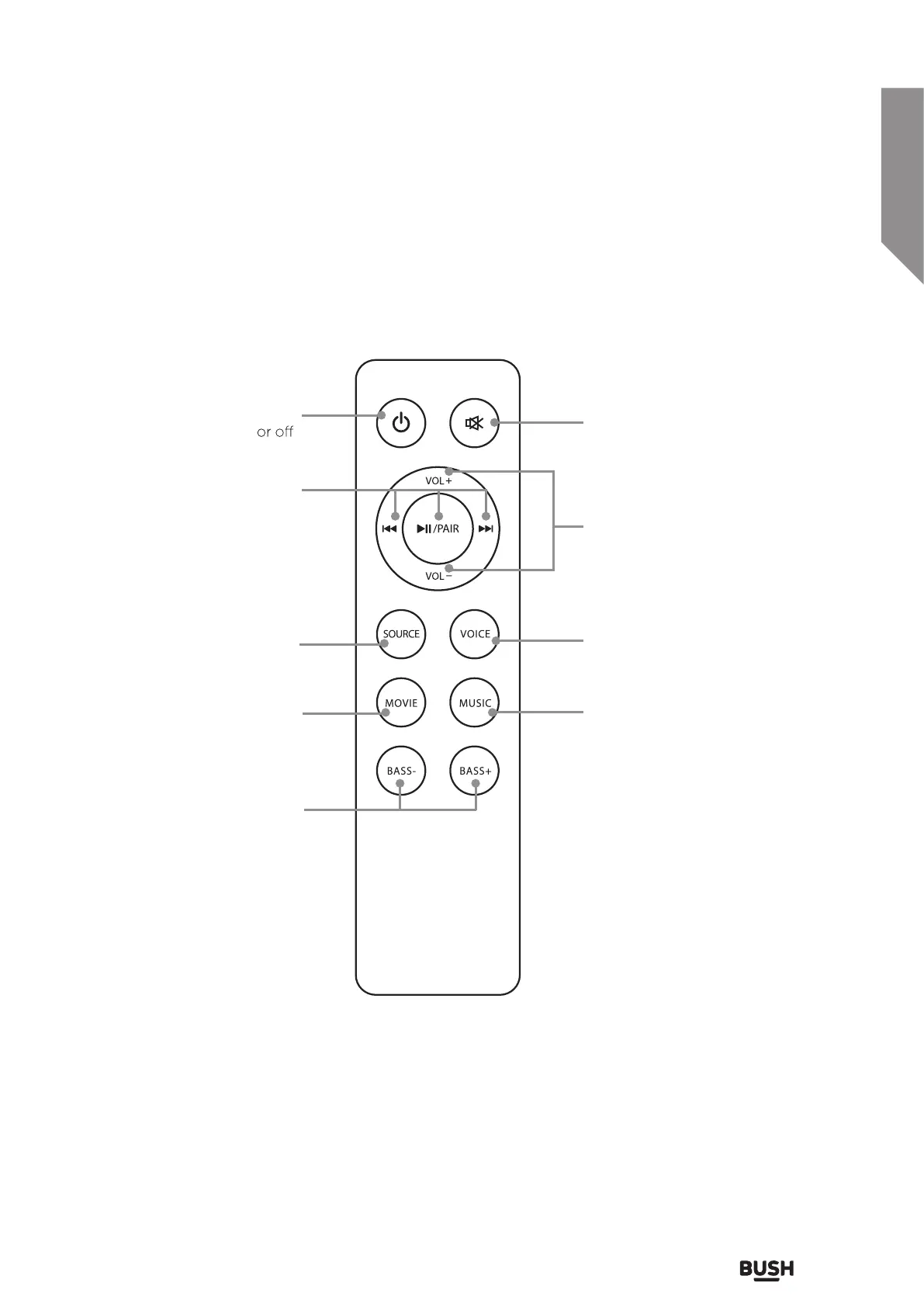
Mute: Press to mute the volume
Power: Press to switch the unit on
Skip: In Bluetooth mode, press to
skip forward or back onetrack
Play/Pause: In Bluetooth mode,
press to play or pause a track
Pair: Press to switch to pairing
mode
Source: Press to switch between
Optical, Line In, AUX in, or
Bluetooth mode
Movie: Press to switch to the EQ
optimized for movie sound
Bass+/-: Press to adjust the bass
up or down
Volume+/-: Press to adjust the volume
up or down
Voice: Press to switch to the EQ
optimized for dialogue
Music: Press to switch to the EQ
optimized for music



 To Next Page